
Question

Business Validation Error: Make sure all your transactions have a GST/HST rate before you save

  • May 26, 2023
  • 3 replies
  • 1054 views

bloomyourbiz

Hi there, 

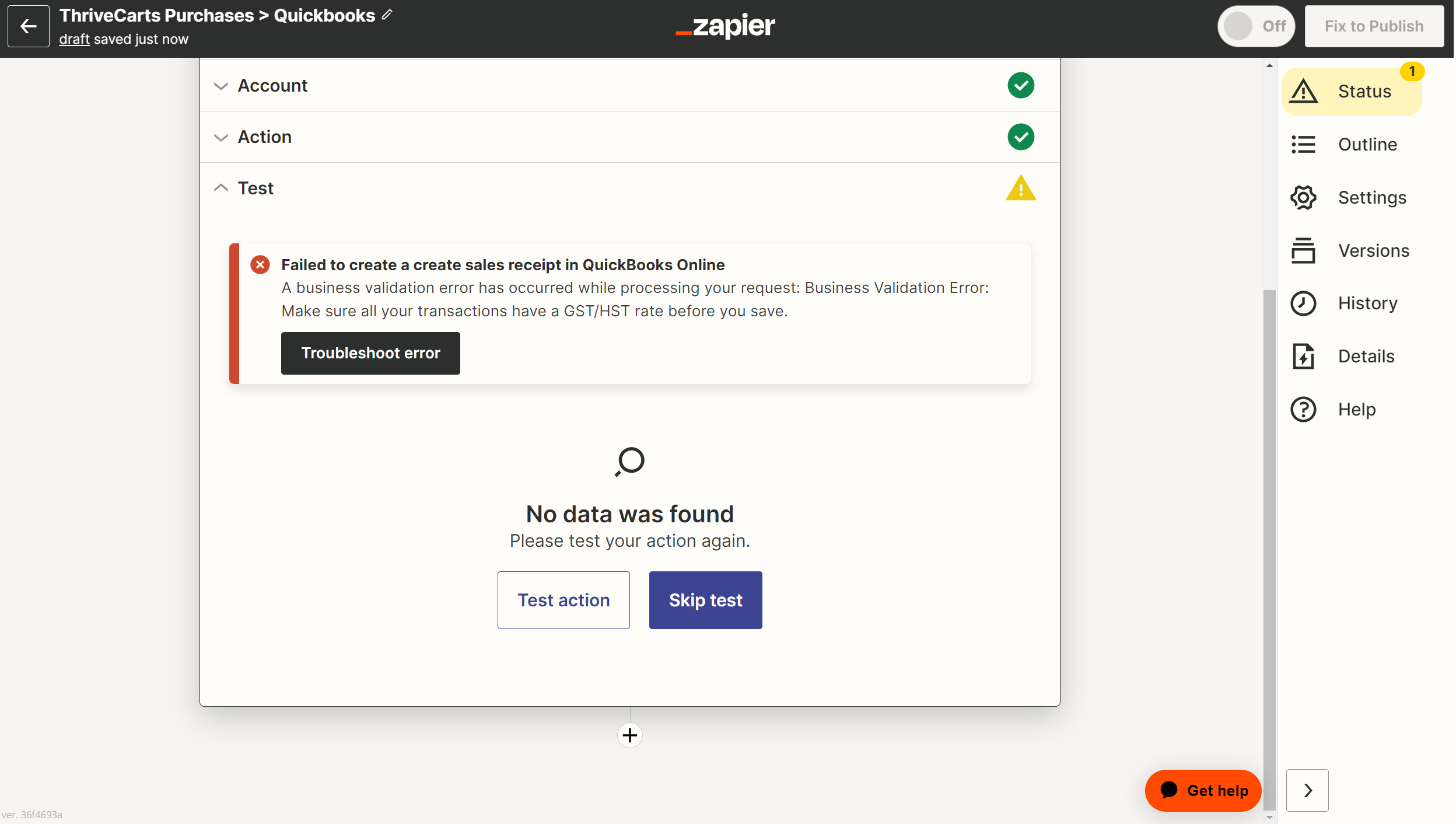
I'm having trouble setting up my Zap that will hopefully connect Thrive Carts to Quickbooks. The error message I'm receiving reads: Business Validation Error: Make sure all your transactions have a GST/HST rate before you save.


I have set all of the Tax settings that I can - does anybody happen to have any information on how best to connect these two platforms? I'm guessing that I'm not the first person who's attempting to connect Thrive Carts and Quickbooks. 


Any insight would be appreciated. Thank you.

 

This post has been closed for comments. Please create a new post if you need help or have a question about this topic.

3 replies

chanelle
Forum|alt.badge.img+8
  • Zapier Staff
  • May 26, 2023

Hey there @bloomyourbiz -

Yes, I have seen this error pop up in the community before. Can you please share some screenshots of your Zap similar to this, so I can take a closer look at your set up? From there, I can help troubleshoot and get you on your way to a successful Zap! 


bloomyourbiz
  • Author
  • Beginner
  • June 6, 2023

Hi Chanelle, 


Thank you for your response. 

I’ve attached a screenshot image of my error message as well as a PDF screenshot of the actions I’ve set up.

I have ThriveCarts simple sales tax calculation turned on, meaning that it generates local sales tax based on the client’s address. For that reason I’m unable to select one particular tax percentage when setting up my actions. I tried inputting Zero-Rated, but it still gives me the same error message. 

Any advice would be greatly appreciated. 


ken.a
Forum|alt.badge.img+6
  • Zapier Staff
  • June 7, 2023

Hi there @bloomyourbiz,

I’m jumping in to see if I can help!

I’ve been doing some digging regarding this error, and it seems like the error is coming from the “Line Item Tax Code” and “Tax Code” fields. Looking at your screenshot, it seems like the error is coming from the “Line Item Tax Code” field.

17178a27db0f528ea462b1d39f41c404.png
(view larger)

Could you please click on the dropdown field, and select from the appropriate tax code from the dropdown. Also, I found this article from QuickBooks Online that recommends having a Tax Code for all Global Companies. Can you also try setting this up to see if this helps resolve the issue?

Please keep us posted! 😊