Answer

Buffer error: The app returned "Unauthorized"

  • December 1, 2024
  • 16 replies
  • 180 views

Forum|alt.badge.img

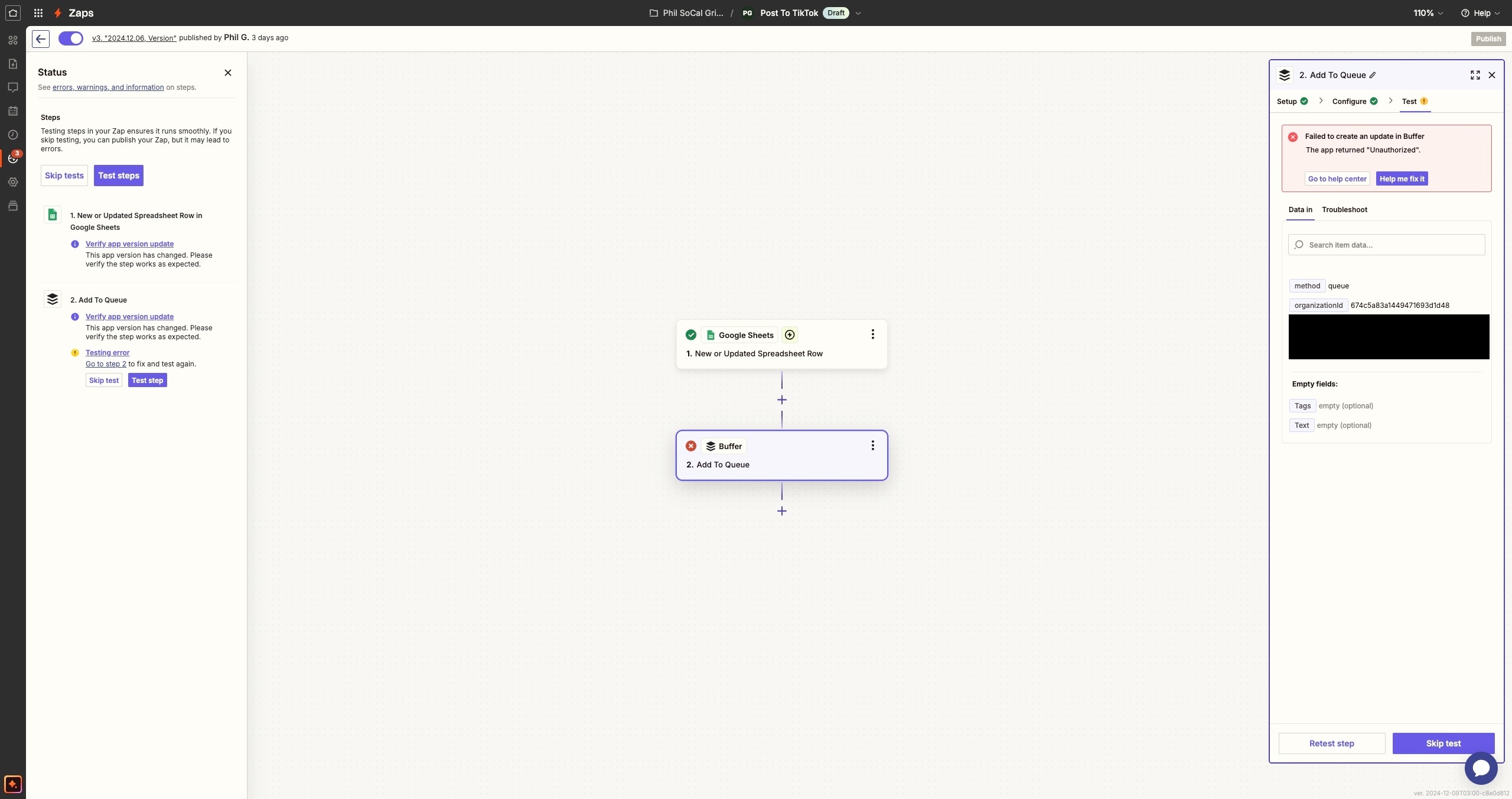
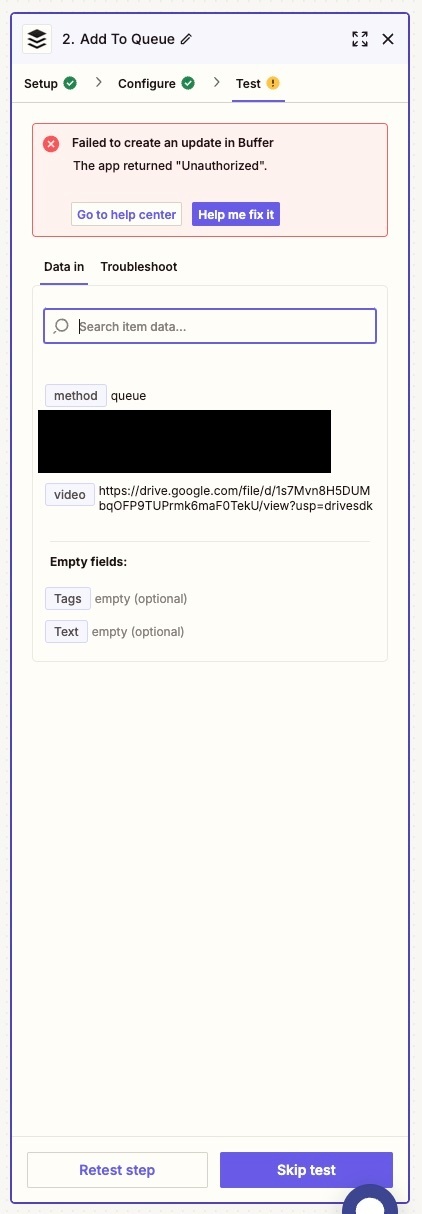
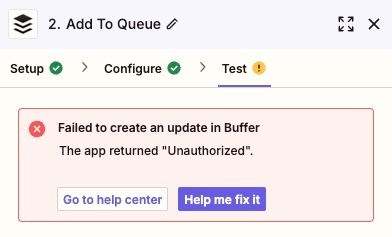
I am getting this error when trying to use buffer in Zapier.  I can’t figure out how to fix it.  Help appreciated.


Best answer by ken.a

Thanks for the screenshots ​@SoCalGrind!

It looks like the issue here is in the “Video” field. The “Video” field looks for the direct download URL or File object.

If you’re using a URL link to a file, it must be:

  • Publicly-accessible: it can’t require a login to be accessed.
  • Downloadable: the app you’re sending it to must be able to upload it to their server.

You can learn more about sending files via Zaps here: https://help.zapier.com/hc/en-us/articles/8496288813453-Send-files-in-Zaps

Hopefully, this helps.

This post has been closed for comments. Please create a new post if you need help or have a question about this topic.

16 replies

JammerS
Forum|alt.badge.img+6
  • Zapier Staff
  • December 2, 2024

Hi ​@SoCalGrind,


Welcome to the Community.


The "Unauthorized" error between Zapier and Buffer typically indicates an authentication issue. To resolve it, try reconnecting Buffer to Zapier by removing and re-adding the connection in your Zapier settings. Ensure Zapier has the necessary permissions in Buffer and that your Buffer account is active. If you've recently updated your Buffer password, make sure Zapier reflects these changes. If the issue persists, contact Zapier or Buffer support for further assistance, and test your Zap after each step to check for resolution.


Let us know if you have any further inquiries. Thank you


Forum|alt.badge.img
  • Author
  • Beginner
  • December 2, 2024

I tried reconnecting, didn’t work.  I tried deleting and re-adding, didn’t work.

What does “Ensure Zapier has the necessary permissions in Buffer and that your Buffer account is active.” mean?


Forum|alt.badge.img
  • Author
  • Beginner
  • December 2, 2024

fwiw - inside of “Apps” in Zapier, that “test connection” works, but inside my zap, the test fails.  so am thinking maybe i’m missing the “add to queue” permission?


JammerS
Forum|alt.badge.img+6
  • Zapier Staff
  • December 3, 2024

Hi ​@SoCalGrind,


You may try to check the “add to queue” permission to find out if that will fix the issue. Let us know if that fixes the issue. Thank you.


Forum|alt.badge.img
  • Author
  • Beginner
  • December 3, 2024

Where do I check the “add to queue” permission?


JammerS
Forum|alt.badge.img+6
  • Zapier Staff
  • December 4, 2024

Hi ​@SoCalGrind


That will be on your Buffer account. You can check the settings and ensure proper permission is allowed to Zapier in order for it to work. 


I hope this helps! Let me know if you have any other questions.


Forum|alt.badge.img
  • Author
  • Beginner
  • December 6, 2024

i don’t see where this is on my buffer account.


Forum|alt.badge.img
  • Author
  • Beginner
  • December 8, 2024

Hi, any update on this?


ken.a
Forum|alt.badge.img+6
  • Zapier Staff
  • December 9, 2024

Hi ​@SoCalGrind,

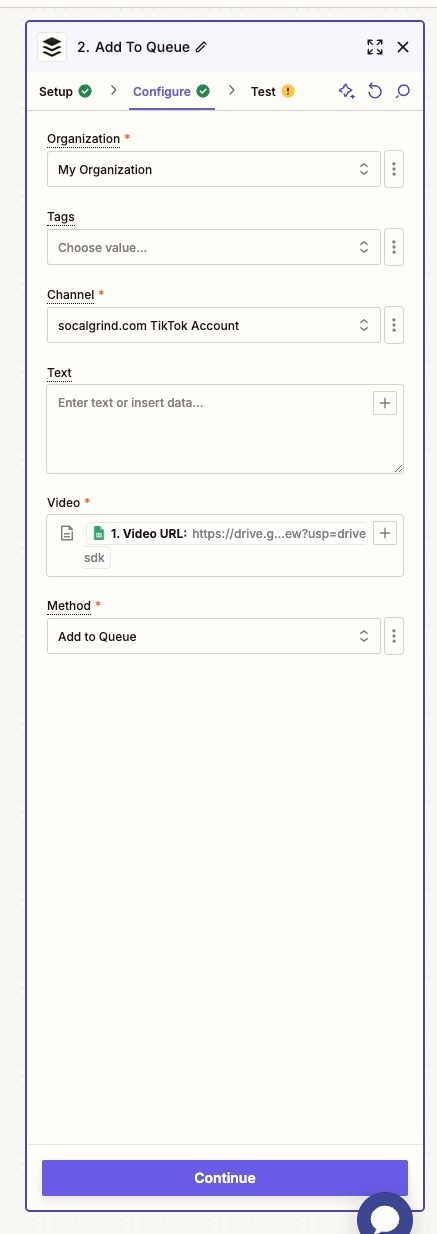
Before we dig deeper into this, would you mind sharing a detailed screenshot of how your Zap is configured? Also, please share a screenshot of the “CONFIGURE” section of the Buffer step that shows all of its fields.

Please don't include personal information in the screenshot, or be sure blur out any personal information.

Thanks!


Forum|alt.badge.img
  • Author
  • Beginner
  • December 9, 2024

included


Forum|alt.badge.img
  • Author
  • Beginner
  • December 9, 2024

included


Forum|alt.badge.img
  • Author
  • Beginner
  • December 9, 2024

included


ken.a
Forum|alt.badge.img+6
  • Zapier Staff
  • Answer
  • December 10, 2024

Thanks for the screenshots ​@SoCalGrind!

It looks like the issue here is in the “Video” field. The “Video” field looks for the direct download URL or File object.

If you’re using a URL link to a file, it must be:

  • Publicly-accessible: it can’t require a login to be accessed.
  • Downloadable: the app you’re sending it to must be able to upload it to their server.

You can learn more about sending files via Zaps here: https://help.zapier.com/hc/en-us/articles/8496288813453-Send-files-in-Zaps

Hopefully, this helps.


Forum|alt.badge.img
  • Author
  • Beginner
  • December 10, 2024

That was it!  Thanks!!!!


Forum|alt.badge.img
  • Author
  • Beginner
  • December 10, 2024

Also, it looks like you changed the messaging to something more helpful!  Thanks again for all your help!!


JammerS
Forum|alt.badge.img+6
  • Zapier Staff
  • December 11, 2024

Wow! Thank you for confirming that Ken’s resolution got the Zap running. This will significantly help our Community members to have as a reference for the same issue.