

Question

BreezeDoc "Error parsing response" error

  • January 7, 2026
  • 8 replies
  • 33 views

RashidatO
Forum|alt.badge.img

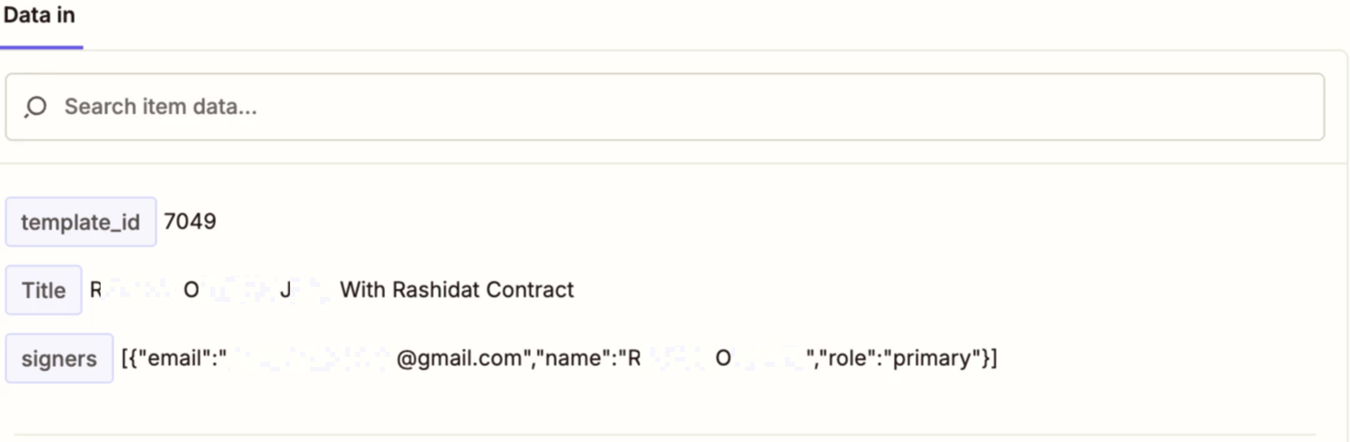
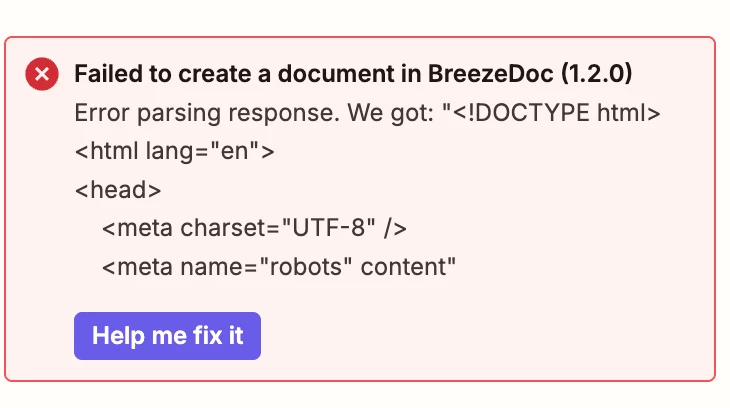
Ok I have a zap that I’m entering the information, but I’m getting an error from BreezeDoc.  Does anyone know how to fix this?
 

This post has been edited by a moderator to remove personally identifiable information (PII). Please remember that this is a public forum and avoid sharing personal or potentially sensitive details.


8 replies

Forum|alt.badge.img

@RashidatO  Check the exact error message in Zap History first. Most BreezeDoc errors are caused by missing required fields or invalid data being sent. Re-test the BreezeDoc step and make sure all required fields are mapped correctly from the previous step.


Troy Tessalone
Zapier Orchestrator & Solution Partner
Forum|alt.badge.img+14
  • Zapier Orchestrator & Solution Partner
  • January 7, 2026

Hi ​@RashidatO 

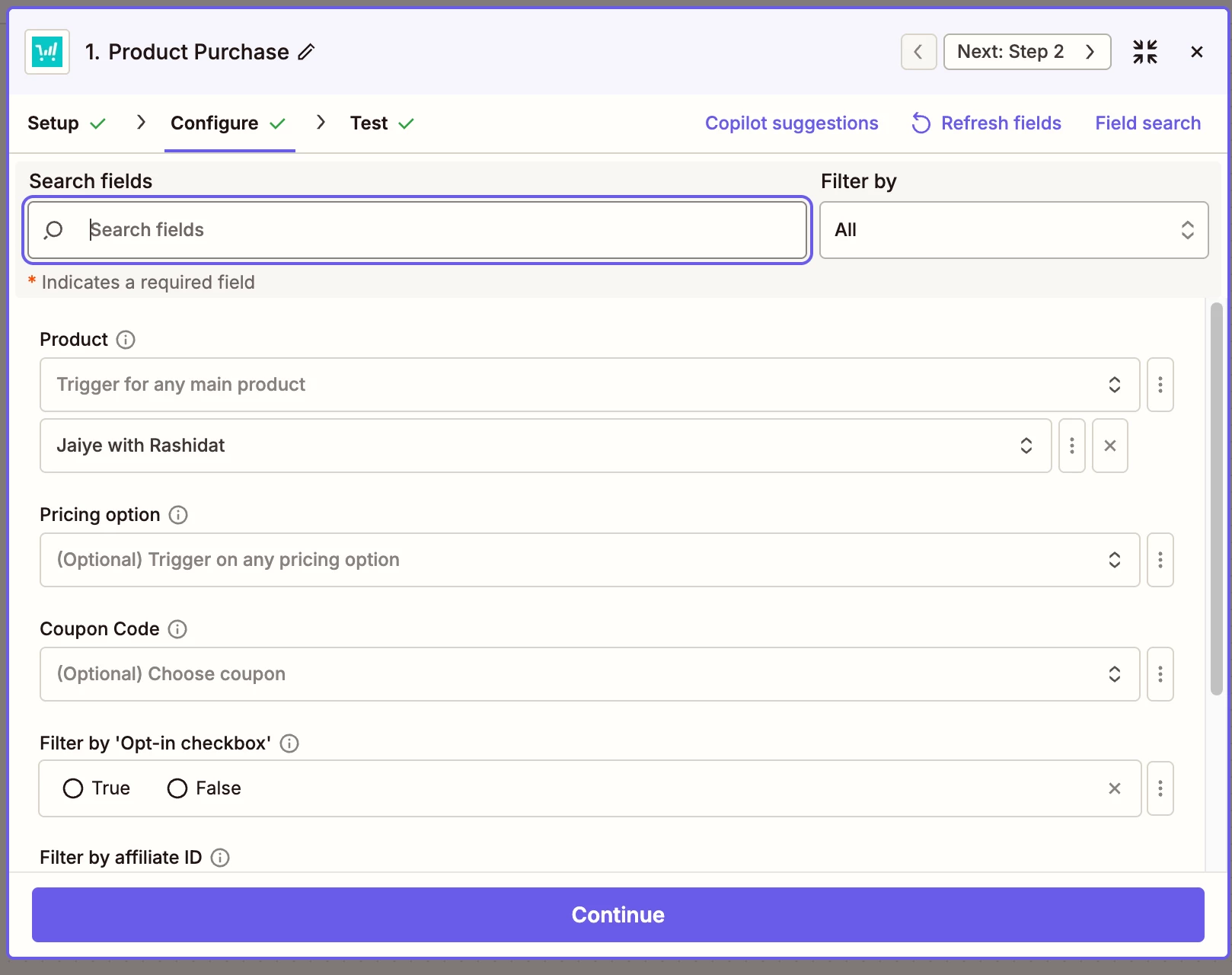
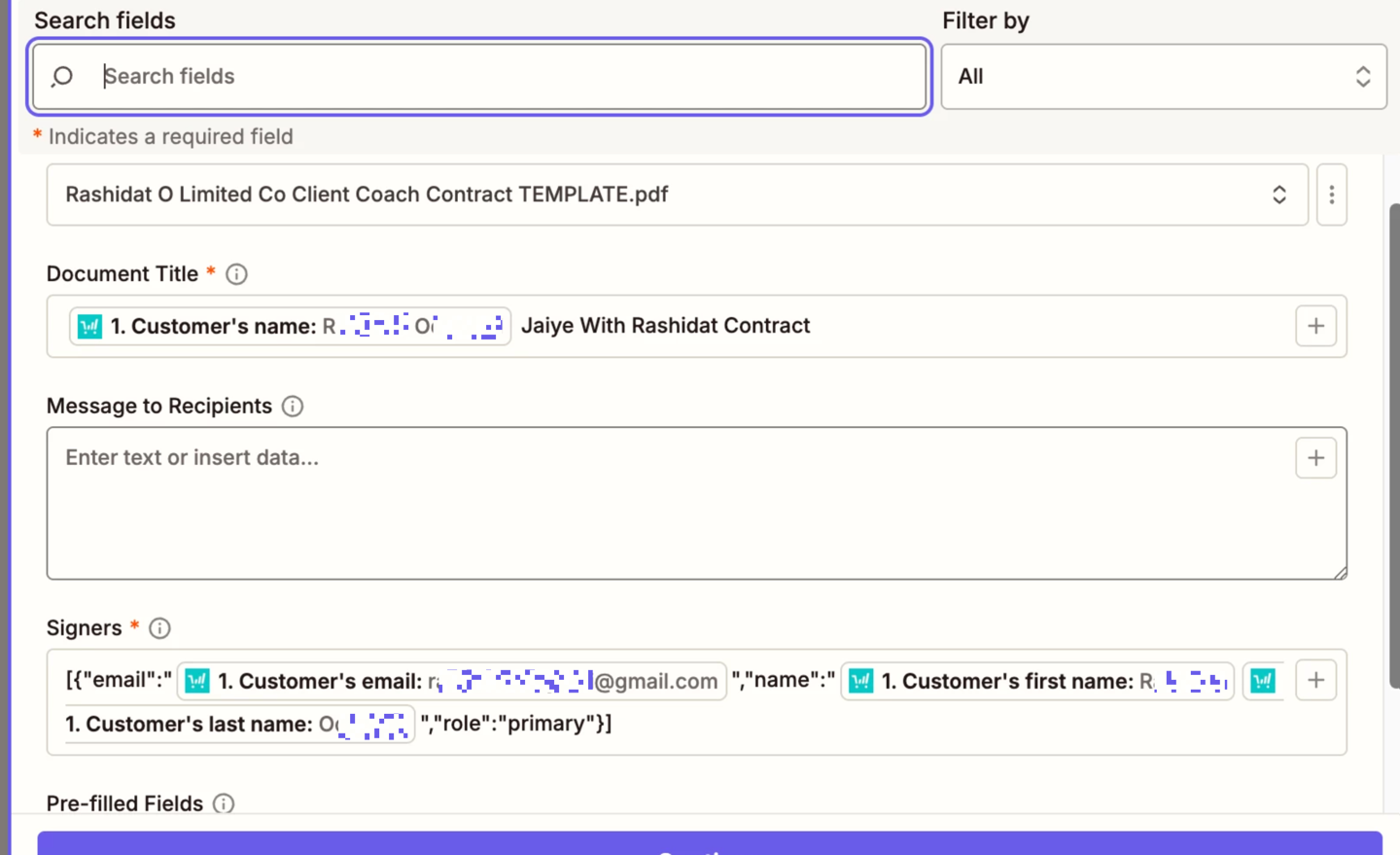
For us to have more info about the error, post screenshots showing how the Zap step is configured in the CONFIGURE tab while in EDIT mode with the field mappings and field types visible.


RashidatO
Forum|alt.badge.img
  • Author
  • Beginner
  • January 8, 2026

Hi ​@Troy Tessalone here you go!

This post has been edited by a moderator to remove personally identifiable information (PII). Please remember that this is a public forum and avoid sharing personal or potentially sensitive details.



Troy Tessalone
Zapier Orchestrator & Solution Partner
Forum|alt.badge.img+14
  • Zapier Orchestrator & Solution Partner
  • January 8, 2026

@RashidatO 

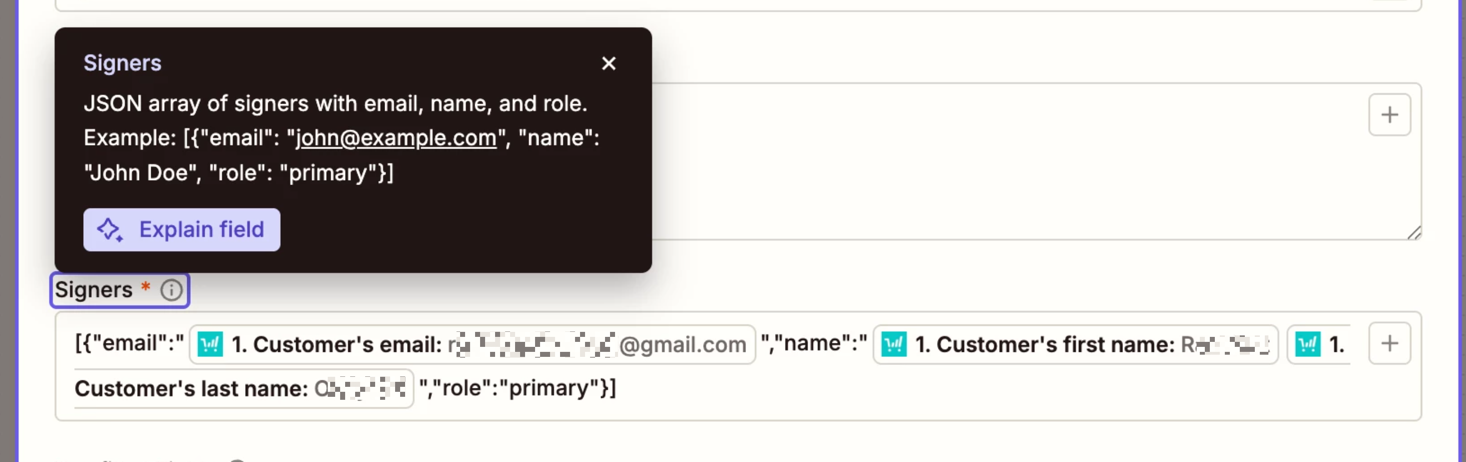
Issue may be related to the Signers field.

TIP: Click the field label to see a tooltip with more info.

Post a screenshot of that field tooltip for us to have more info.


If you are still having issues, try contacting BreezeDoc Support for help with their Zap app integration.

Try opening a ticket with Zapier Support: https://zapier.com/app/get-help


RashidatO
Forum|alt.badge.img
  • Author
  • Beginner
  • January 8, 2026

Hi ​@Troy Tessalone, yes I tried that field.  That’s how I got the set up you see now.

This post has been edited by a moderator to remove personally identifiable information (PII). Please remember that this is a public forum and avoid sharing personal or potentially sensitive details.


Troy Tessalone
Zapier Orchestrator & Solution Partner
Forum|alt.badge.img+14
  • Zapier Orchestrator & Solution Partner
  • January 8, 2026

@RashidatO 

If you are still having issues, try contacting BreezeDoc Support for help with their Zap app integration.

Try opening a ticket with Zapier Support: https://zapier.com/app/get-help


RashidatO
Forum|alt.badge.img
  • Author
  • Beginner
  • January 8, 2026

@Troy Tessalone Yes, I’ve submitted a ticket.  Just through I’d reply to you in case you could help while I wait to hear from them.☺️


SamB
Community Manager
Forum|alt.badge.img+11
  • Community Manager
  • January 19, 2026

Hey there ​@RashidatO 👋

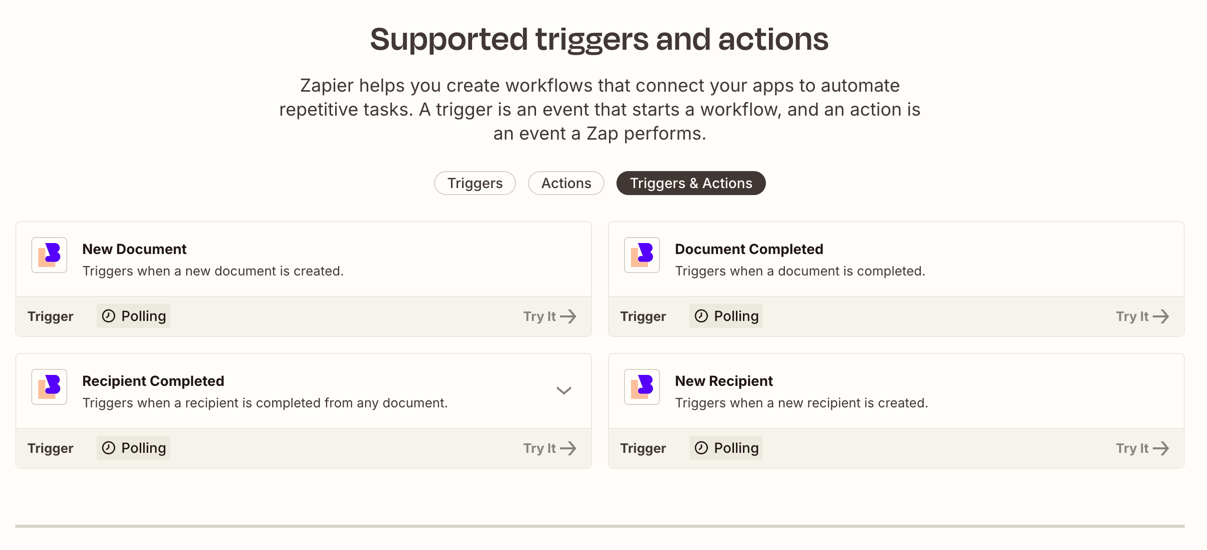
This is strange. I had a look at the BreezeDoc app integration and I’m not seeing actions available, there’s only triggers:

e14a3559abea45a26d2bdbe2cbe8bbda.png
Are you still seeing that action available in the Zap and is it still erroring? If you are still seeing it, did you get sent an invite (from the developer) to a different version of the BreezeDoc app, or did you just select the BreezeDoc app when setting up your Zap?