Question

Aweber “Tel” field not available to select in ClickSend SMS action

  • February 12, 2026
  • 12 replies
  • 40 views

Hey guys, the new zap format got me super confused. I am trying to simply insert the  tel number field from aweber into a clicksend sms message but I seem to have all fields in the drop down except “Tel”. I checked that “tel” is on the aweber subscriber info for this list. When I click “+” to add a field, the new zap front end gives me tabs with fields from “previous steps” “in use data” and “variable” but none of them have “tel”. Any idea where I should be looking? It seemed pretty easy previously but no idea now. Thanks C


12 replies

drtanvisachar
Forum|alt.badge.img+5
  • Zapier Solution Partner
  • February 12, 2026

Hello ​@DrH 

Zapier only shows fields it receives in the trigger sample. Even if “Tel” exists in AWeber, it won’t appear unless the test subscriber Zapier pulled has Tel filled in.

Go to your AWeber trigger step, click Test trigger, make sure the test subscriber has a real phone number in Tel, then re-test. Go back to ClickSend and the field should appear under Previous steps.

Also try searching the dropdown for phone, mobile, or custom  it may be listed under a custom field name.

Dr. Tanvi Sachar
Monday Certified Partner, Tuesday Wizard


Troy Tessalone
Zapier Orchestrator & Solution Partner
Forum|alt.badge.img+14
  • Zapier Orchestrator & Solution Partner
  • February 12, 2026

Hi ​@DrH 

Help us have more info by posting screenshots showing:

  • how your Zap steps are outlined
  • the DATA OUT returned from Zap step 1

SamB
Community Manager
Forum|alt.badge.img+11
  • Community Manager
  • February 16, 2026

Hey there ​@DrH 👋

Did pulling in a new test record like drtanvisachar suggested allow you to access the phone number for the subscriber? 

If not, I wonder if you could access the tel field by using a Find Subscriber (AWeber) action. Sometimes a search action will be able to load fields that aren’t supplied by a trigger.

Let us know how you get on. Happy to lend a hand if you’re still stuck at all! 🙂


  • Author
  • Beginner
  • March 14, 2026

Hey ​@drtanvisachar my Zap trigger sample includes an old sample with tel number in so when that fires the zap works. When I get a live “sign up” from EB the tel number does not read across I have to log into EB and drill down into the orders to retrieve it). Also when my web form triggers the same format zap it fires no problem and populates the telephone number. So I know the zap is good, its the mapping of the tel number from Eventbrite to Zapier. (I never had this problem in the past but now EB has a 2-page subscriber sign-up process.The first part captures name and email only and the second page captures the other info the organiser needs (in this case the tel number for me). It seems to be the second part of the data process that Zapier cannot read/map across. Not sure if Zapier Devs are aware of this?? I use EB a lot so its a real pain esp when I get a ton of people coming to the events.  


  • Author
  • Beginner
  • March 14, 2026

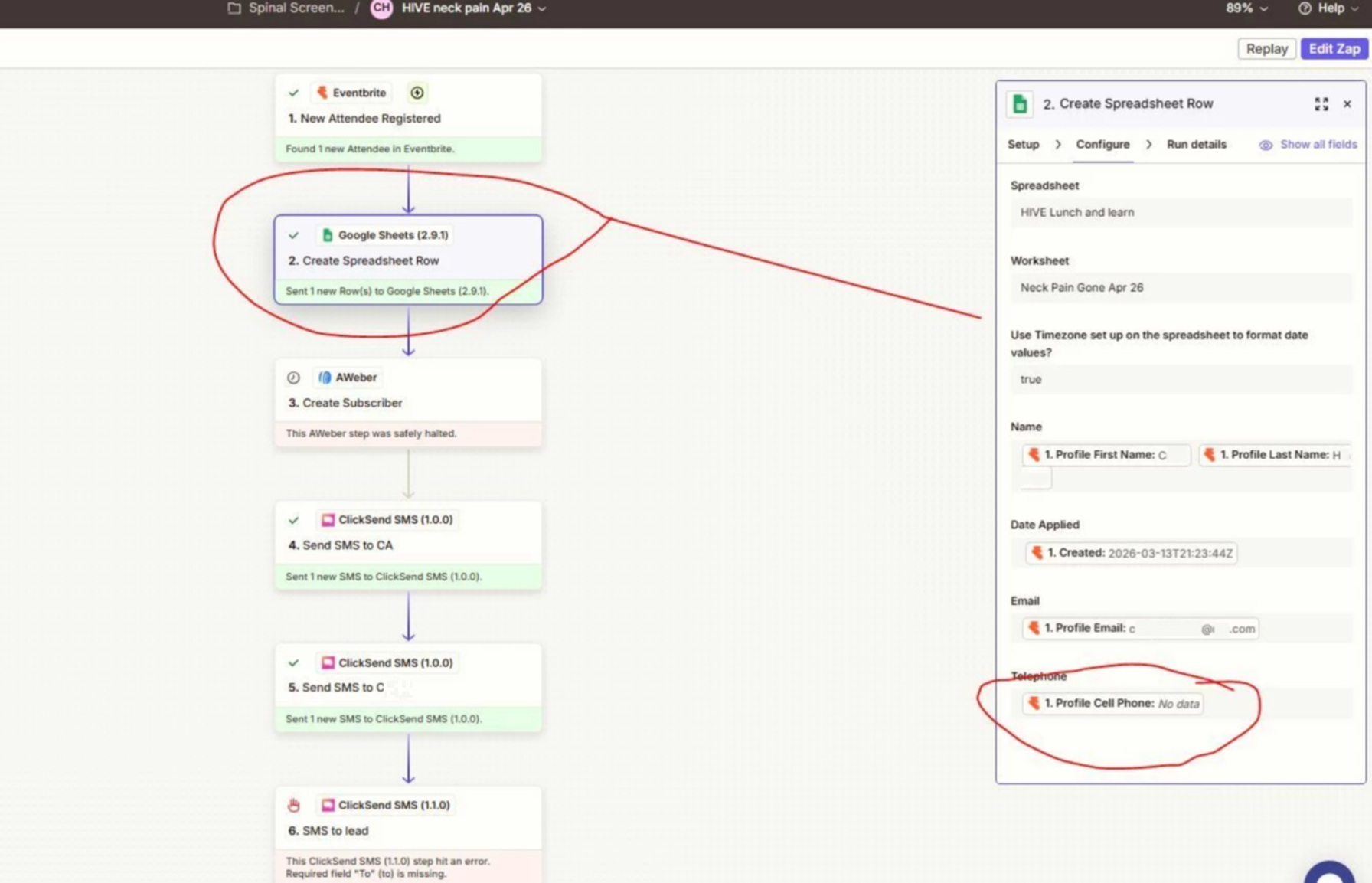
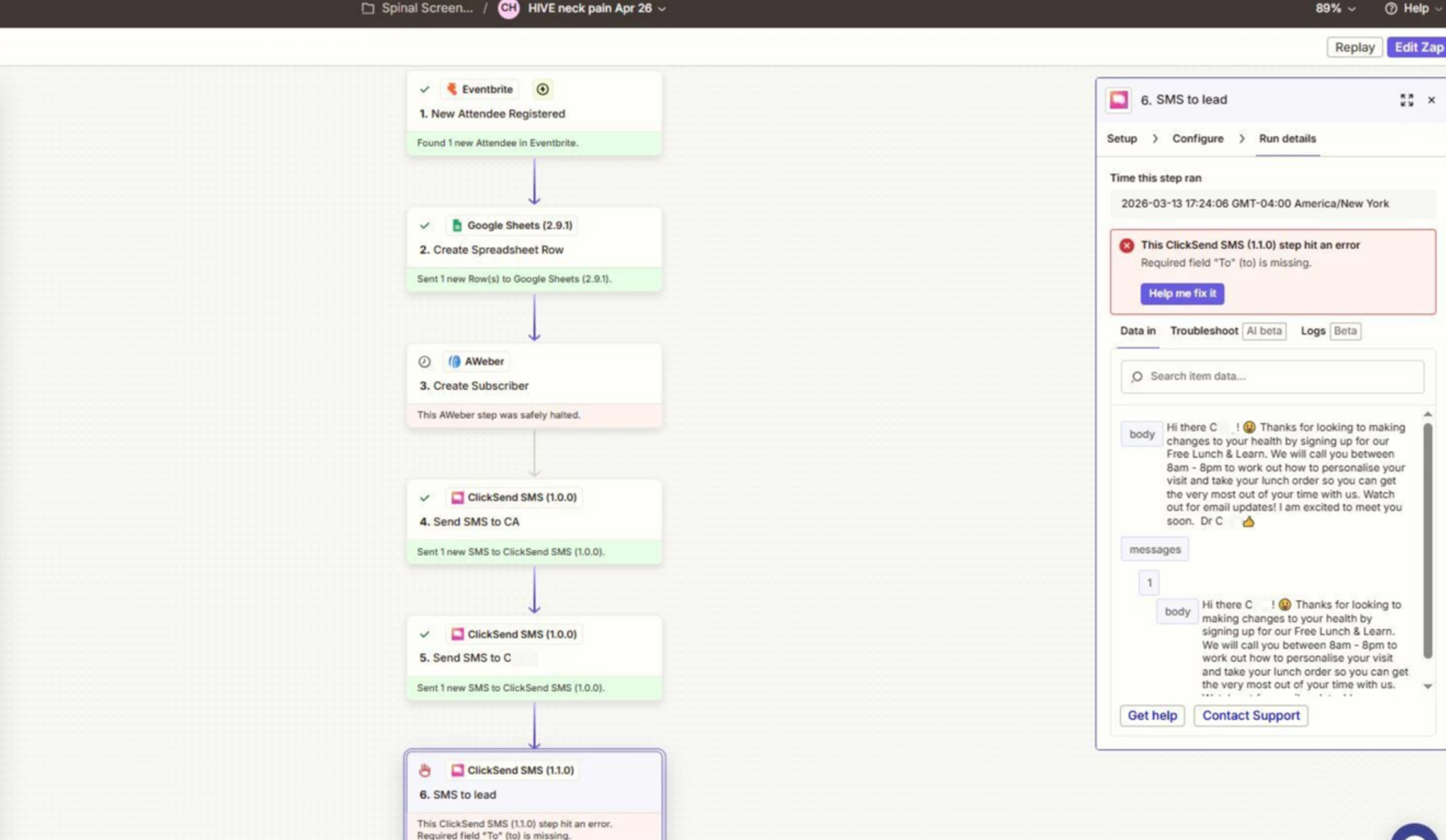
Hi ​@Troy Tessalone thanks for your input. Screenshots attached. One shows error on last SMS to subscriber 9obs need phone number for that) what it doesnt show is the SMS to me and my assistant do not have a follow up phone number which slows things down and I am unable to format a “message straight to voicemail” fr super speedy follow up.

a095915fc6c4f778ad857beb76703a62.png
51c031cf96d282435d8c8b8fc6b30252.png
 

This post has been edited by a moderator to remove personally identifiable information (PII). Please remember that this is a public forum and avoid sharing personal or potentially sensitive details.


  • Author
  • Beginner
  • March 14, 2026

@Troy Tessalone short video of checking data out and EB back end setting up phone number on YouTube 

—LINK REMOVED—


This post has been edited by a moderator to remove a video containing personally identifiable information (PII). Please remember that this is a public forum and avoid sharing personal or potentially sensitive details.


  • Author
  • Beginner
  • March 14, 2026

@SamB thanks for reaching outfollowing up.

Dr T suggestion didnt work. (see above).

It is poss to drill down into the orders and  access phone on Eventbrite but a pain and I need it to map into zapier so I can do other cool follow up (see above and thats the main reason for using Zapier-so I dot miss follow up).

Aweber I do not map teh phone number across as I odnt use it there just on my google sheets and sms and straight to VM


yes I would love a hand - I am still stuck


many thanks to all


Craig


Troy Tessalone
Zapier Orchestrator & Solution Partner
Forum|alt.badge.img+14
  • Zapier Orchestrator & Solution Partner
  • March 14, 2026

@DrH 

Try adding these Zap steps:

  • Action: Delay - For
    • e.g. 1 minute
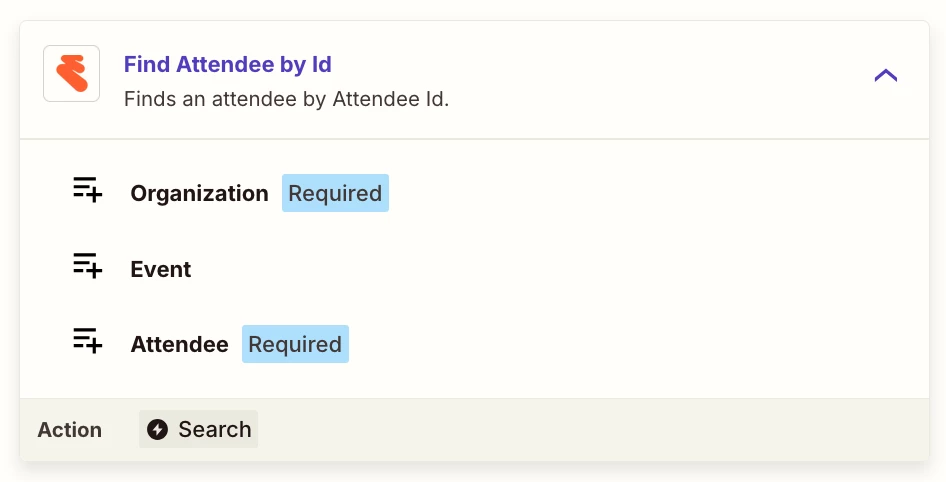
  • Action: Eventbrite - Find Attendee by ID
    • Map the Attendee ID from Zap step 1


Purpose: Fetch current Attendee data after the delay to see if that returns the Phone #.


  • Author
  • Beginner
  • March 14, 2026

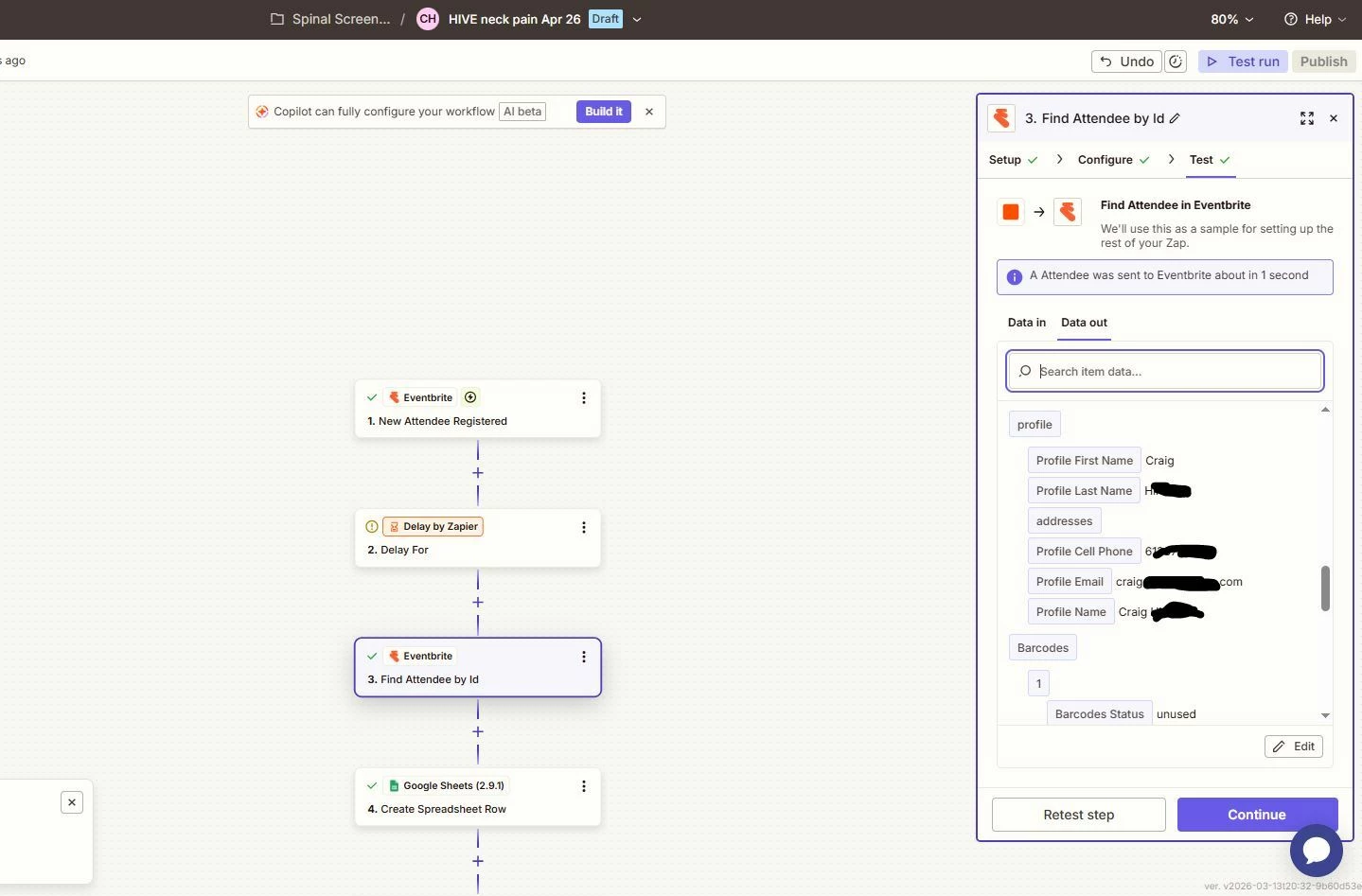
@Troy Tessalone Many thnaks for your quick response. I have set that up I’m just not sure who I should put in as attendee as the idea is that I capture the data of  new attendees rather than existing ones. Ill set up an attendee then run the zap by registering someone  but am confused. Will let you know.


  • Author
  • Beginner
  • March 14, 2026

Yes it came through onto my Google sheets after the delay with name and email but no “tel”.


greatneszz0902

Hey guys, the new zap format got me super confused. I am trying to simply insert the  tel number field from aweber into a clicksend sms message but I seem to have all fields in the drop down except “Tel”. I checked that “tel” is on the aweber subscriber info for this list. When I click “+” to add a field, the new zap front end gives me tabs with fields from “previous steps” “in use data” and “variable” but none of them have “tel”. Any idea where I should be looking? It seemed pretty easy previously but no idea now. Thanks C

In the new Zap editor, some fields don’t appear until a sample record is pulled in. Try refreshing the data from the AWeber step (“Test” or “Find new records”) so Zapier can load the subscriber fields. Once the sample updates, the Tel field should appear under the data from the AWeber step and can then be mapped into the ClickSend SMS “To” field.


Troy Tessalone
Zapier Orchestrator & Solution Partner
Forum|alt.badge.img+14
  • Zapier Orchestrator & Solution Partner
  • March 15, 2026

@DrH 

Map the ID of the Attendee from the Zap trigger step 1.


Help link for how to do that: https://help.zapier.com/hc/en-us/articles/8496241696141-Add-custom-values-to-dropdown-menu-fields-in-Zaps


Best to share screenshots with how the Zap step is configured in the CONFIGURE tab with the field mappings visible for true context.