Question

Asana New User trigger not working

  • March 18, 2022
  • 5 replies
  • 96 views

Forum|alt.badge.img

Hi Zapier community!  I have a zap that’s intended to trigger whenever a new user is created in Asana.  This is part of an onboarding flow, and the idea is that once the new user logs in, the zap will find certain tasks and assign the new user to those tasks.  However, we added a new team member this week, and the zap did not even run.  How can I troubleshoot this, please?  Thank you!

This post has been closed for comments. Please create a new post if you need help or have a question about this topic.

5 replies

Troy Tessalone
Zapier Orchestrator & Solution Partner
Forum|alt.badge.img+14
  • Zapier Orchestrator & Solution Partner
  • March 18, 2022

Hi @mrose 

Good question.

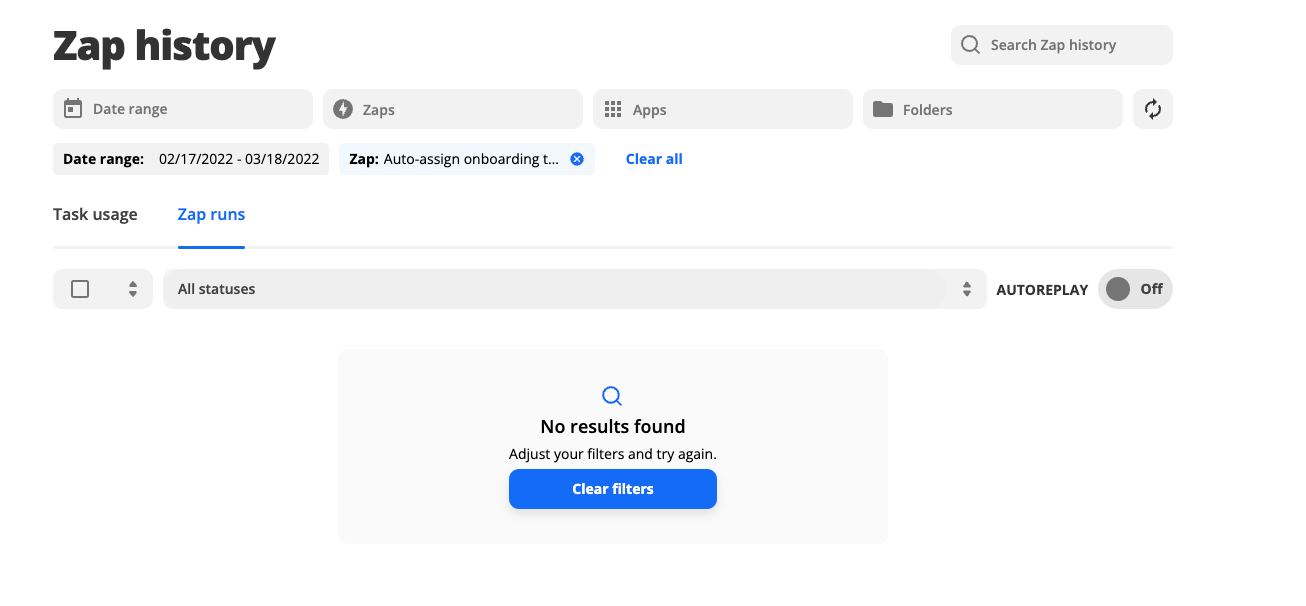
Best place to troubleshoot is the Zap Runs: https://zapier.com/app/history/

Did the Zap trigger but have an error on a step?

Zaps only work when turned ON for new data going forward.

The Zap trigger for Asana New User is not instant and can take from 1-15 minutes to trigger based on your Zapier plan.


Forum|alt.badge.img
  • Author
  • Beginner
  • March 18, 2022

Thanks for the quick response, Troy.  The zap didn’t run at all in this case.  I was unable to initiate the zap run manually.


The zap was on all week, I’m not sure exactly when the new team member/user was added but I don’t know why that didn’t trigger the flow.  


Anything else I should try?


Troy Tessalone
Zapier Orchestrator & Solution Partner
Forum|alt.badge.img+14
  • Zapier Orchestrator & Solution Partner
  • March 18, 2022

@mrose 

You can try pulling thru the test data in the Zap trigger manually, then run each of the Zap steps manually.

https://zapier.com/help/create/basics/change-the-test-data-in-your-zap-trigger


Forum|alt.badge.img
  • Author
  • Beginner
  • March 18, 2022

@Troy Tessalone I looked for that option, Zapier isn’t finding the new user as test data.  However, I see the new user in Asana.  Where could the disconnect be, please?


Troy Tessalone
Zapier Orchestrator & Solution Partner
Forum|alt.badge.img+14
  • Zapier Orchestrator & Solution Partner
  • March 18, 2022

@mrose 

Probably best to open a ticket with Zapier Support related to this: https://zapier.com/app/get-help