

Answer

Asana error: An unexpected error occurred while processing this request. The input may have contained something the server did not know how to handle

  • January 10, 2024
  • 11 replies
  • 247 views

BattyMom
Forum|alt.badge.img

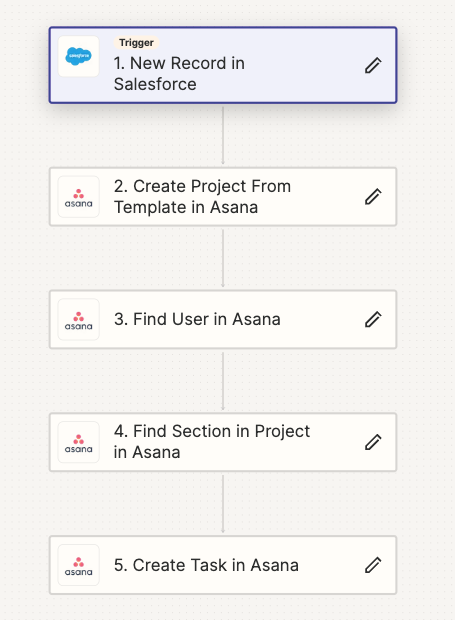
Hello all!  I was wondering if I could get some help.  I created a zap that creates an asana project from a template when a case is opened in SalesForce.  It worked fine last week, and no edits were made to it.  Now, all of a sudden, it is throwing up an error:

“Oops! An unexpected error occurred while processing this request. The input may have contained something the server did not know how to handle. “

I checked my connection between Zapier and Asana, and even got rid of and recreated the connection.  Nothing has helped.  Any ideas?


Best answer by ken.a

Hi there @BattyMom,

I’m jumping in to see if I can help!

​This type of error can happen from time to time when a server is under heavy load, or if the data trying to be passed is too large or for a whole variety of other circumstances. 

Since this happens on the other app's end we can't see exactly what might be the specific problem here, but the good news is that these issues are usually short-lived. Generally, once they settle back down, failed tasks can be replayed in bulk from the Task History.

To find more info on replaying tasks, I'd recommend this help doc: 

https://zapier.com/help/manage/tasks/replay-failed-tasks-in-zaps

Hopefully, this helps.

This post has been closed for comments. Please create a new post if you need help or have a question about this topic.

11 replies

Troy Tessalone
Zapier Orchestrator & Solution Partner
Forum|alt.badge.img+14
  • Zapier Orchestrator & Solution Partner
  • January 10, 2024

Hi @BattyMom 

For us to have full context, please post detailed screenshots with how your Zap steps are configured.


BattyMom
Forum|alt.badge.img
  • Author
  • Beginner
  • January 10, 2024

Okay, I have added an image of the steps.  However, as I states, this exact zap was working perfectly fine until today.  So I don’t think it’s the way the zap is set up or the error would have occurred before now.  I know Asana instituted some updates such as “smart statuses” and such, and was wondering if maybe that created the issues?  


Troy Tessalone
Zapier Orchestrator & Solution Partner
Forum|alt.badge.img+14
  • Zapier Orchestrator & Solution Partner
  • January 10, 2024

@BattyMom 

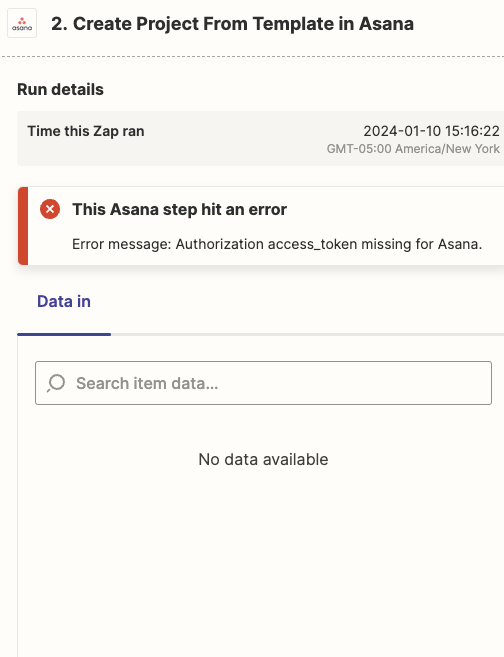
Check your Zap Runs history to see the DATA IN/OUT for each Zap step to help you troubleshoot.

We would need to see screenshots from your Zap Runs and how your Zap steps are configured to have true context.


BattyMom
Forum|alt.badge.img
  • Author
  • Beginner
  • January 10, 2024


Troy Tessalone
Zapier Orchestrator & Solution Partner
Forum|alt.badge.img+14
  • Zapier Orchestrator & Solution Partner
  • January 10, 2024

@BattyMom 

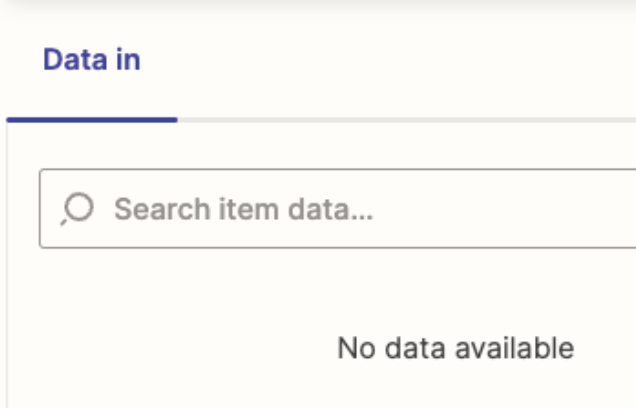
This shows no data was sent to Asana in Step 2, which may be contributing to the error.

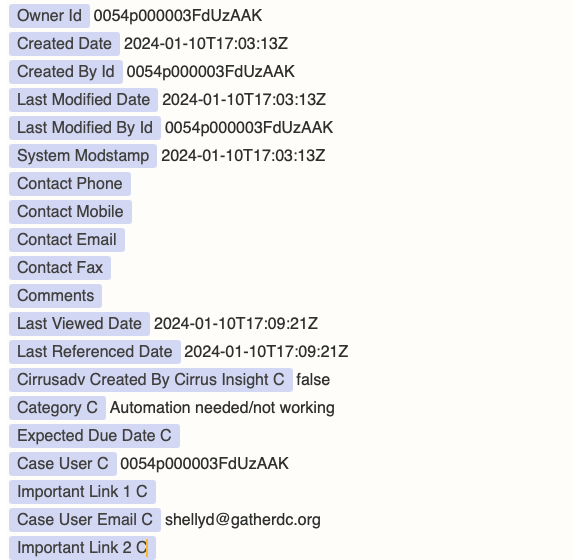
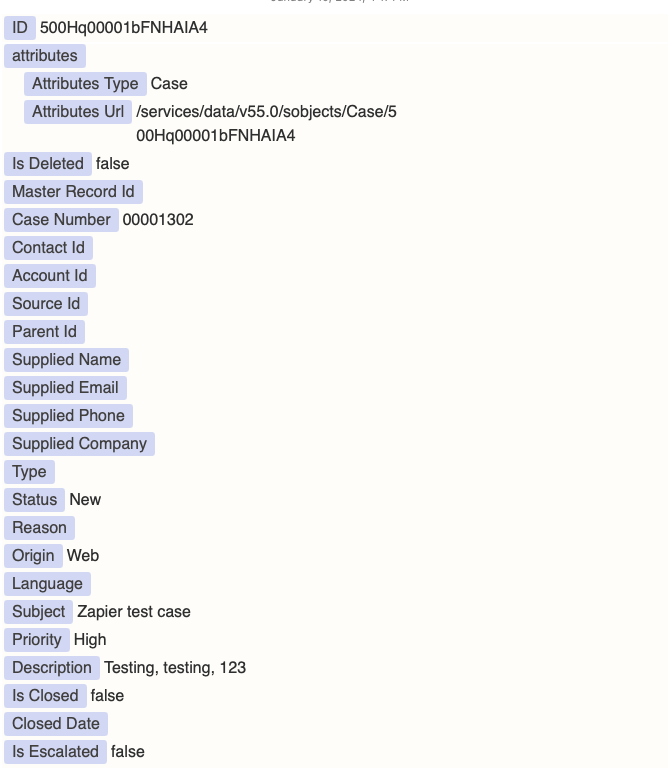
Can you show the DATA OUT from Salesforce in Step 1?


BattyMom
Forum|alt.badge.img
  • Author
  • Beginner
  • January 10, 2024

trying to get that information up… it has been submitted and being reviewed by moderators.  


BattyMom
Forum|alt.badge.img
  • Author
  • Beginner
  • January 10, 2024


ken.a
Forum|alt.badge.img+6
  • Zapier Staff
  • Answer
  • January 11, 2024

Hi there @BattyMom,

I’m jumping in to see if I can help!

​This type of error can happen from time to time when a server is under heavy load, or if the data trying to be passed is too large or for a whole variety of other circumstances. 

Since this happens on the other app's end we can't see exactly what might be the specific problem here, but the good news is that these issues are usually short-lived. Generally, once they settle back down, failed tasks can be replayed in bulk from the Task History.

To find more info on replaying tasks, I'd recommend this help doc: 

https://zapier.com/help/manage/tasks/replay-failed-tasks-in-zaps

Hopefully, this helps.


BattyMom
Forum|alt.badge.img
  • Author
  • Beginner
  • January 11, 2024

I’m curious as to how long that usually takes.  It has been two days and it is still occurring.  I’m very concerned that the update Asana put into effect is what broke the automation.


ken.a
Forum|alt.badge.img+6
  • Zapier Staff
  • January 12, 2024

Hi @BattyMom,

Thanks for the additional information.

You might be running into a bug here. I’d recommend reaching out to our Support Team regarding this issue. Our Support Team has the correct tools to look closer at the Zap and it logs to determine the cause of the issue.

You can reach out Support Team here: https://zapier.com/app/get-help

I appreciate your patience and understanding.


BattyMom
Forum|alt.badge.img
  • Author
  • Beginner
  • January 12, 2024

It seems like it has been resolved.  I tried to test the zap again today and the connection is now working.  Thank you all for your help!!