Best answer

AI by Zapier step fails with "not valid JSON" error when Google Drive file used as knowledge base

  • April 21, 2026
  • 10 replies
  • 79 views

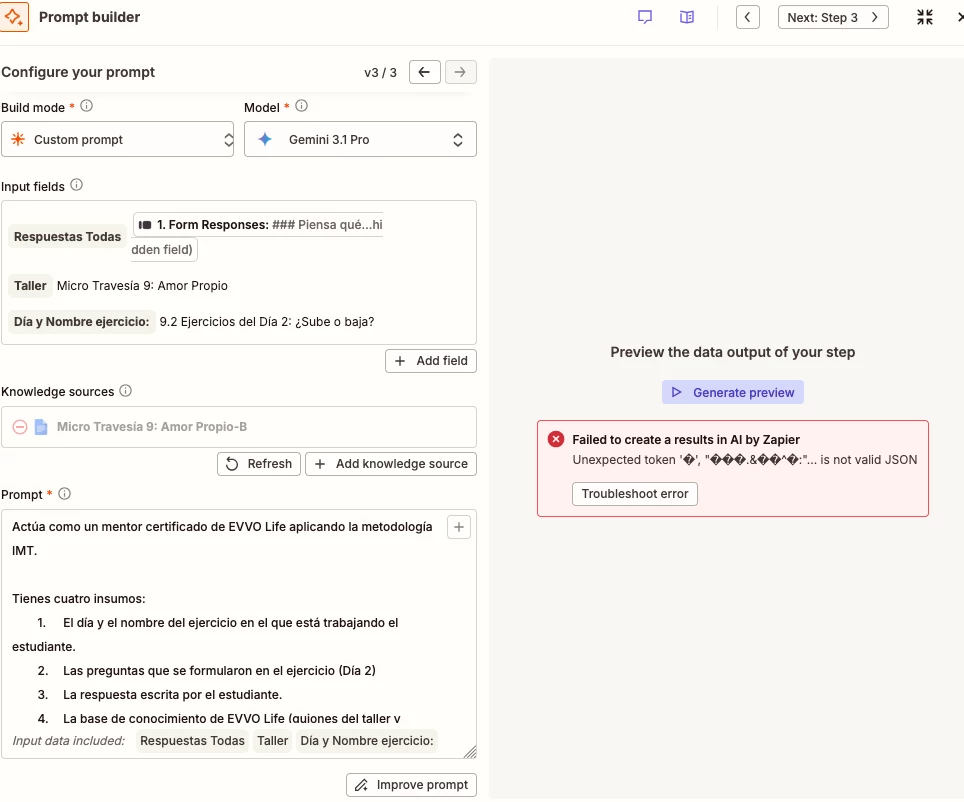
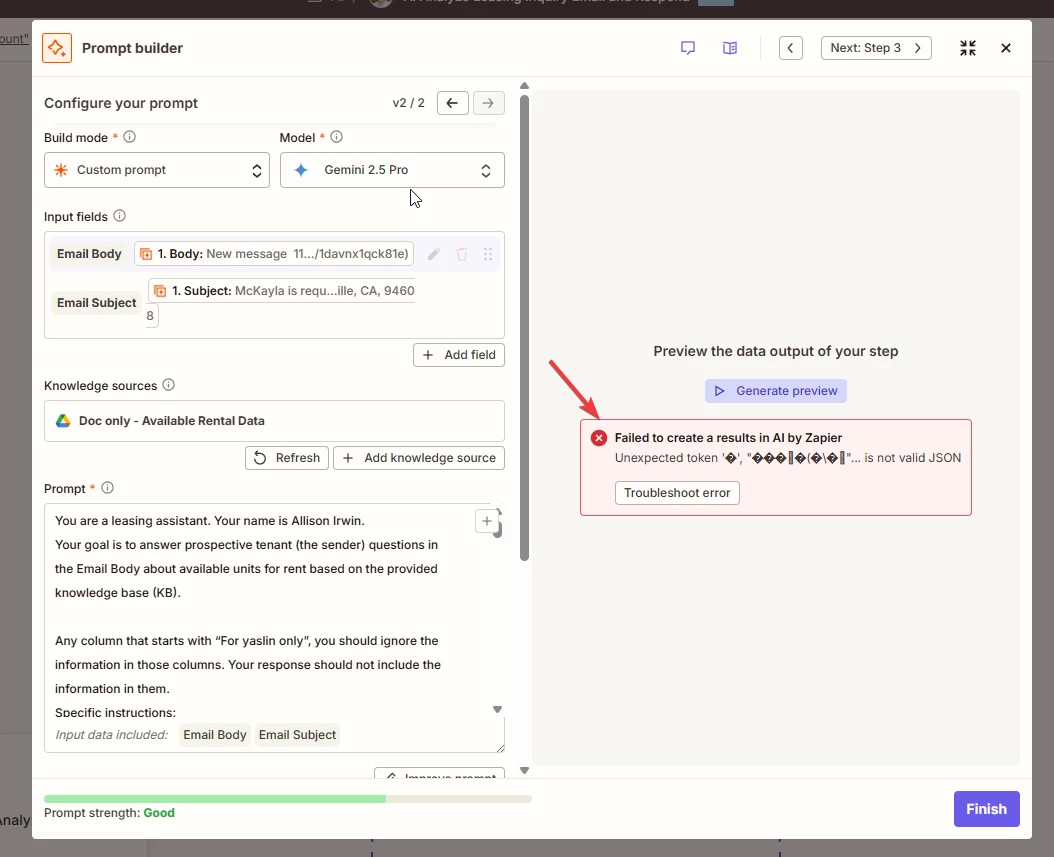
I’m building a zap to respond to leasing inquiry emails using Gemini and a google doc file as KB. It was working for a few months. In the last few days, when i tried to make some changes, i hit this error when testing this step.


I isolated the problem down to the KB. If this step has no KB, then it would work fine. When i use the GDrive connection to retrieve any file, it would this this “is not valid JSON” error.


My Gdrive permission is all fine.
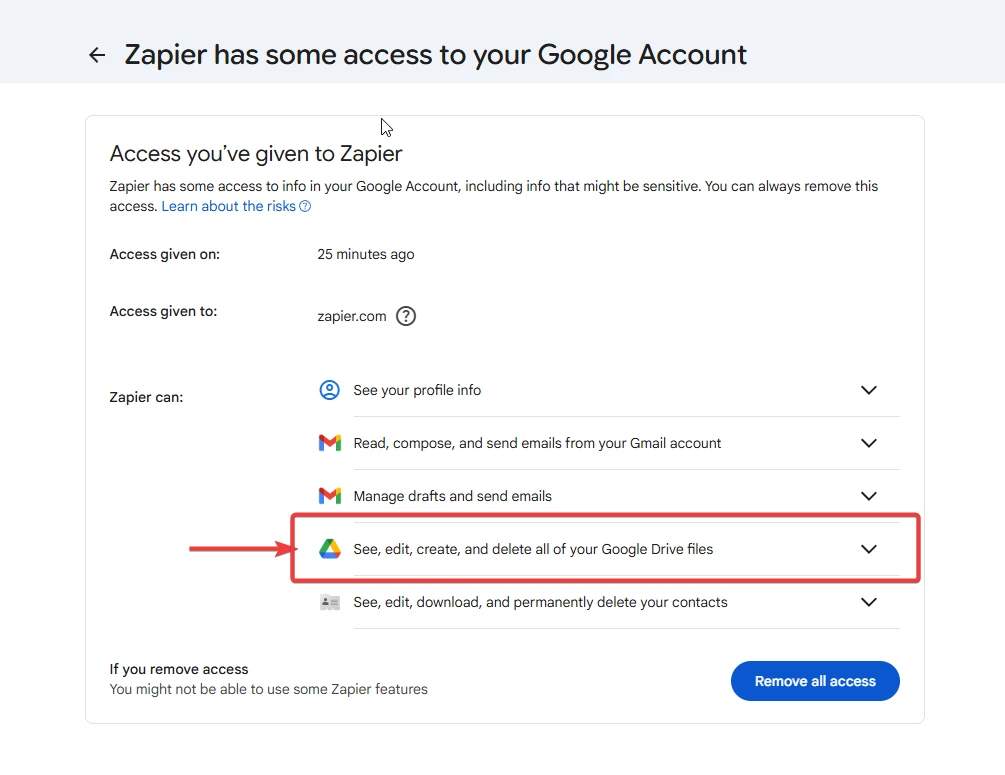
 

I tried removing and re-adding the Gdrive connection. Didn’t help. I tried using my coworker’s connection (same google Workspace enterprise domain), didn’t help either. I’m sure we have read/write access to the GDoc in question.


Any idea?

Best answer by SamB

Hi all 👋

@Lex Shan and ​@Jason1214, sorry to hear you’re both running into those errors. I found a bug report that matches the errors you’re seeing so I went ahead and added you both to it. We can't share a timeline on a fix, but you'll get an email notification once there's an update.

In the meantime, ​@rashednaber’s suggestion of switching to a different model may be worth trying as a temporary workaround while this gets looked into. Let us know how it goes if you try changing the model!

10 replies

drtanvisachar
Forum|alt.badge.img+5
  • Zapier Solution Partner
  • April 21, 2026

Hey ​@Lex Shan !


This is just the KB file format. Quick fix, create a brand new Google Doc with plain text only, no tables or special formatting, and connect that as the KB. If that works, your original doc probably has something breaking the parser. If it still fails, try uploading the same content as a PDF or DOCX instead of using Google Docs.


Ethan Marcellus- Automation Expert at Tuesday Wizard | Top Zapier Solution Partner | Zapier Community Contributor


Troy Tessalone
Zapier Orchestrator & Solution Partner
Forum|alt.badge.img+14
  • Zapier Orchestrator & Solution Partner
  • April 21, 2026

Hi ​@Lex Shan 

If you still have issues, open a ticket with Zapier Support: https://zapier.com/app/get-help


Forum|alt.badge.img+3
  • Zapier Solution Partner
  • April 21, 2026

Hy ​@Lex Shan 

Here's the Zapier doc that might help: Link

If you're still running into issues, drop a screenshot of the error and a quick description of what your Zap is doing, happy to take a look!

And if you'd rather just get it sorted quickly, I offer a free 20-min Zapier troubleshooting call. Book it under Resources on my Zapier Directory profile: https://zapier.com/partnerdirectory/automatemybiz

!-->


  • New
  • April 22, 2026

This issue is still happening to me. I have tried: 

  1. PDF uploads direct
  2. PDF uploads to google drive
  3. Fresh google docs without copy pasted text
  4. New .txt files

I still keep getting the exact same error. This is an isolated problem with the knowledge source. The moment I remove the knowledge source, the workflow continues normally. 


rashednaber
  • Beginner
  • April 22, 2026

Hi ​@Lex Shan,


A few weeks ago I had a similar problem with Gemini 2.5 Pro in specific where my Zap was working fine for a while and then just stopped working (In my case the promp was massive but no knowledge source). The only thing that managed to work with me was (changing from Gemini 2.5 Pro) to use either Zapiers AI or at the end I had decided to go with Claude API (sonnet i thnk it was called)  and then faced no issues.


SamB
Community Manager
Forum|alt.badge.img+11
  • Community Manager
  • Answer
  • April 22, 2026

Hi all 👋

@Lex Shan and ​@Jason1214, sorry to hear you’re both running into those errors. I found a bug report that matches the errors you’re seeing so I went ahead and added you both to it. We can't share a timeline on a fix, but you'll get an email notification once there's an update.

In the meantime, ​@rashednaber’s suggestion of switching to a different model may be worth trying as a temporary workaround while this gets looked into. Let us know how it goes if you try changing the model!


Forum|alt.badge.img+1
  • Beginner
  • April 23, 2026

Exavtly the same is happening to me. 
Tried everthing. Duplicating the doc. Downloading it and uploading directly. Downloadong in txt file...still the same.

And now my knowledge sources appera greyedout with a (-) sign 


SamB
Community Manager
Forum|alt.badge.img+11
  • Community Manager
  • April 23, 2026

Hi ​@Juan, thanks for letting us know. I’ve added you to list of folks being affected by this issue, so you’ll get an email from us as soon as it’s sorted.

I’ve not seen any reports of the bug causing the knowledge sources to be greyed out, that could be a different issue. If you press the Refresh button (just below the Knowledge sources field) is it still greyed out?


Forum|alt.badge.img+1
  • Beginner
  • April 23, 2026

Thanks ​@SamB 
Yep, Ive done that a million times :)
Changed teh doc.
Uoloaded it manually
It does not matter what I do, still happens.
I have more than 100 Zaps with this problem and not working :(


SamB
Community Manager
Forum|alt.badge.img+11
  • Community Manager
  • April 24, 2026

Sorry to hear that ​@Juan. In that case I’d suggest reaching out to our Support team directly so they can take a closer look into your Zaps and investigate what’s causing the knowledge sources to be greyed out.

Keep us posted on what they find!