Question

After filter by zapier stops a zap it still creates a contact in Mailchimp

  • February 5, 2026
  • 4 replies
  • 13 views

Hello Guys,

I have a very simple Zap, when an item is created in a board of Monday.com to create a contact in mailchimp only if a field exactly matches the string Yes. The filter runs correctly and it says the Zap is filtered:
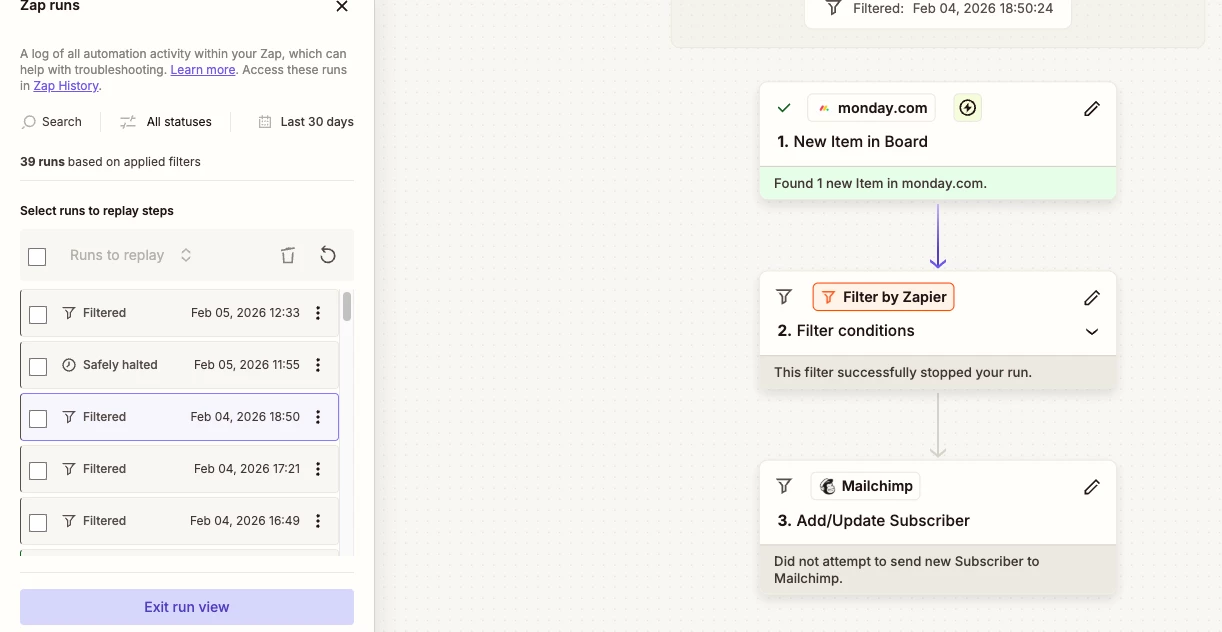
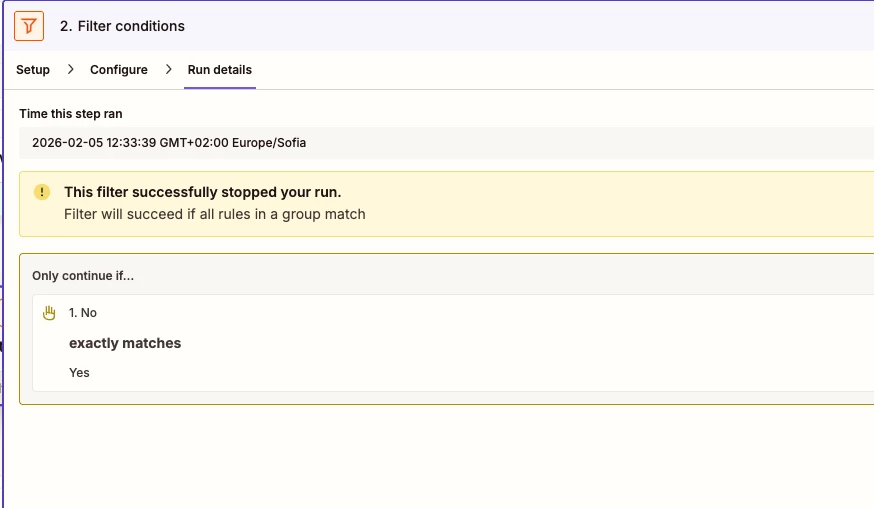
 

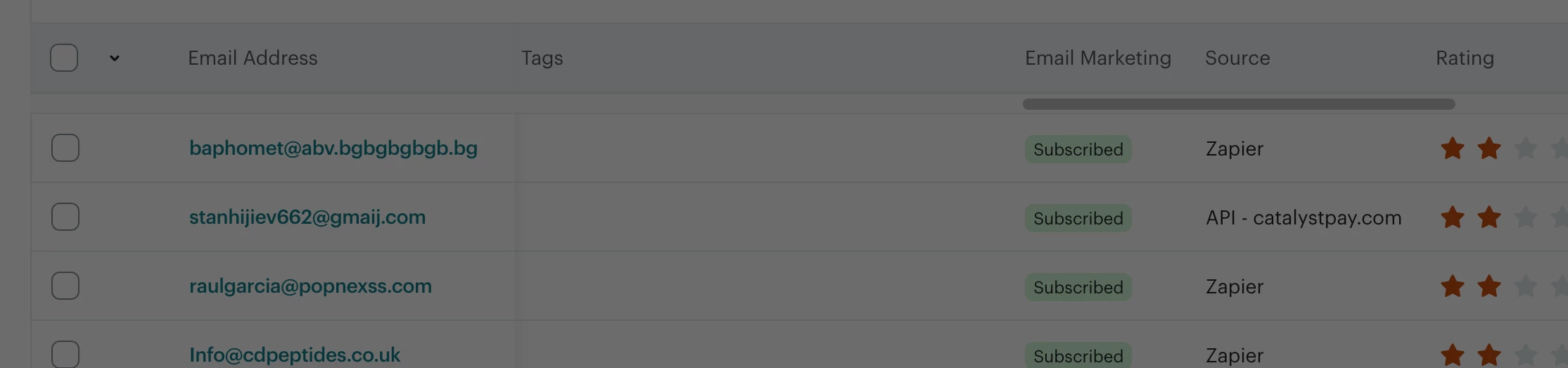
however, we can see the contact in Mailchimp, contact is created, only the information that the Zap sends is missing.


 

4 replies

AndrewJDavison
Forum|alt.badge.img+11
  • Zapier Solution Partner
  • February 5, 2026

@ZhivkoZhelev 

You’ll want to search the email address in the Zapier history to check the zap didn’t run some other time with this contact in the past.

Otherwise, you’ll want to make sure you don’t have anything setup outside of Zapier syncing contacts.

I’m a Zapier expert, so I can help you troubleshoot if you reach out.


  • Author
  • Beginner
  • February 5, 2026

@AndrewJDavison currently we have ongoing integration with our website that will feed Mailchimp with information via API, but yet it say Zapier when the source is Zapier and API if it come directly from our website:


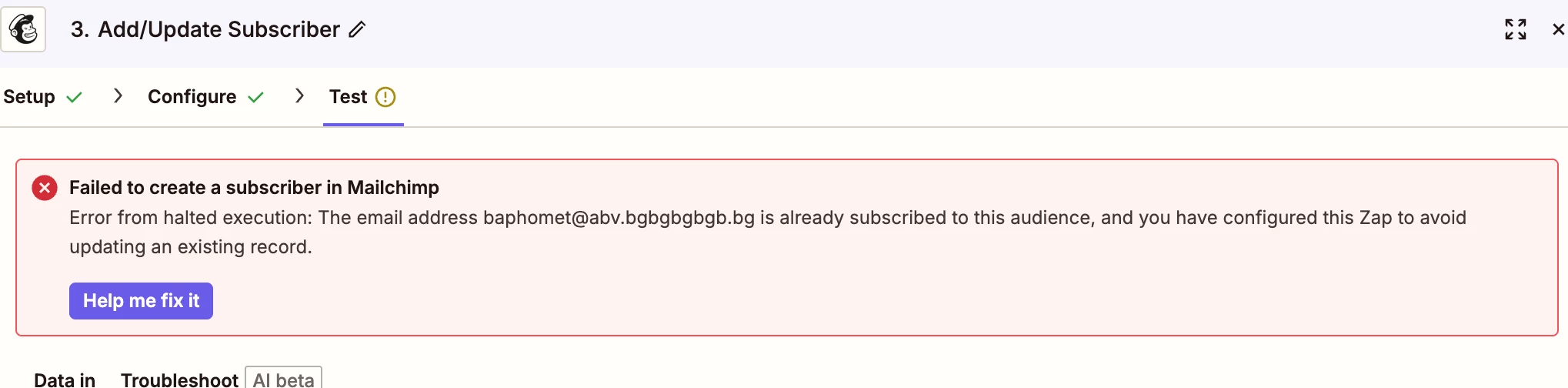
Regarding email been fed in Mailchimp earlier they are too strict with that and the Zap will directly fail if the email address exist:


Cheers,

Zhivko


AndrewJDavison
Forum|alt.badge.img+11
  • Zapier Solution Partner
  • February 5, 2026

@ZhivkoZhelev It’s weird for sure - this one might be a good to open a support ticket with Zapier about.

Likewise Mailchimp might be able to check their logs and get an exact timestamp for when that contact was added via Zapier. Might give some clues.


Troy Tessalone
Zapier Orchestrator & Solution Partner
Forum|alt.badge.img+14
  • Zapier Orchestrator & Solution Partner
  • February 5, 2026

Hi ​@ZhivkoZhelev 

NOTE: Some apps use Zapier as their integration backend, which could be why it still says Zapier even though it’s via another app integration.


Check your Zap Run history: https://zapier.com/app/history/

For a Zap Run, you can see the DATA IN/OUT for each step to help you trace the data flow and troubleshoot.