Question

Add shipping to the line items from WooCommerce when creating a Xero invoice

  • August 3, 2026
  • 9 replies
  • 41 views

I realize there is another post from 5 years ago that asked this similar question but the answer didn’t really make sense.

I have a trigger for a new paid order in WooCommerce and I want to create a sales invoice in Xero for that order. All worked fine except that the invoice did not include shipping if there was a shipping cost. I did some digging on the internet and found this solution:

  • Add an intermediary action step: choose Formatter by Zapier and select Utilities or Line Itemizer. [1, 2]
  • Map your regular product line items into the primary item fields. [1]
  • Create an extra row/entry in the Line Itemizer for shipping:
    • Description/Title: Type "Shipping & Handling".
    • Quantity: Set to 1.
    • Unit Amount: Map the Shipping Total field from your WooCommerce trigger data. [1]


I am stymied by this solution because:

  1. I’m unclear where to “Map your regular product line items into the primary item fields.” Is this within the itemizer step? Or in the step where the invoice is created?
  2. Where is the “extra row/entry” created? In the configuration screen, I see a field for “Line Items Group Name” and then a repeating field set of fields for line-item properties.

When I added properties for my regular product line items and then, after that I added several properties for the shipping, the shipping properties are added to the first line item not as a separate line item. This is what the test looks like this:

Output

   Line Items

      1

          Product Description 1

          Shipping

          34.95 (product price)

          1 (product quantity)

          1 (shipping quantity)

          0 (shipping total)

     2

          Product 2

          29.95 (product price)

          1 (product quantity)

     3 [etc...]


Clearly, I didn’t set this up right. I have been trying to understand this now for several hours to no avail? What am I missing?


9 replies

Troy Tessalone
Zapier Orchestrator & Solution Partner
Forum|alt.badge.img+14
  • Zapier Orchestrator & Solution Partner
  • August 4, 2026

Hi ​@EllieHPC 

Help us have more context by posting screenshots showing how your Zap steps are outlined and configured in the CONFIGURE tab while in EDIT mode with the field mappings visible.


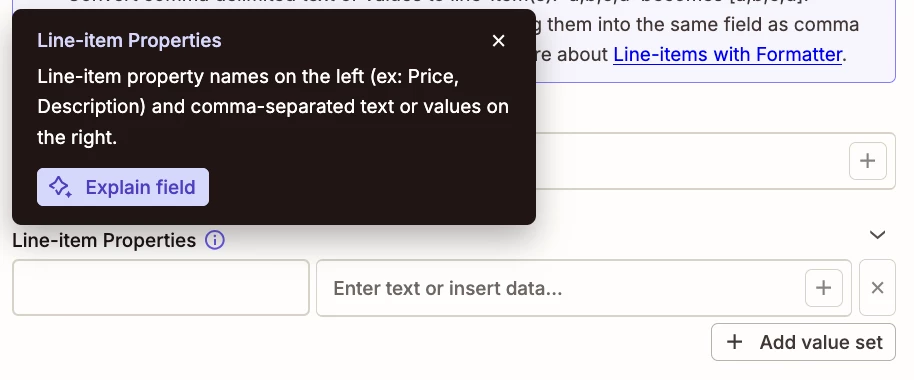
TIP: Click field labels to see tooltips with more info.


Help links for using line items in Zaps: https://help.zapier.com/hc/en-us/articles/8496277737997-Use-line-items-in-Zap-workflows


  • Author
  • Beginner
  • August 6, 2026

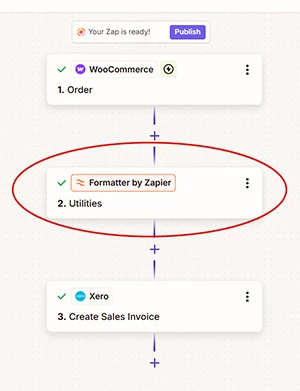
Thanks for the suggestion of including screen shots to show where I’m stuck. Here is the flow of steps in my Zap:


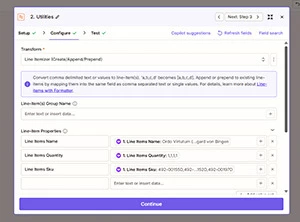
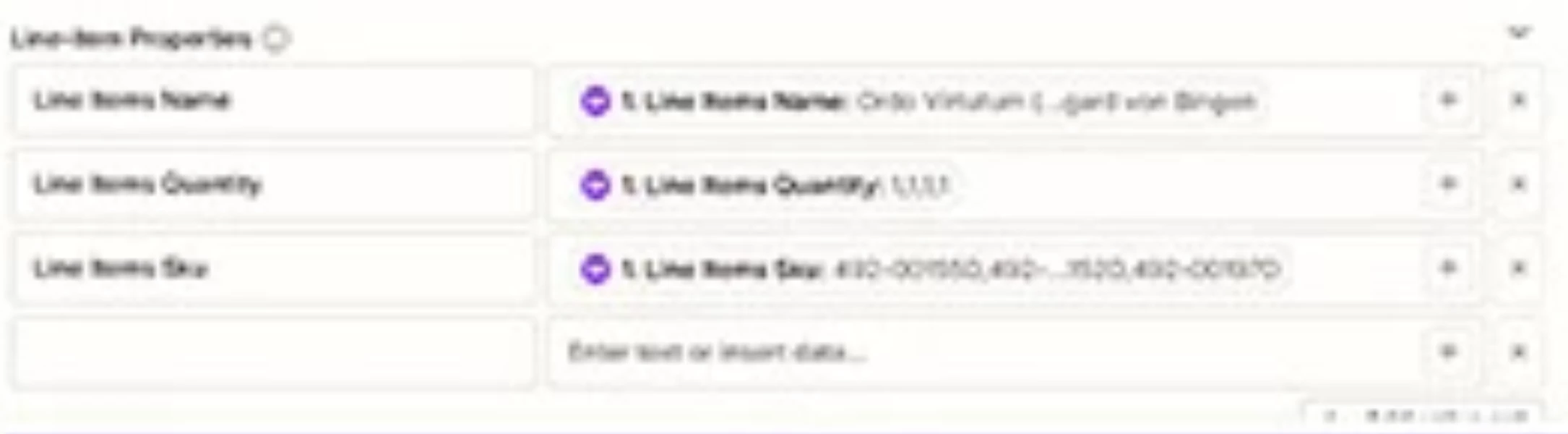
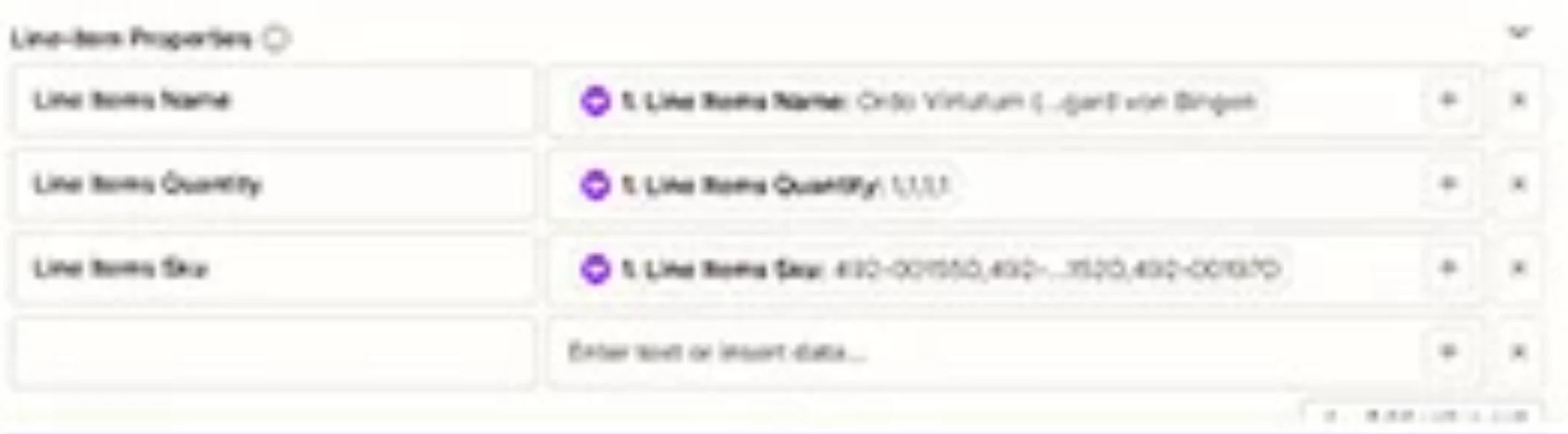
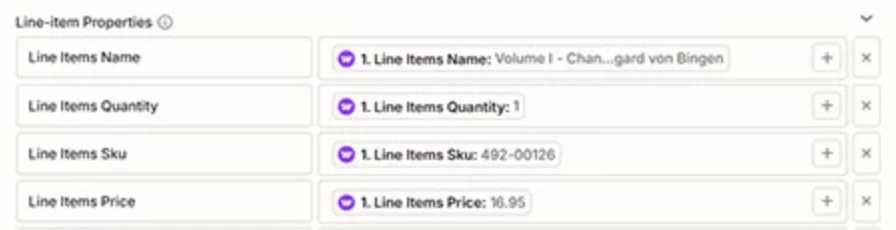
Then, here is the configuration without anything related to shipping (just “Map your regular product line items into the primary item fields.” from the instructions I’m trying to follow):

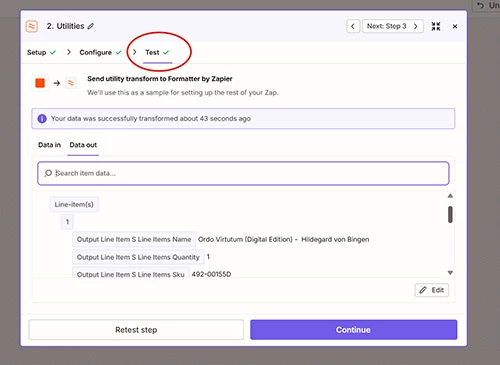
When I test this configuration, I get this (2 screenshots to show scrolling down to two items):


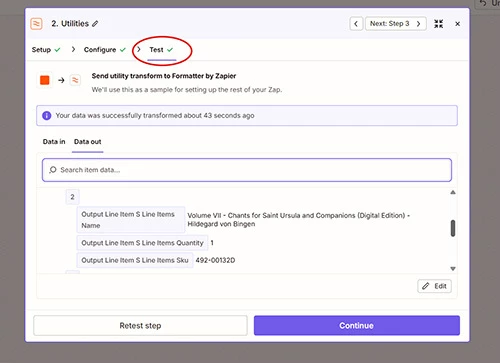
scrolling down to see the second product from the order:


So, my main question is where on the config screen can I do this:

Create an extra row/entry in the Line Itemizer for shipping

I thought it might be clicking the plus sign in “Line-item(s) Group Name” box, but that doesn’t seem to be it. Or maybe it is and I’m just not understanding the options that come up when I click that.


Hopefully the screenshots and clarified question help explain where I’m stuck on trying to add a line for shipping to the list of WooCommerce products ordered.


Troy Tessalone
Zapier Orchestrator & Solution Partner
Forum|alt.badge.img+14
  • Zapier Orchestrator & Solution Partner
  • August 6, 2026

Hi ​@EllieHPC 

Help links for using Formatter: https://zapier.com/apps/formatter/integrations#help


If you want to add more line item properties, click the button [+ add value set] and fill in the left/right sides of the row.


NOTE: Each WooCommerce Order can have a variable number of line items.


  • Author
  • Beginner
  • August 6, 2026

Thanks for that. I don’t want more properties added to each line item. I want to add a whole separate line item specifically for the one shipping amount (not shipping for each line item). 

What I’m trying to arrive at is something like this [Qty, SKU, product description, product price]:

     1 Sku1 Item1 Description $10.00

     1 Sku2 Item2 Description $15.00

     1 SHIP Shipping $6.95

In this example, “SHIP” is the sku for shipping charges. In Xero, we enter the shipping charge on our invoices as a non-inventory “product.”

Maybe this isn’t possible to do using the Line Itemizer?

If there’s no way to add the shipping from the WooCommerce order as it’s own line in a Xero invoice, then I’ll need to abandon this automation. Going back into each invoice in Xero added through the automation and manually adding in shipping is not feasible.


Troy Tessalone
Zapier Orchestrator & Solution Partner
Forum|alt.badge.img+14
  • Zapier Orchestrator & Solution Partner
  • August 6, 2026

@EllieHPC 

In that case, on the right side for each row, try adding a comma after each mapped variable, and add the static value.


  • Author
  • Beginner
  • August 6, 2026

I’m sorry. I think I wasn’t clear. I’m not trying to add a static value to the properties I have. I was just using fake values to emulate values taken from the WooCommerce order.

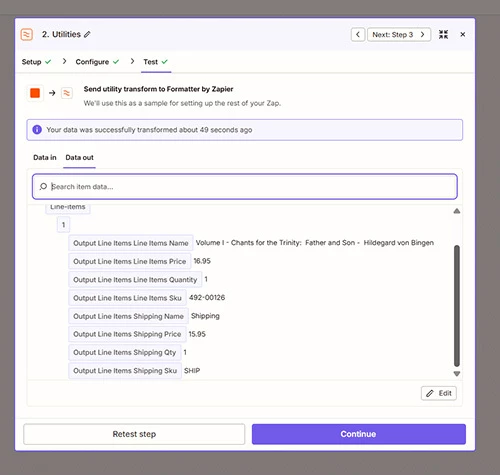
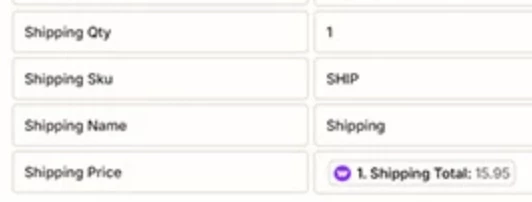
I tried adding the shipping values to the properties as you suggested above like this in the configuration:


but that results in this with the shipping properties added as though they are part of the product line item.


FWIW, I used a different test order in the above example than in my screenshots earlier. This order didn’t have multiple products but did have a shipping charge.


Troy Tessalone
Zapier Orchestrator & Solution Partner
Forum|alt.badge.img+14
  • Zapier Orchestrator & Solution Partner
  • August 6, 2026

@EllieHPC 

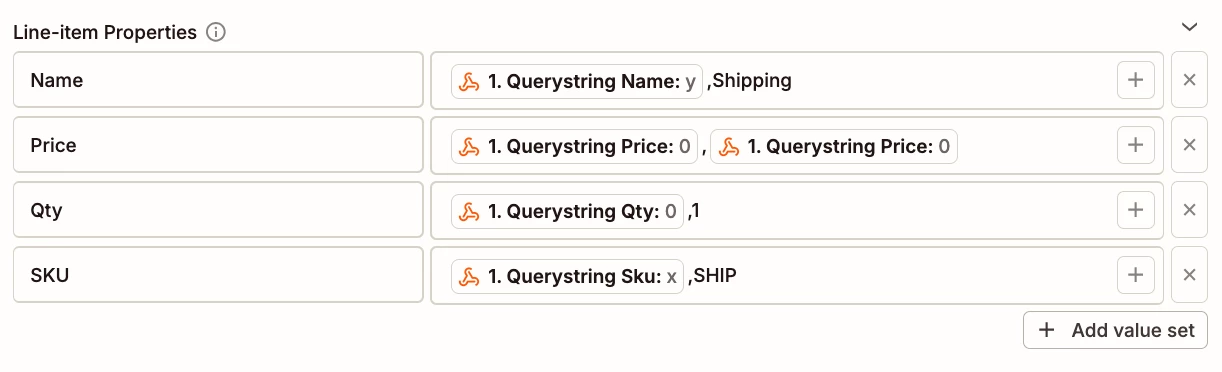
See screenshots below.

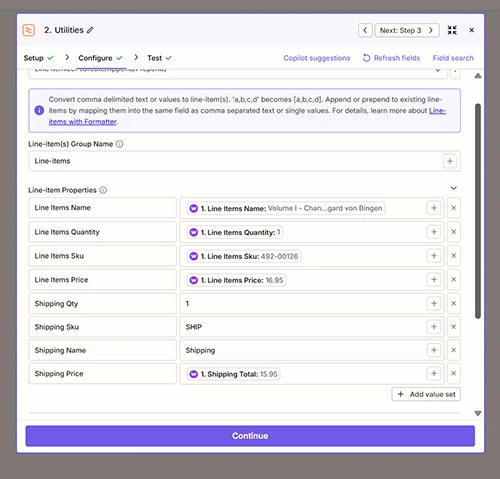
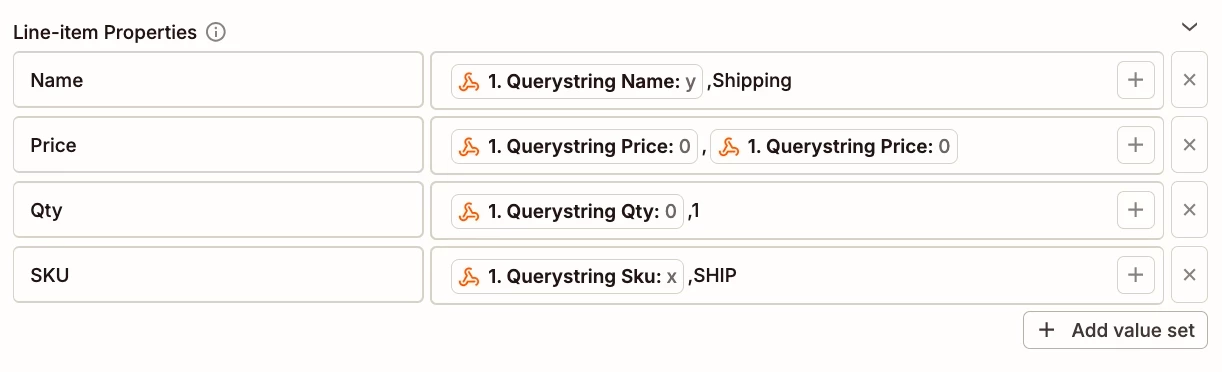
There should only be 4 line item properties. [Name, Price, Qty, SKU] (delete the rest)

For each line item property row, in the right side input field, after the mapped variable, add a static comma, then after the static comma, add the static value or mapped variable that you tried to use as separate rows.


EXAMPLE


  • Author
  • Beginner
  • August 6, 2026

Oh, so I am only adding the lines for shipping in this formatter, not the item lines PLUS the shipping?


Troy Tessalone
Zapier Orchestrator & Solution Partner
Forum|alt.badge.img+14
  • Zapier Orchestrator & Solution Partner
  • August 6, 2026

@EllieHPC 

Reference the example screenshot below for how your Formatter > Utilities > Line Itemizer step should be configured for the Properties. (map the variables from WooCommerce step 1 for the line items and shipping)

When in doubt, test it out.

EXAMPLE