Answer

Active Campaign error 422 custom date field

  • November 13, 2023
  • 4 replies
  • 401 views

Hi Zapier community!

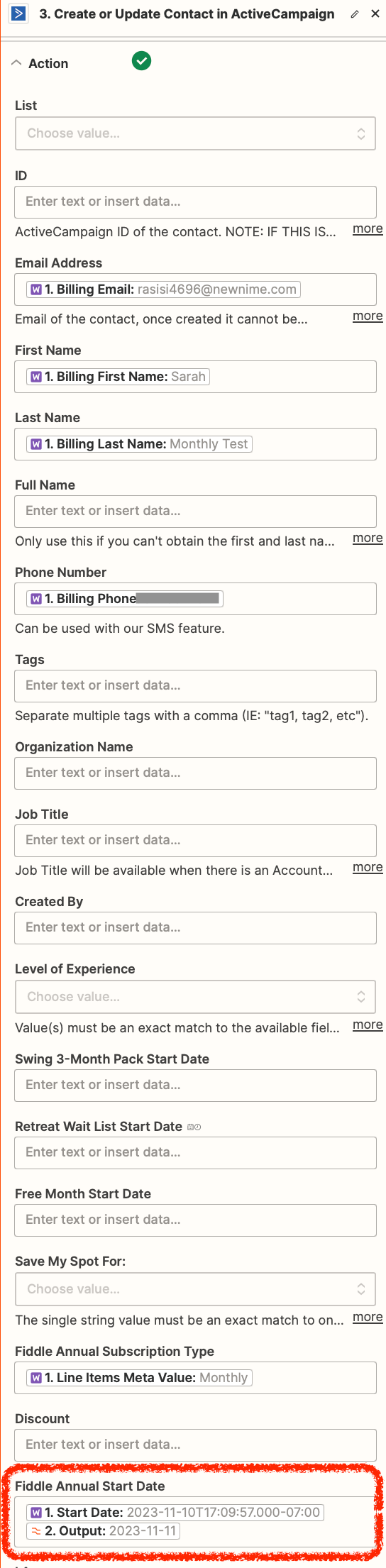
I seek help for a WooCommerce → Active Campaign zap, where I transfer subscription data from Woo to create-update records in AC, including dates in some custom date fields. Zap is straight forward except I receive error on testing the Action step: "The value for custom date field ID 7 looks invalid. Please use this format: YYYY-MM-DD. (422)".

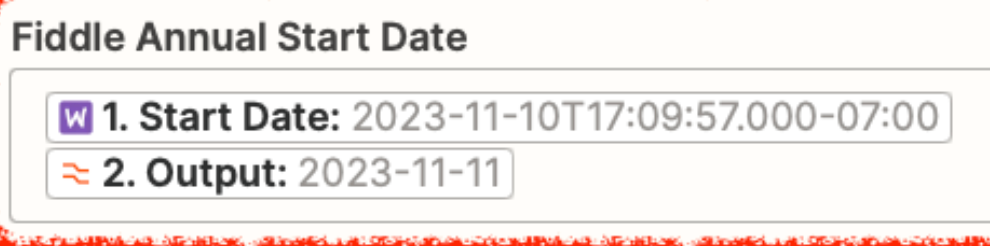
I use a Formatter step to convert all dates from Woo format to Active Campaign format (YYYY-MM-DD). I’ve played with a few output options, and still receive the same error.

Any advice to troubleshoot? For example, how do I identity which field is ID 7, and so causing this issue?

Many thanks for suggestions! Screenshots below.
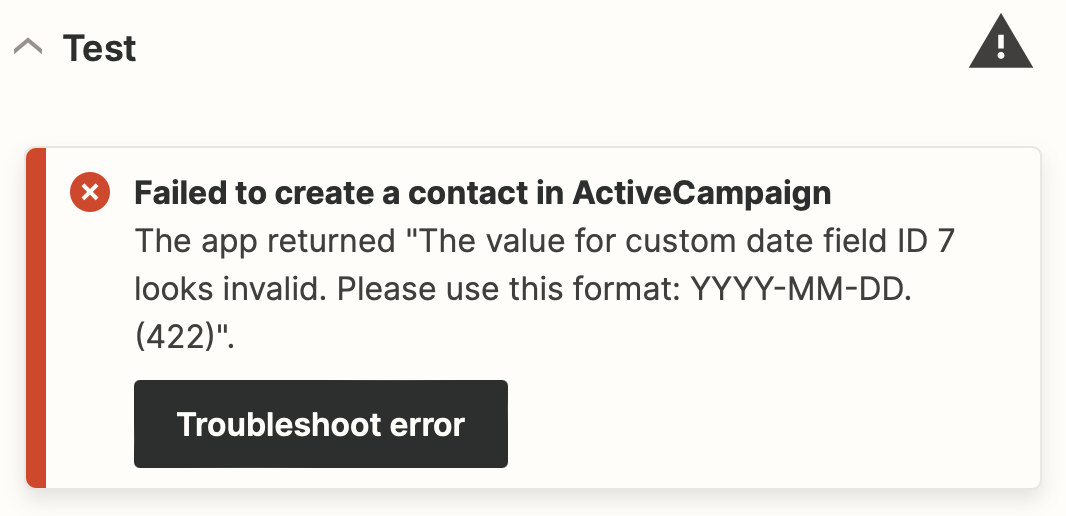
Error message
Action step with one of three date outputs


Best answer by Troy Tessalone

Hi @Katie Glassman 

Good question.

Try testing with just the output from Step 2.


This post has been closed for comments. Please create a new post if you need help or have a question about this topic.

4 replies

Troy Tessalone
Zapier Orchestrator & Solution Partner
Forum|alt.badge.img+14
  • Zapier Orchestrator & Solution Partner
  • Answer
  • November 13, 2023

Hi @Katie Glassman 

Good question.

Try testing with just the output from Step 2.


  • Author
  • Beginner
  • November 13, 2023

Hi Troy

Thank you! You’re a rock star!

This worked and an obvious mistake in hindsight. I appreciate the swift and so helpful response. 

Cheers!


ken.a
Forum|alt.badge.img+6
  • Zapier Staff
  • November 14, 2023

That’s an amazing news @Katie Glassman! Big thanks to Troy for pointing you in the right direction!

If you have any other questions, please don’t hesitate to reach out to the Community. We’re always happy to help! 😊


  • Author
  • Beginner
  • November 16, 2023

Will do - It does appear that I already have another question, for which I’ll search existing threads first to see if it’s already answered.

Meanwhile, this issue has been solved for me. Thanks again.