Answer

"Access Denied" error when uploading files to Box folder despite correct ID

  • April 4, 2023
  • 9 replies
  • 487 views

Forum|alt.badge.img

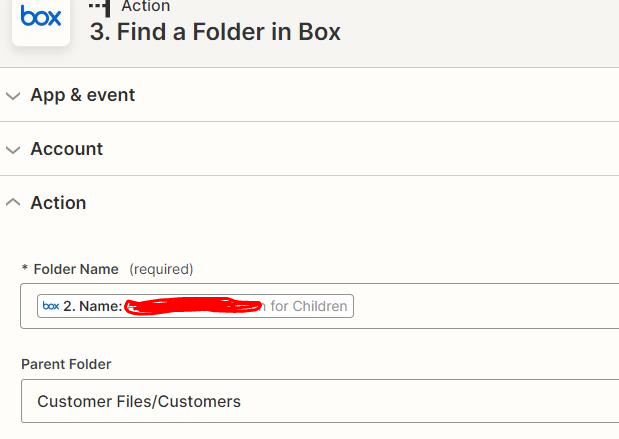
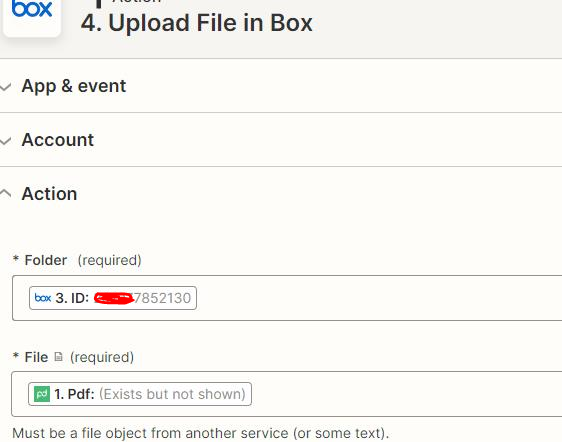
I have created Folder in Box (#1) and then find a folder  (#2) with the folder name that create in #1 step. Last step, the automation failed when it uploaded the file with the Folder ID. I tried to use the Folder name but still failed. The error is “ access denied”.  How can I fix it?

                                                                                #1
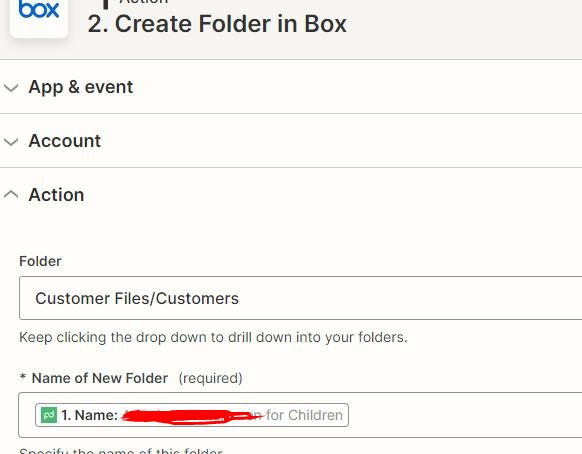

​​​​​#2 
# 3


Best answer by alexis

I have successfully upload the PandaDoc file to box with my permission without the step of creating a folder and uploading it that folder.  

This post has been closed for comments. Please create a new post if you need help or have a question about this topic.

9 replies

Brem
Forum|alt.badge.img+6
  • Zapier Staff
  • April 4, 2023

Hi @alexis 

Welcome to the Community! I'm sorry you’re having trouble with your Zap.

You mentioned you received an error message saying “access denied”, was that in step 4 in Box?


Forum|alt.badge.img
  • Author
  • Beginner
  • April 4, 2023

Yes. 


Brem
Forum|alt.badge.img+6
  • Zapier Staff
  • April 4, 2023

Hi @alexis 

I’m not seeing any notes regarding the issue you encountered. I’m curious, what plan do you have with Zapier? I saw from your screenshots that you’re creating a Zap with multi-steps. I wonder if that might be the case here.

Please keep us posted!


Forum|alt.badge.img
  • Author
  • Beginner
  • April 4, 2023

It’s starter plan.


ken.a
Forum|alt.badge.img+6
  • Zapier Staff
  • April 5, 2023

Hey there @alexis,

I’m jumping in to see if I can help!

Before we dig deeper into this, please double-check your permissions in Box and ensure you have the highest permission.

Please keep us posted! 😊


Forum|alt.badge.img
  • Author
  • Beginner
  • Answer
  • April 5, 2023

I have successfully upload the PandaDoc file to box with my permission without the step of creating a folder and uploading it that folder.  


ken.a
Forum|alt.badge.img+6
  • Zapier Staff
  • April 5, 2023

Hi @alexis,

Glad to know you were able to get it sorted! 

If you have any other questions, please don’t hesitate to post them in the Community. We’re always happy to help! 😊


Forum|alt.badge.img
  • Author
  • Beginner
  • April 5, 2023

I didn’t resolve the problem. Just let you know my permission should be fine. There are 2 different processes.  One is without creating a folder and upload it to the folder. This is fine. Another process is to create a folder and upload it to the folder, but it failed. 


Brem
Forum|alt.badge.img+6
  • Zapier Staff
  • April 5, 2023

Hi @alexis 

I suggest contacting our Support Team to know what’s going on with your Zap, as they can dig deeper into the error logs of your Zap to look for the cause of the errors.

You can reach out to them with this Get Help link.