I am connected to my Google Drive & trying to select a Spreadsheet in the “Spreadsheet “ section below. It does not show the Spreadsheet that I want even though I can see another Spreadsheet in my Drive.
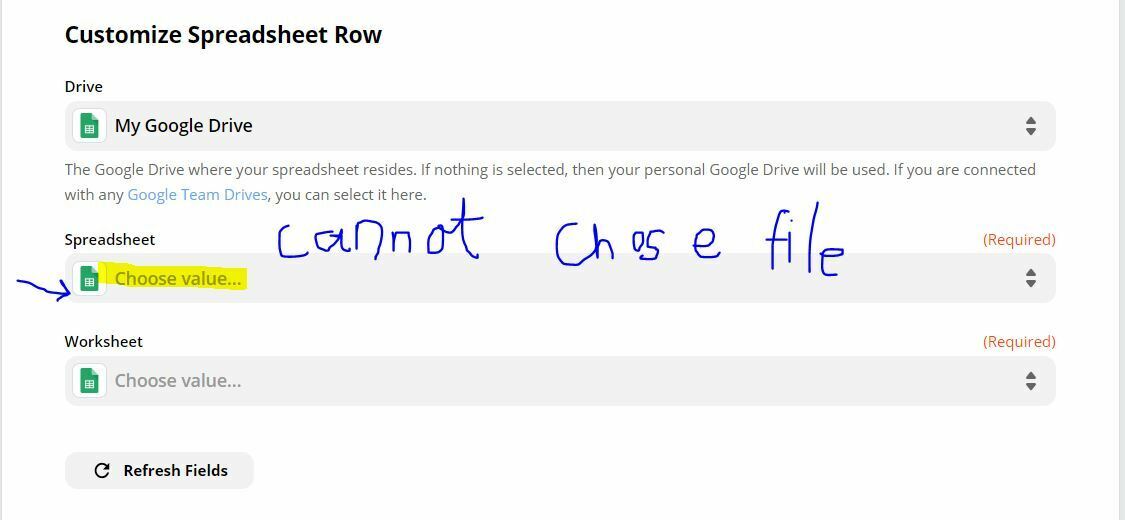

I am connected to my Google Drive & trying to select a Spreadsheet in the “Spreadsheet “ section below. It does not show the Spreadsheet that I want even though I can see another Spreadsheet in my Drive.
Best answer by AndrewJDavison
A few things to run through first:
Are *any* spreadsheets showing in that list, or is it just one particular one missing?
Have you tried the “Load More” button?
Is the spreadsheet definitely in Google Sheet format and not an uploaded XLS format, for example?
Did you create the sheet, or was it shared with you?
One other thing to try is to open the sheet and copy this part from the URL:

Then, reopen the “Spreadsheet” dropdown in the zap editor, click the “Custom” tab and paste in the ID you just copied.
If you see any errors after doing that, then we’ve got an issue with Zapier finding that sheet and we can try some other things.

We're celebrating the Zapier builders making AI transformation happen. Winners get a published story on zapier.com, a trophy, $5,000 cash, and a feature at ZapConnect. Nominate yourself or a peer by July 24th, 2026.
No account yet? Create an account
Enter your E-mail address. We'll send you an e-mail with instructions to reset your password.


