Answer

Zap Triggers on New Excel Dropbox workbook -- need to trigger on updated workbook

  • December 29, 2020
  • 4 replies
  • 50 views

I have a Zap that triggers Formstack actions when a new Excel workbook is created in Dropbox.  I need to either:

(1) figure out how to delete the workbook after the Zap is complete -- I don’t see an action option to do that either in Dropbox or in Excel

(2) ask the Zap to trigger on an updated/modified workbook rather than a created one. 

Has anyone else tried to do this?  I currently have to manually delete the file before I trigger the zap.

Best answer by BeckyM

Thanks.  I work around the issue by deleting the workbook and then generating a new one.  I’m told it’s not going to be an option to be able to use an updated workbook rather than a new one.

This post has been closed for comments. Please create a new post if you need help or have a question about this topic.

4 replies

Troy Tessalone
Zapier Orchestrator & Solution Partner
Forum|alt.badge.img+14
  • Zapier Orchestrator & Solution Partner
  • December 29, 2020

FYI: Many apps don’t expose their DELETE endpoints because those actions can have negative results if used incorrectly in automations.


Troy Tessalone
Zapier Orchestrator & Solution Partner
Forum|alt.badge.img+14
  • Zapier Orchestrator & Solution Partner
  • December 29, 2020

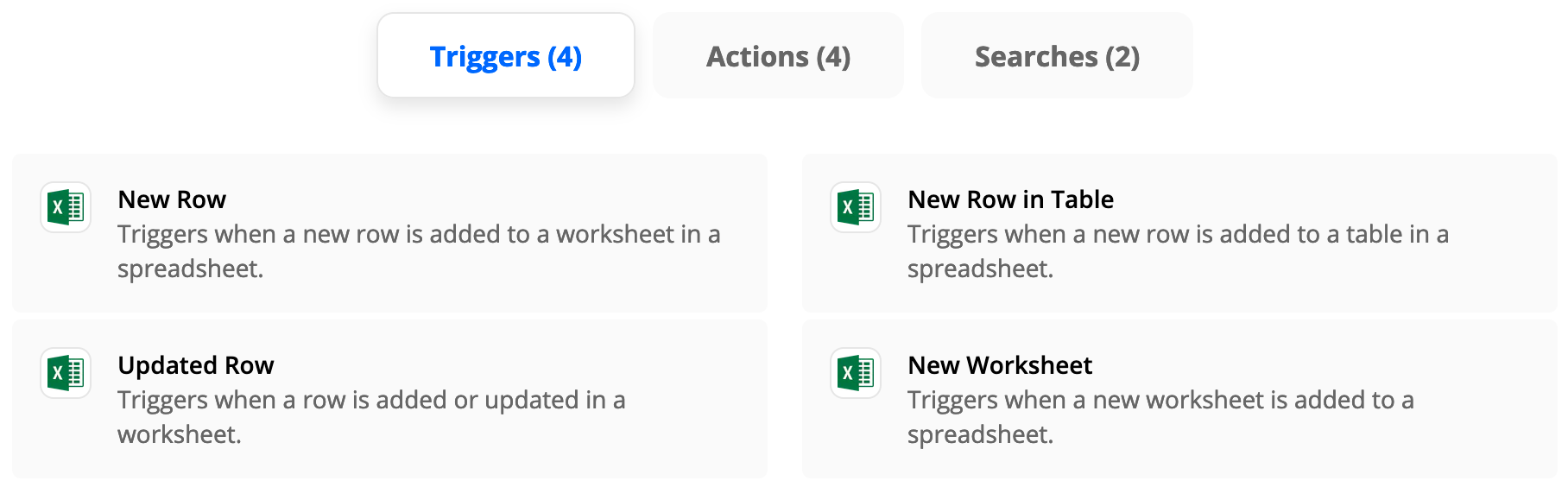
Excel has these available Triggers via Zapier


AndrewJDavison
Forum|alt.badge.img+11
  • Zapier Solution Partner
  • February 23, 2021

@BeckyM 
Just checking in to see if you still need help with this? 


  • Author
  • Beginner
  • Answer
  • February 23, 2021

Thanks.  I work around the issue by deleting the workbook and then generating a new one.  I’m told it’s not going to be an option to be able to use an updated workbook rather than a new one.