



Question

Will my Outlook trigger work with a 3-day delay?

  • March 7, 2026
  • 6 replies
  • 34 views

lamatekinc
Forum|alt.badge.img+1

I have a Zap that is published that takes an Outlook email in a Shared Mailbox, does some other stuff, and then delays for a set time and then sends an email as another user. it’s working great for a 1 hour delay while testing, but I will want to eventually change this delay to be 3 business days. The email needs to basically act as a forward of the first email with all the attachments in tact. 


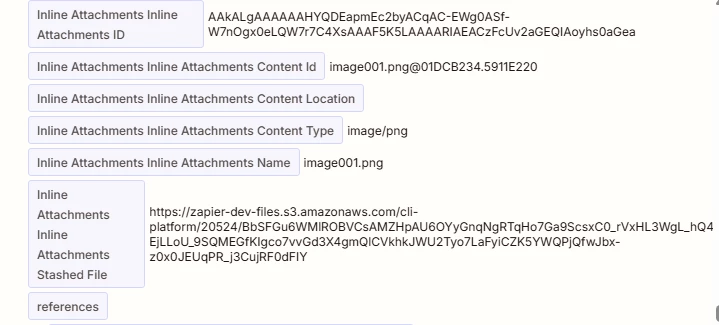
What I see when I return to the zap to work on it again is that if I try using the same test email I had loaded say a day before, it will give me errors in my subsequent steps, because it seems like either the hydrated attachments, or the email itself will expire. I’m wondering if this is just behavior for test records or if this will fail when I increase the delay in live as well. 

I’m getting conflicting answers from Microsoft documentation and from Copilot inside the Zap for this. It suggests creating a Zapier table record to store the hydrated attachment and then retrieve from the table later. I’d rather not add the additional steps if they are unnecessary, but I’d also rather not wait to see 
6 replies

Troy Tessalone
Zapier Orchestrator & Solution Partner
Forum|alt.badge.img+14
  • Zapier Orchestrator & Solution Partner
  • March 7, 2026

Hi ​@lamatekinc 

Temp file objects expire after a short period. (I think it’s either 1 hour or 1 day.)

Try this instead…

After the Delay step, add a step to find the original email by ID to get fresh data to use in the next action step.


lamatekinc
Forum|alt.badge.img+1
  • Author
  • Tinkerer
  • March 7, 2026

Thanks for the suggestion ​@Troy Tessalone . That was my initial idea and I was hoping to do that. The issue is that the Find Email step doesn’t seem to allow me to find in a shared mailbox, so the ID won’t return anything. 


Troy Tessalone
Zapier Orchestrator & Solution Partner
Forum|alt.badge.img+14
  • Zapier Orchestrator & Solution Partner
  • March 8, 2026

@lamatekinc 

You may have to try using one of these approaches:


Forum|alt.badge.img

I wouldn’t trust the 3-business-day delay without storing the attachments first.

What’s happening is most likely that the Outlook message/attachment reference is expiring, so when you come back later and test, Zapier can’t access the same file again.

For a short delay, it may work. For 3 business days, I’d play it safe and store the attachment somewhere before the delay, then pull it back after.

So yes, the extra step is probably worth it here. Better to add a little protection now than find out later the forwarded email goes out without the attachments.


lamatekinc
Forum|alt.badge.img+1
  • Author
  • Tinkerer
  • March 10, 2026

Yes I’ve opted to try and store the attachments but it seems like I keep running into issues where just one part of a step isn’t available or won’t work. 

For the API calls, I was initally trying to go that route since I’m sending as another user for the final step. What I was doing was working in the MS Graph tester, but when I tried a POST or custom request in Zapier I kept getting errors, so then I found out you can just write the sender email in the send as Shared Mailbox Outlook step so at least that’s working. 

I’m storing the HTML body as well as the attachments and IDs in a Zapier table and then building them back in, but for some reason the table is truncating my HTML body. It’s about 4500 characters, and I can actually manually add more data to it in the table itself, I’ve read that the limit is 10,000 chars, but when the step runs the full HTML is cutoff. 

Then I decided maybe just forward all the shared mailbox messages to my inbox so I can find the email and use it later after the delay. It works and I can find the email, but that step does not include the attachment files. It has the names, IDs, file types, but for some reason not the attachments themselves.

So now I’m attempting to use the HTML Body from the trigger step, and then put a loop step with Find Attachments to then grab them and rebuild them. The issue I’m facing is that other than my signature image there are no easy references within the HTML body so I’ll have to probably rely on the array order hoping they don’t mix that up and keep them in order from first to last? 

I understand what I’m doing is pretty complex but it just feels like every zap connector is missing just one thing that would solve my problems. And I appreciate that there is the copilot within the zap but it’s unfortunately been misleading me by telling me it’s changing my steps when I confirm but I realized after a while it’s sometimes not actually doing anything it just tells me it’s making the changes, and I learned the hard way it’s not able to revert changes it is able to make. 


lamatekinc
Forum|alt.badge.img+1
  • Author
  • Tinkerer
  • March 13, 2026

Since I ran into roadblocks with the zap to store and rebuild attachments, I just extended my first zap delay to 3 days just to see what would happen. I noticed in the run history that with the Outlook trigger, it appears to store the attachments automatically. They came through all in tact. I may extend the delay to some limit just to test further for my own curiousity with a dupe of this zap. Not sure if this is reliable but the stakes are relatively low so I’ll go with this method for now. Thanks everyone for your suggestions.




