Question

Why can't I use LinkedIn as a trigger in Zapier?

  • January 9, 2026
  • 4 replies
  • 31 views

Whenever I create a new post or article in linkedin, there shall be an automatic update of my website showing the 5 most recent posts:


I thought of setting up Zapier as follows:

  • create Zap
  • Trigger: "LinkedIn" → "New Post made by me"
  • Action: "Google Sheets" → "Create Spreadsheet Row"

However this type of trigger does not seem to be supported, why ? any workaround ?

4 replies

drtanvisachar
Forum|alt.badge.img+2

Hello ​@joepareti54  This is a LinkedIn API limitation, not a Zapier issue. LinkedIn does not expose a trigger for “new post by me,” so Zapier can’t support it.

Workarounds that usually work well:

Use your LinkedIn profile or company page RSS feed as the trigger, then update your site with the latest posts.

If your website supports an API or webhook, have Zapier update it directly instead of going through Google Sheets.

For company pages, “New Company Update” can work where available.


Troy Tessalone
Zapier Orchestrator & Solution Partner
Forum|alt.badge.img+14
  • Zapier Orchestrator & Solution Partner
  • January 9, 2026

Hi ​@joepareti54 

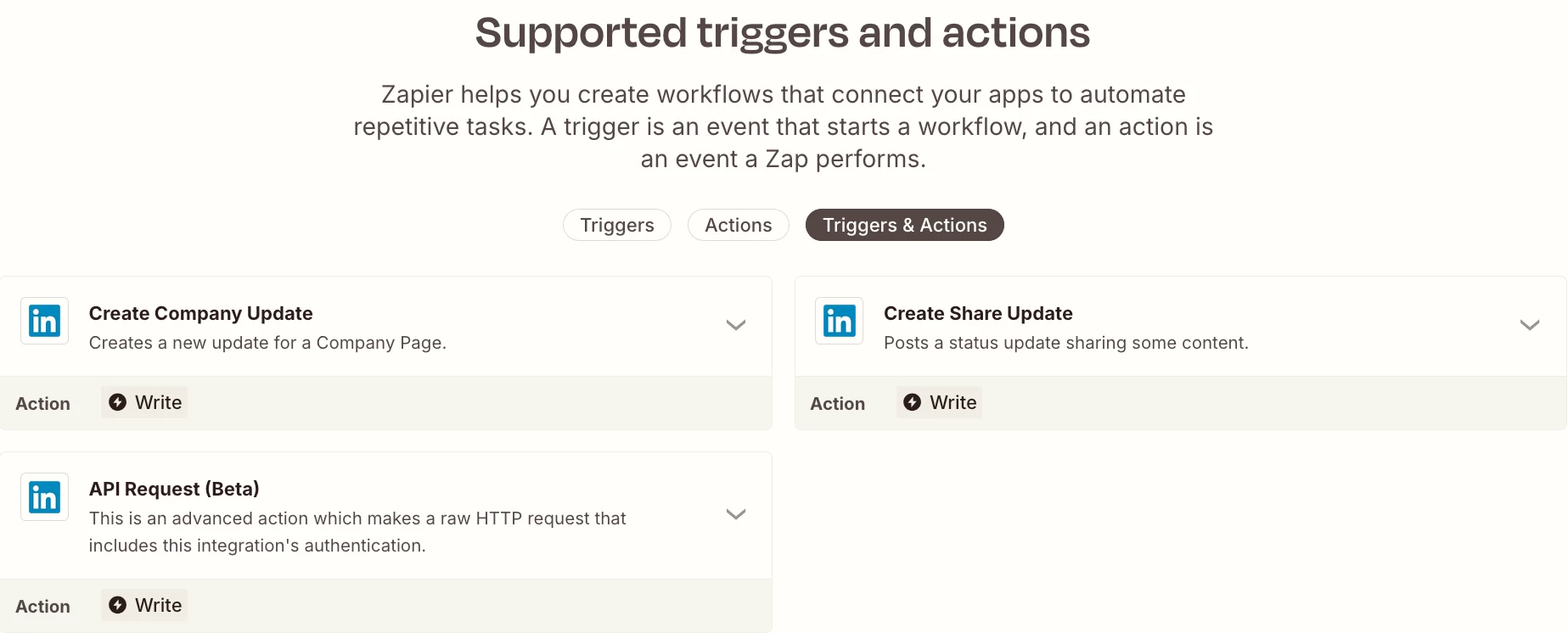
Review the available LinkedIn Zap app triggers/actions: 

https://zapier.com/apps/linkedin/integrations#triggers-and-actions


  • Author
  • New
  • January 10, 2026

Thank you Troy Tessalone, BUT :
there is no LinkedIn trigger for detecting new posts. I need 'something' that automatically detects when I publish a new post


Troy Tessalone
Zapier Orchestrator & Solution Partner
Forum|alt.badge.img+14
  • Zapier Orchestrator & Solution Partner
  • January 10, 2026

@joepareti54 

The LinkedIn Zap app has 0 triggers available, only actions.

Thus, you cannot configure a Zap to trigger from LinkedIn.


You’d have to configure a different workflow, such as:

  1. Trigger: GSheets - New or Updated Row 
  2. Action: Filter
    1. Make sure a Status column value matches conditions to indicate the row is ready
    2. Help: https://zapier.com/apps/filter/help
  3. Action: LinkedIn - Create Share Update / Create Company Update
  4. Action: [App] - [Event]
    1. Use to post to your website platform if that is supported