Question

Uploading emails from a specific email address automatically to OneDrive

  • November 3, 2025
  • 29 replies
  • 165 views

Forum|alt.badge.img

I am trying to figure out how to create an automation to have emails from a specific email address automatically uploaded to OneDrive. This doesn’t seem that hard to create but the part I’m having difficulties with is specifying a folder in my company’s shared OneDrive to upload to.

I’ve tried explain this to Zapier’s copilot but it only give me a a selection of few folders to upload to. I’m not sure where to go from here. Can anyone help with this?

This post has been closed for comments. Please create a new post if you need help or have a question about this topic.


29 replies

Troy Tessalone
Zapier Orchestrator & Solution Partner
Forum|alt.badge.img+14
  • Zapier Orchestrator & Solution Partner
  • November 3, 2025

Hi ​@zapnoob123 

Help us have more info by posting screenshots showing how your Zap steps are outlined and configured along with more details about the fields you are having trouble configuring.


Forum|alt.badge.img
  • Author
  • Beginner
  • November 4, 2025

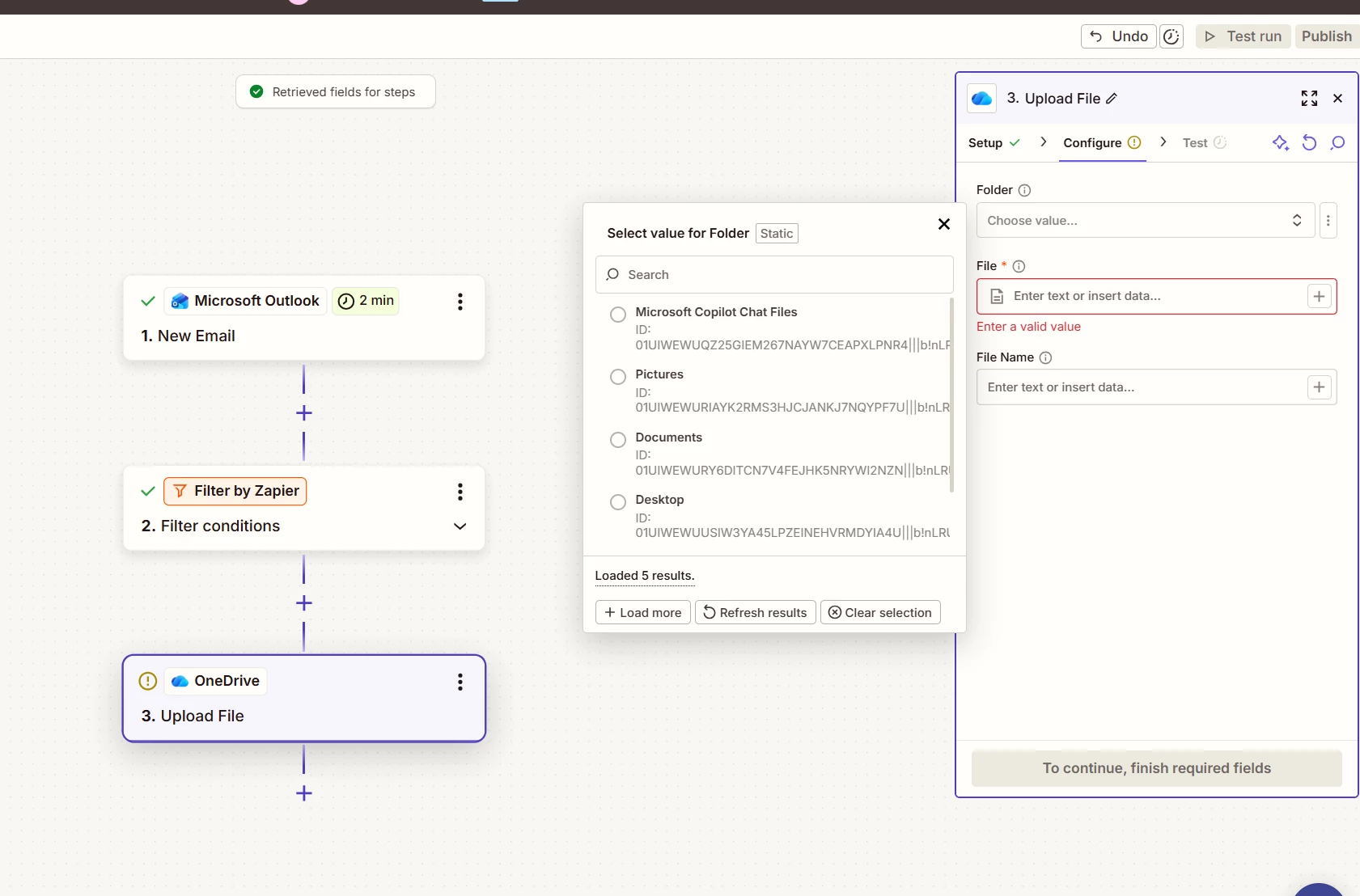
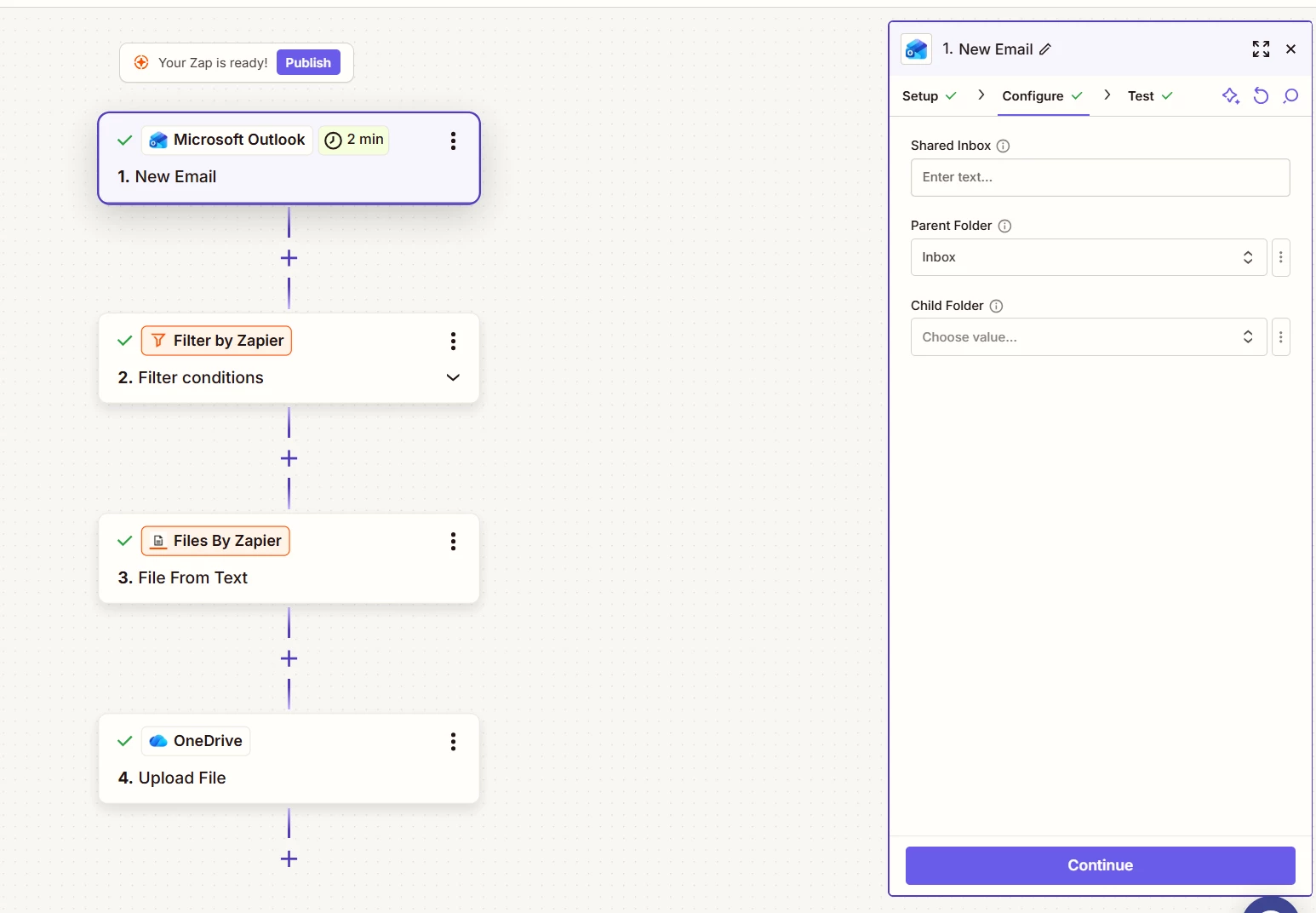
I believe I have the “Microsoft Outlook” and “Filter by Zapier” steps correct, but I’m having issues specifically configuring the folder field to send the email body to. It only gives me a few options, none of which are what I want.


Forum|alt.badge.img
  • Author
  • Beginner
  • November 4, 2025

I’m also unsure of what to put in the file field right below it. It’s not very clear to me.


Sparsh from Automation Jinn
Forum|alt.badge.img+6

Hey ​@zapnoob123,

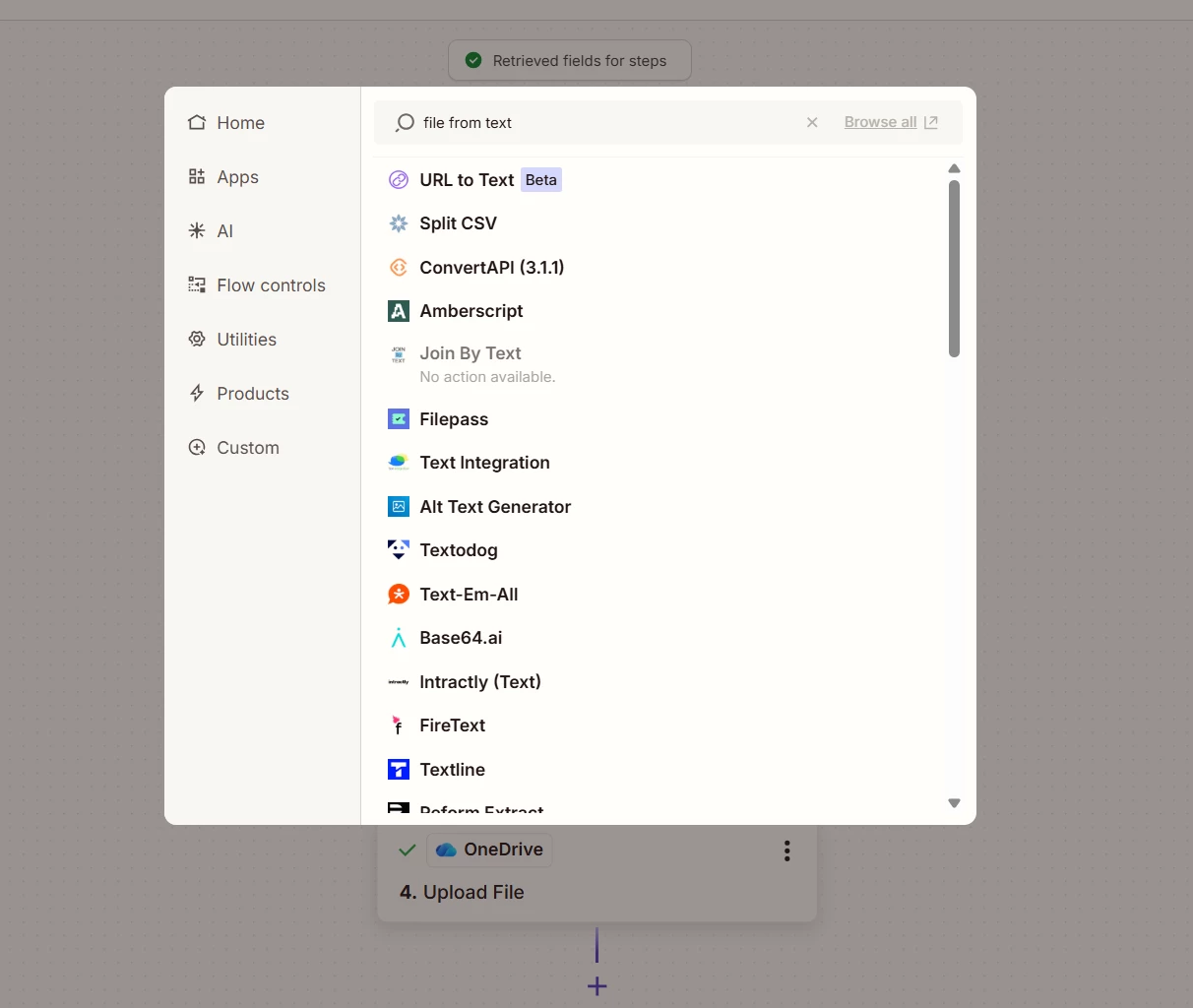
It’s because Upload File action only accepts a file format to upload rather than plain text. Try using one more action of create File from Text from Files by Zapier before Upload File action. Here you can pass the email body text.


After this you can map the file to Upload File action. Hope it helps!


Troy Tessalone
Zapier Orchestrator & Solution Partner
Forum|alt.badge.img+14
  • Zapier Orchestrator & Solution Partner
  • November 4, 2025

@zapnoob123 

Help links for using OneDrive in Zaps: https://zapier.com/apps/onedrive/integrations#help


For selecting the Folder…

If the Folder is nested, then keep selecting the parent Folders until you get to the desired Folder.

Otherwise, if you know the Folder ID, then you can try mapping a static value of the Folder ID using the [...] button to switch to “Custom” mode.


Help link for using files in Zaps: https://help.zapier.com/hc/en-us/articles/8496288813453

If you are trying to upload an email, you would first need to convert the email to a file.

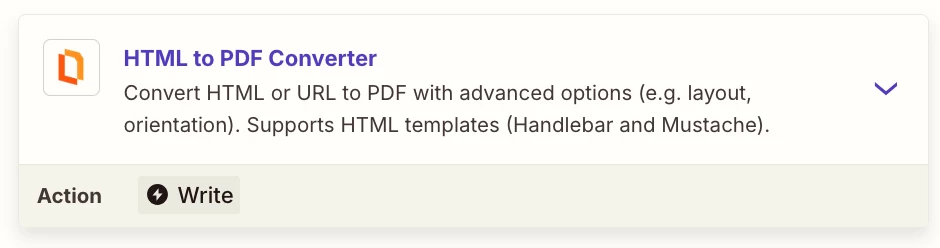
e.g. HTML to PDF


OPTION

Action: PDF.co - HTML to PDF Converter


Forum|alt.badge.img
  • Author
  • Beginner
  • November 4, 2025

I clicked the + to add a new action after step 2 and went to type in “File from text” but that doesn’t show up. Am I in the wrong place?


Sparsh from Automation Jinn
Forum|alt.badge.img+6

Hey ​@zapnoob123,

Here is a link for Files by Zapier- https://zapier.com/apps/files-by-zapier/integrations, Hope it helps!


Forum|alt.badge.img
  • Author
  • Beginner
  • November 4, 2025

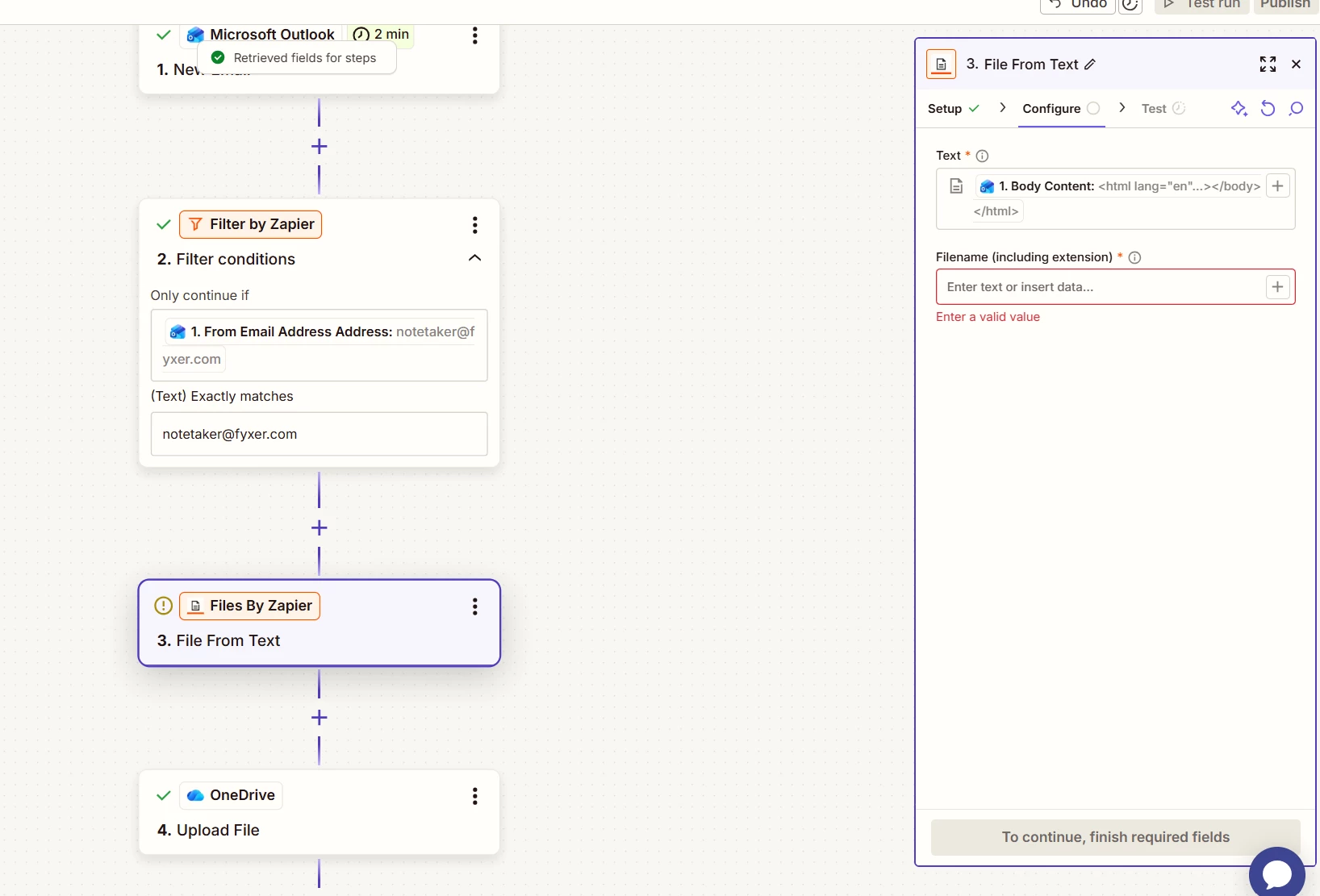
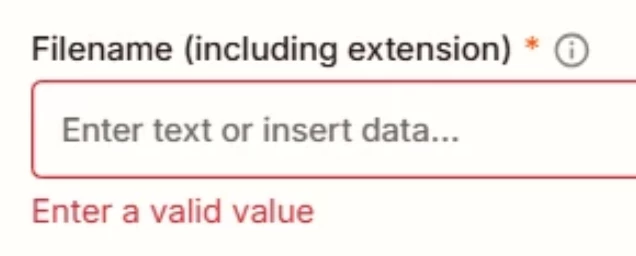
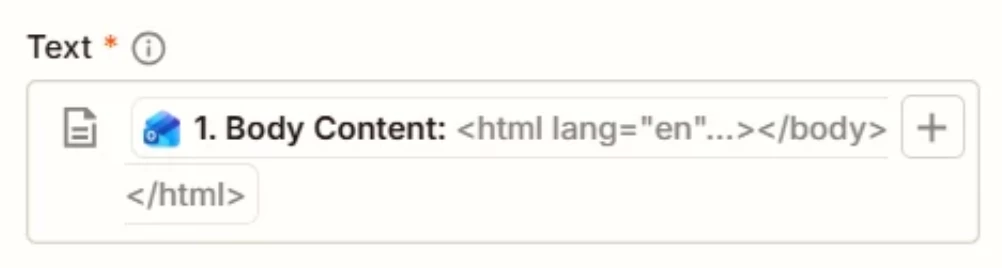
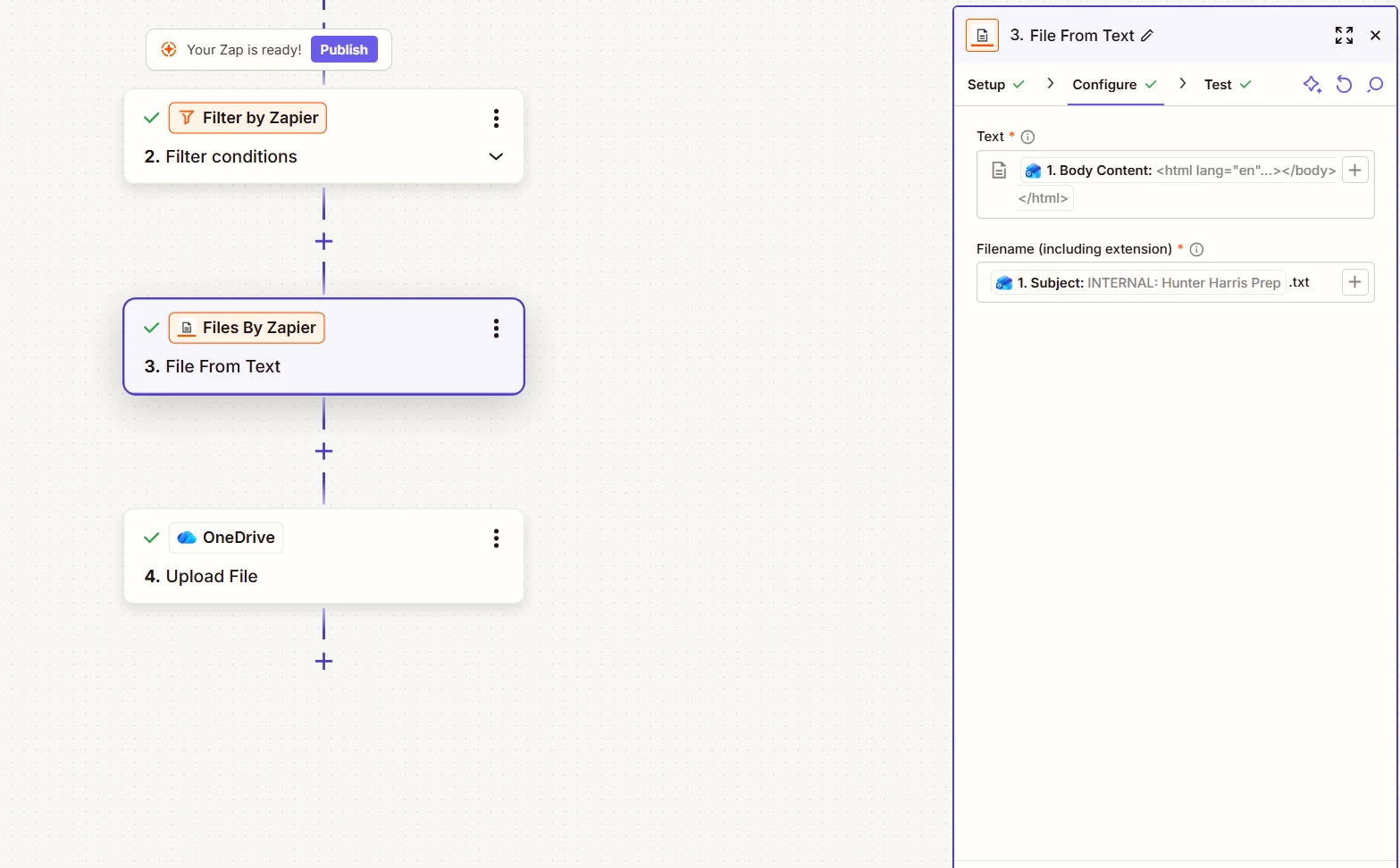
It looks like I figured that out. I believe the “Text” sevtion is correct. Can you prtovide any guidance on the Filename part?


Sparsh from Automation Jinn
Forum|alt.badge.img+6

Hey ​@zapnoob123,

You can use any name and add .txt or .csv to make it a file. You can also map a dynamic variable and then add the file format. Hope it helps!


Forum|alt.badge.img
  • Author
  • Beginner
  • November 4, 2025

Thank you. I am having difficulties when running the test. The file is not showing up in my OneDrive. Can I send screenshots of each step and configuration to see if you can spot anything wrong?


Troy Tessalone
Zapier Orchestrator & Solution Partner
Forum|alt.badge.img+14
  • Zapier Orchestrator & Solution Partner
  • November 4, 2025

@zapnoob123 

TIP: Click field labels to see tooltips with more info for guidance.


You’ll probably want to use the email subject as the filename and maybe include a timestamp variable.


Troy Tessalone
Zapier Orchestrator & Solution Partner
Forum|alt.badge.img+14
  • Zapier Orchestrator & Solution Partner
  • November 4, 2025

@zapnoob123 

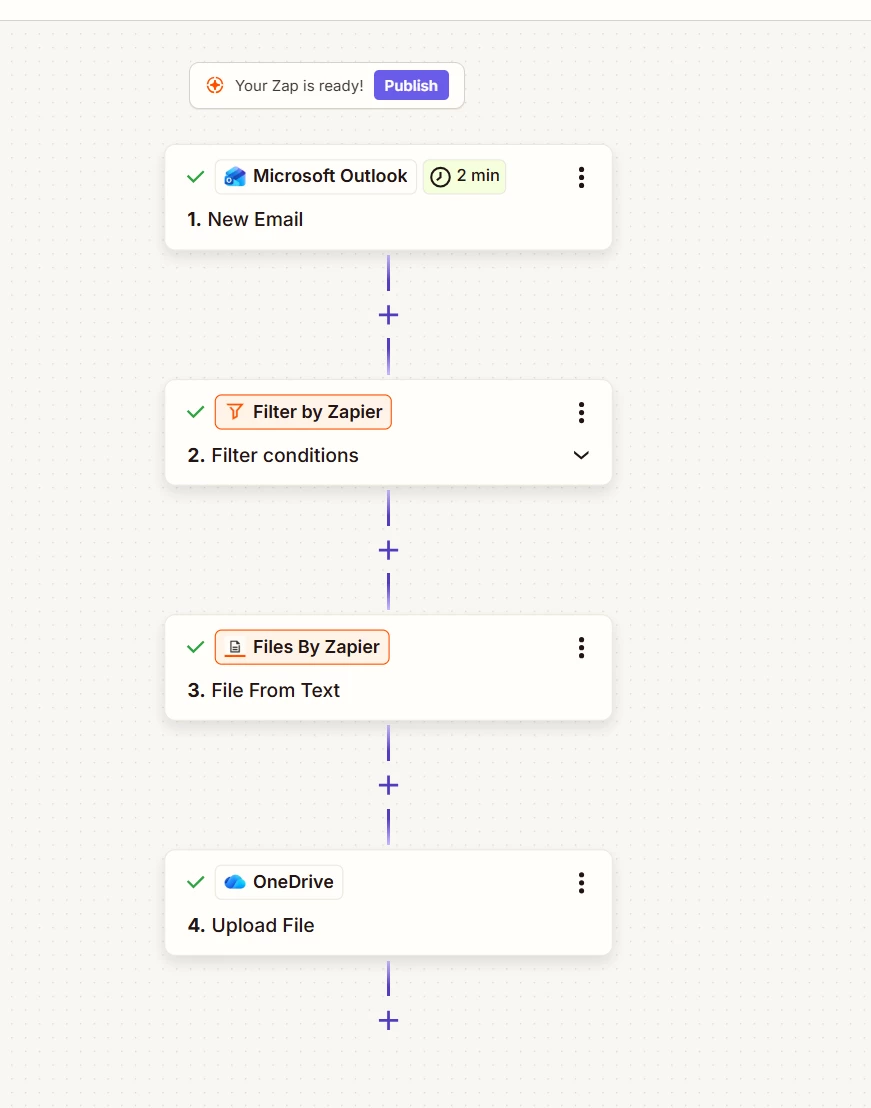
For us to have current context, we would need to see screenshots showing:

  • how your Zap steps are now outlined in order
  • how your Zap steps are now configured in the CONFIGURE tab while in EDIT mode with the field mappings visible

Forum|alt.badge.img
  • Author
  • Beginner
  • November 4, 2025


Forum|alt.badge.img
  • Author
  • Beginner
  • November 4, 2025

Just wanted to quick say thank you so much for your help so far! I feel that we’re almost there.

Let me know if you need any additional screenshots.


Sparsh from Automation Jinn
Forum|alt.badge.img+6

Hey ​@zapnoob123,

You did not add .txt or .csv as I mentioned earlier. Hope it helps!


Troy Tessalone
Zapier Orchestrator & Solution Partner
Forum|alt.badge.img+14
  • Zapier Orchestrator & Solution Partner
  • November 4, 2025

@zapnoob123 

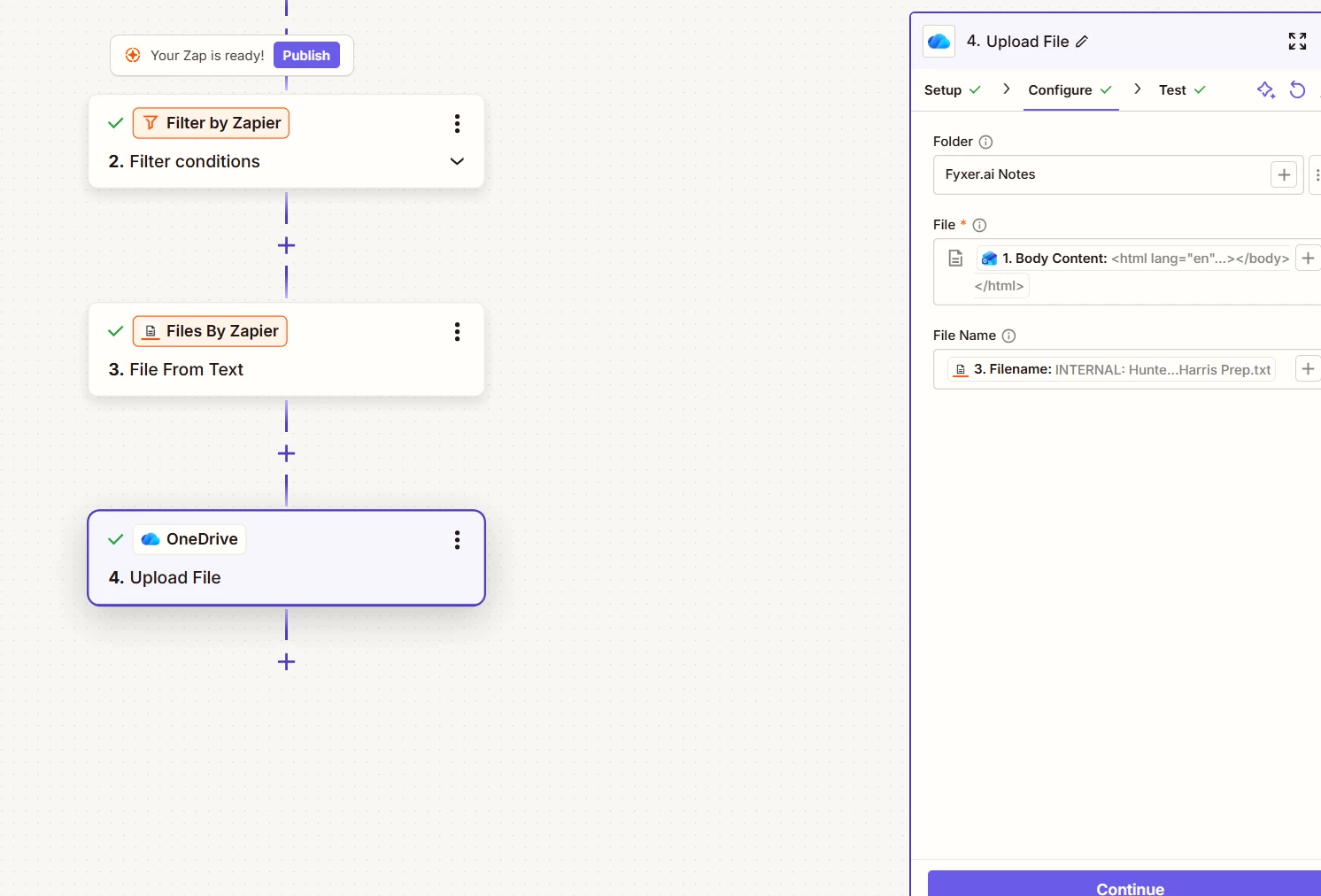
You did not post a screenshots showing how Zap step 4 is configured.


For Zap step 3, you have a variable mapped that has HTML as the value, so the generated file contents will be HTML, which may be hard to read.


For Zap step 3, the Filename field label says to include the extension.

As previously mentioned, click field labels to see tooltips with more info. ( i )


Forum|alt.badge.img
  • Author
  • Beginner
  • November 4, 2025

My apologies. those were old screenshots. These are current.


Forum|alt.badge.img
  • Author
  • Beginner
  • November 4, 2025

I want the file to be uploaded to my company’s shared OneDrive. Copilot is saying that I need to replace the OneDrive action with a Sharepoint action. Is this true?


Troy Tessalone
Zapier Orchestrator & Solution Partner
Forum|alt.badge.img+14
  • Zapier Orchestrator & Solution Partner
  • November 4, 2025

@zapnoob123 

Help link for using files in Zaps: https://help.zapier.com/hc/en-us/articles/8496288813453

TIP: Click field labels to see tooltips with more info.

In Zap step 4, the File field expects the file link or file object from Zap step 3 where you created a file, not a variable from Zap step 1.


Sparsh from Automation Jinn
Forum|alt.badge.img+6

Hey ​@zapnoob123,

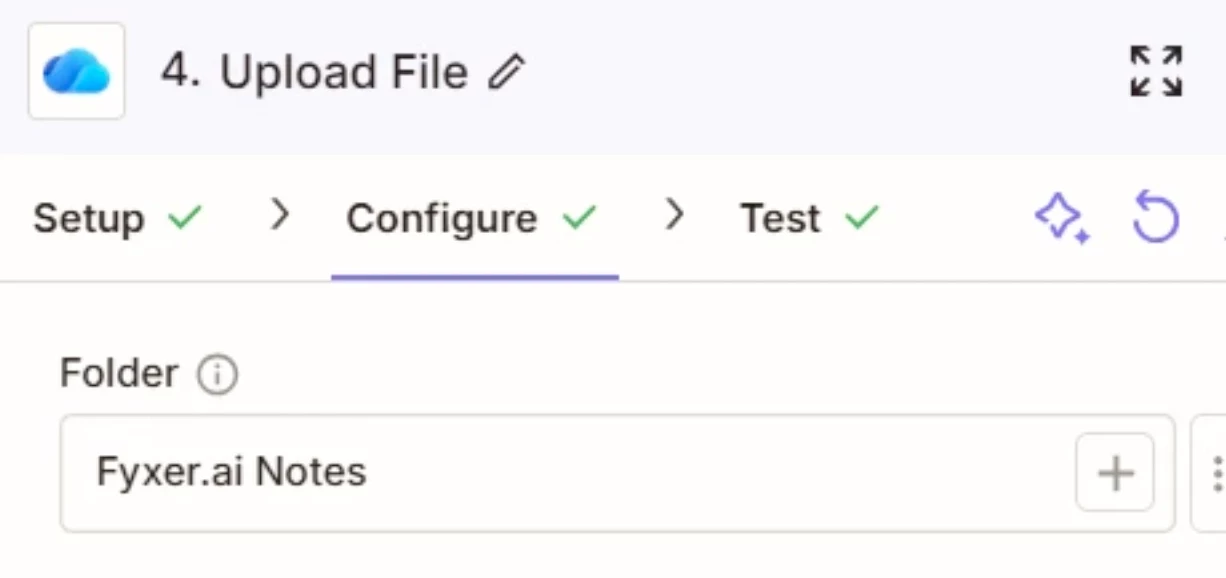
I think you are entering the folder name manually.


Clcik on the + icon and then choose the folder. Hope it helps!


Troy Tessalone
Zapier Orchestrator & Solution Partner
Forum|alt.badge.img+14
  • Zapier Orchestrator & Solution Partner
  • November 4, 2025

@zapnoob123 

In Zap 4, for the Folder field, click the [...] button to switch to “Static” mode, then select the desired Folder from the dropdown list of option.

If the Folder is nested, meaning it has parent Folders, then click each parent Folder to dive down until you get to the desired Folder.


Forum|alt.badge.img
  • Author
  • Beginner
  • November 4, 2025

Thank you for pointing this out Troy. Upon opening the static options, my company's shared OneDrive is not an option at all. Do you have any tips of how to get it to show up?


Troy Tessalone
Zapier Orchestrator & Solution Partner
Forum|alt.badge.img+14
  • Zapier Orchestrator & Solution Partner
  • November 4, 2025

@zapnoob123 

Help links for setting static values in dropdown fields and expected values: https://help.zapier.com/hc/en-us/articles/8496241696141-Add-custom-values-to-dropdown-menu-fields-in-Zaps

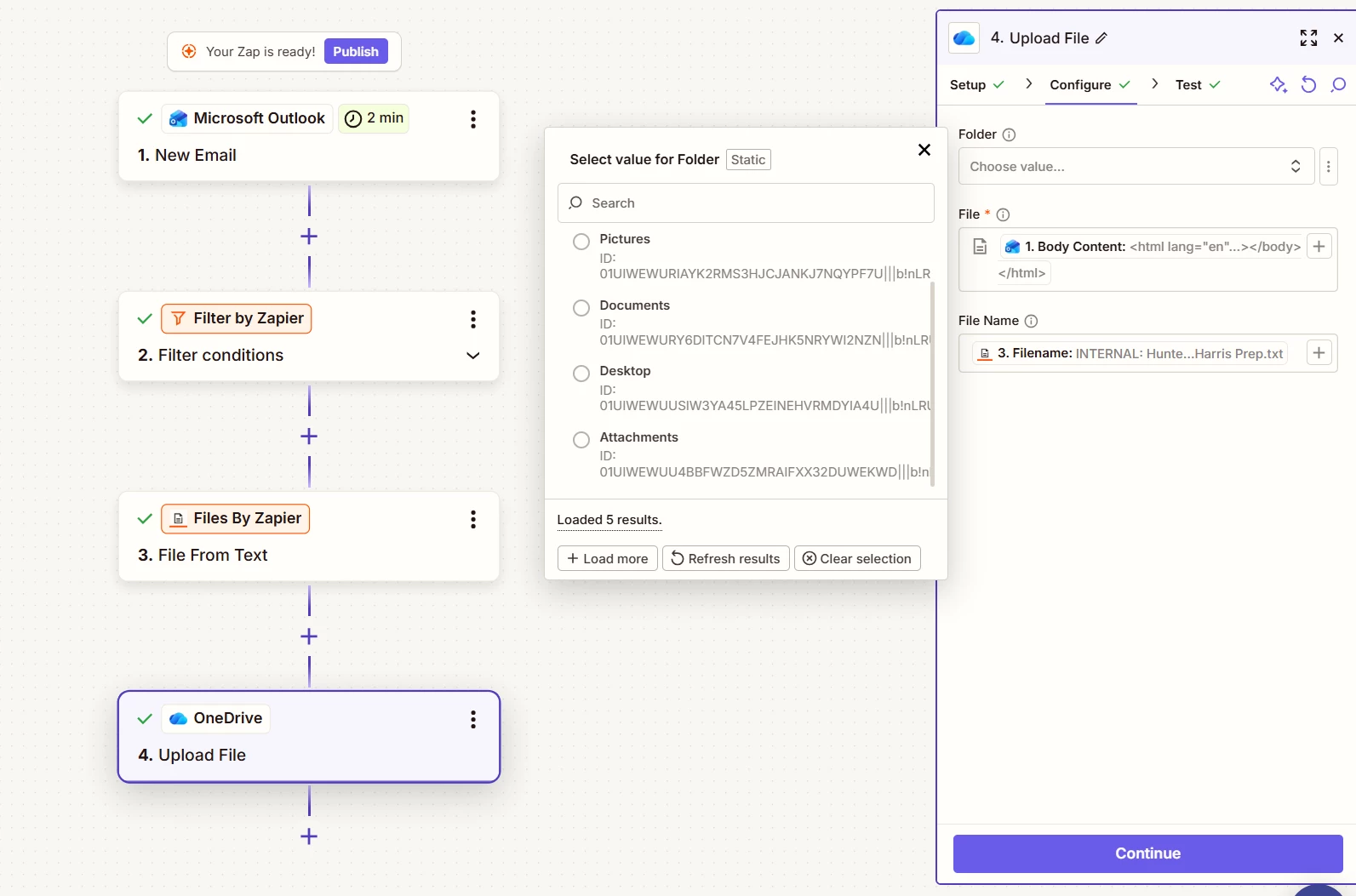
As an example, if you were trying to send it to the “Pictures” Folder, then the field expects the internal ID of the “Pictures” Folder, as shown in the screenshot, rather than the Folder name.

Internal Folder IDs will not change, but Folder Names can change.

If you know the internal Folder ID you want to use, then you can try setting that as the static value for the Folder field, then test.

Otherwise, Shared Folders on OneDrive may not be supported via the OneDrive Zap app integration.


Help links for using OneDrive in Zaps: https://help.zapier.com/hc/en-us/articles/8495920347533-How-to-get-started-with-Microsoft-OneDrive-on-Zapier


Forum|alt.badge.img
  • Author
  • Beginner
  • November 4, 2025

Ok thank you. I am now getting an error message on step 4. It may have something to do with the File step?


Troy Tessalone
Zapier Orchestrator & Solution Partner
Forum|alt.badge.img+14
  • Zapier Orchestrator & Solution Partner
  • November 4, 2025

@zapnoob123 

What is the Zap step 4 error?

Looks like you need to test Zap step 4 in the TEST tab.