Question

Trigger for Assignar Site Diary submission

  • June 26, 2025
  • 7 replies
  • 35 views

I’m trying to create a Zap that triggers when a Site Diary in Assignar is Submitted (not created).  Has anyone done this before?

 

This post has been closed for comments. Please create a new post if you need help or have a question about this topic.

7 replies

Forum|alt.badge.img+2
  • Beginner
  • June 26, 2025

Yes, I’ve worked with Assignar and Zapier before. If the native Zapier trigger only works on creation, we can likely solve this by using webhooks or adding a filter step that checks the status of the Site Diary (e.g., only proceed if status = "submitted").

I’d be happy to help you set this up properly. Let me know if you'd like to connect and get it working.


Troy Tessalone
Zapier Orchestrator & Solution Partner
Forum|alt.badge.img+14
  • Zapier Orchestrator & Solution Partner
  • June 26, 2025

Hi ​@Mary-Ann 

Give this a try…

Reach out to Assignar Support to see if they offer automations or webhook events for your desired trigger.

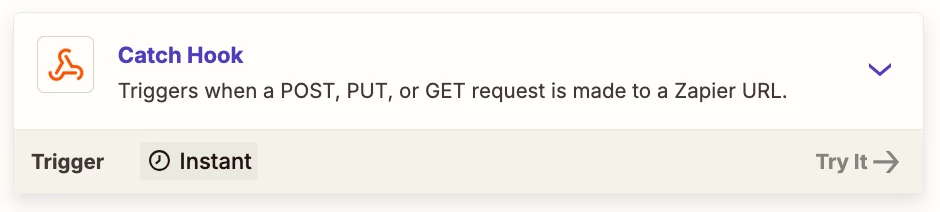
If yes, then this is the Zap trigger to use: Webhooks - Catch Hook

This will generate a unique webhook URL to configure in Assignar.


  • Author
  • Beginner
  • June 30, 2025

Thank you Troy, have sent this request to Assignar and await their reply.


JammerS
Forum|alt.badge.img+6
  • Zapier Staff
  • July 1, 2025

Hi ​@Mary-Ann,


Just keep us posted so we can assist you further if needed. Thank you.


SamB
Community Manager
Forum|alt.badge.img+11
  • Community Manager
  • July 16, 2025

Hey ​@Mary-Ann, just checking in! 👋

Were Assignar’s Support team able to provide you with an API endpoint to use for specifically triggering on site diaries when they are submitted? If so, did you have any luck setting up a Webhooks trigger as Troy suggested?

If not, were you able to check the Status field with a Filter as Adil Waqas suggested to determine whether the site diary is “submitted”?

If that wasn’t possible due to the status changing to “submitted” some time after it’s created, perhaps you could use a Delay For action in the Zap to delay the Zap for X amount of time. Then, follow that up with an API Request action that uses the /site-diaries/{siteDiaryId} Assignar API endpoint to search for the site diary to see it’s current status. Then you could have the filter check whether the status is now “submitted”. Do you think that sort of approach work?

Looking forward to hearing from you! 🙂


  • Author
  • Beginner
  • July 21, 2025

Hi Sam

Thanks for following up.

I’m waiting to hear from Assignar as to the questions that Adil raised.  I’ll let you know how that goes, and if not I’ll definitely give your workaround a go.


Regards

Mary-Ann


SamB
Community Manager
Forum|alt.badge.img+11
  • Community Manager
  • July 21, 2025

Thanks for the update ​@Mary-Ann. Look forward to hearing how it goes! 🤗