Best answer

Trigger-Event: "Order Paid" oder "Order Completed" in Woo Commerce ?

  • August 30, 2025
  • 8 replies
  • 99 views

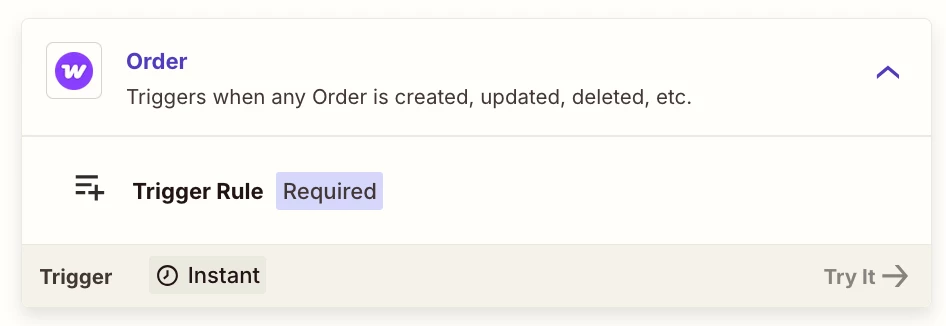
In my first Zap I like to connect Woo Commerce with DigiMember. The trigger-event I need in WooCommerce I do not find in the trigger list of it: Trigger-Event"Order Paid" oder "Order Completed" .  

What to do ?

Best answer by Troy Tessalone

@Gundi 

Help links form DigiMember for using their app in Zaps: https://docs.digimember.com/docs/reference-book/rb-zapier/


If you need help, try reaching out to DigiMember Support for help with their Zap app integration.

This post has been closed for comments. Please create a new post if you need help or have a question about this topic.


8 replies

Sparsh from Automation Jinn
Forum|alt.badge.img+6

Hey ​@Gundi,

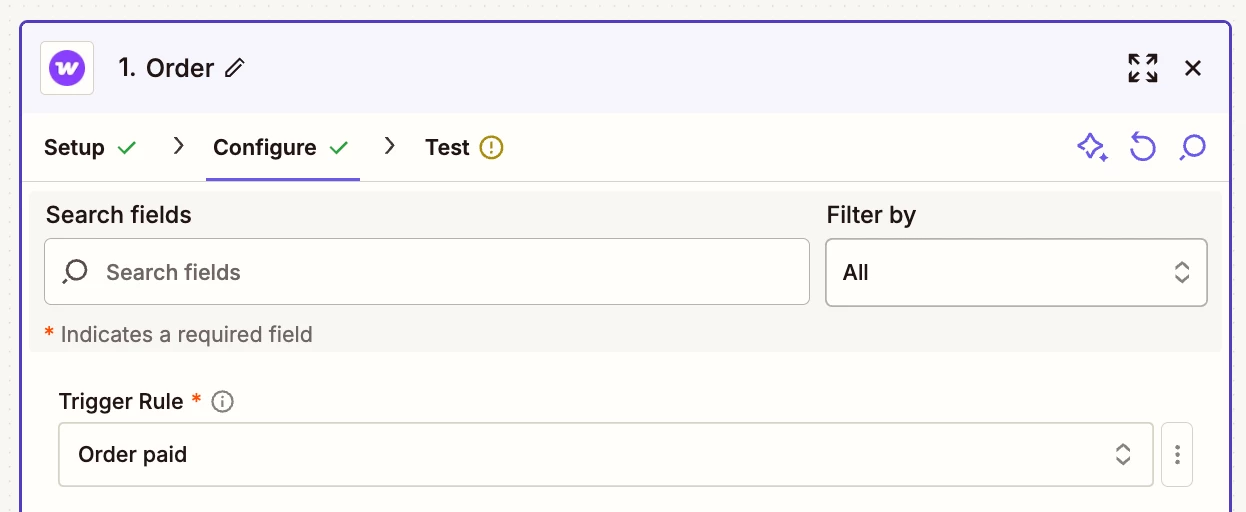
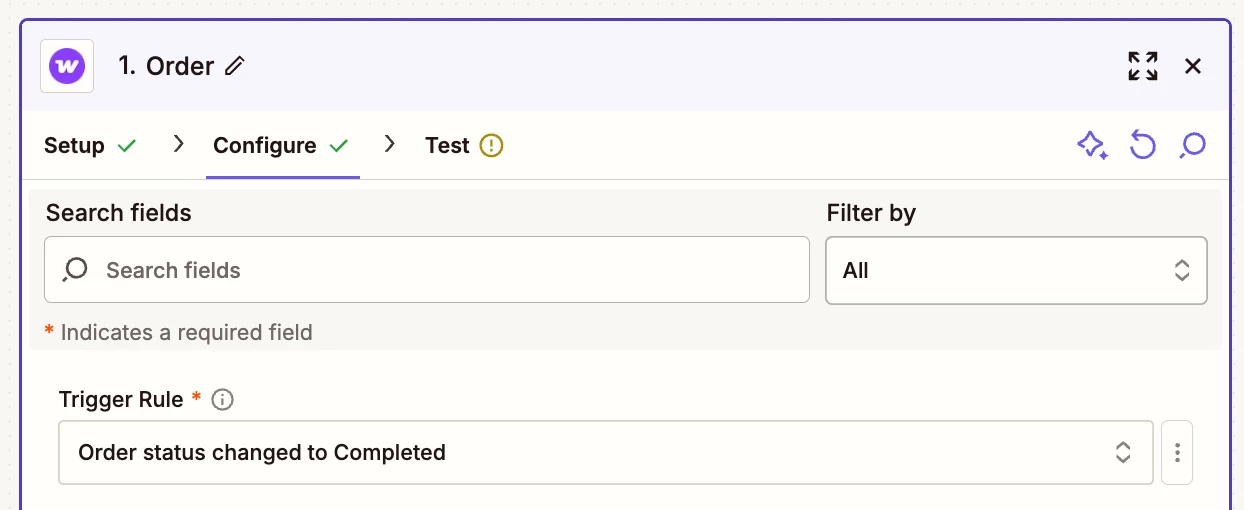
You can filter for Order Paid or Order Completed by using Order trigger with filters.

PS: If you need any professional help and a done for you service, I am a Zapier Official Silver Solution Partner and you can contact me through my solution page from my profile.


Troy Tessalone
Zapier Orchestrator & Solution Partner
Forum|alt.badge.img+14
  • Zapier Orchestrator & Solution Partner
  • September 1, 2025

Hi ​@Gundi 

Try this Zap trigger: WooCommerce - Order

Then select the desired Trigger Rule field value.

  • Order Paid
  • Order status changed to Completed


  • Author
  • Beginner
  • September 2, 2025

Thank you Jinn and Troy. 

Now I have the Zapier Woo extension and could setup the Order Completed Status in the Zap with Woo. 

The question now is: how can I logIn into WooCommerce and DigiMember ?
I get error Message in both ways.


  • Author
  • Beginner
  • September 2, 2025

that’s the message:

We hit an error adding your new account

authentication failed: The app returned "Berechtigung muss auf Zapier stehen".

  1. Make sure you click "Allow" or "Accept" on the permission popup
  2. Double check your Account has the correct permissions
  3. Check out our help docs for more information

Troy Tessalone
Zapier Orchestrator & Solution Partner
Forum|alt.badge.img+14
  • Zapier Orchestrator & Solution Partner
  • September 2, 2025

Hi ​@Gundi 

Help links for using WooCommerce in Zaps: https://zapier.com/apps/woocommerce/integrations#help


Try this tip to connect apps to Zapier: 


  • Author
  • Beginner
  • September 2, 2025

Great Troy, 

WordPress says, I am connected to Zapier ! 

Now with DigiMember  I get the following message. I have set a new API Key and gave permissions to Zapier.


We hit an error adding your new account

authentication failed: The app returned "API key missing or has invalid format".

  1. Make sure you click "Allow" or "Accept" on the permission popup
  2. Double check your Account has the correct permissions
  3. Check out our help docs for more information

Troy Tessalone
Zapier Orchestrator & Solution Partner
Forum|alt.badge.img+14
  • Zapier Orchestrator & Solution Partner
  • Answer
  • September 2, 2025

@Gundi 

Help links form DigiMember for using their app in Zaps: https://docs.digimember.com/docs/reference-book/rb-zapier/


If you need help, try reaching out to DigiMember Support for help with their Zap app integration.


  • Author
  • Beginner
  • September 3, 2025

Thank you Troy !

It is working !     

Have to find out, how to change the link provided in the digimember automatic :))))) e-Mail linking direct to the member-login formular page.