Best answer

Transfer all data from Monday board to Google Sheets

  • August 26, 2021
  • 7 replies
  • 444 views

How can I transfer all my data in Monday board to google sheet? Example I have 15 columns from my Monday board, I want that 15 columns to be transfer to my google sheet and all the data in each columms  

Best answer by Remdon

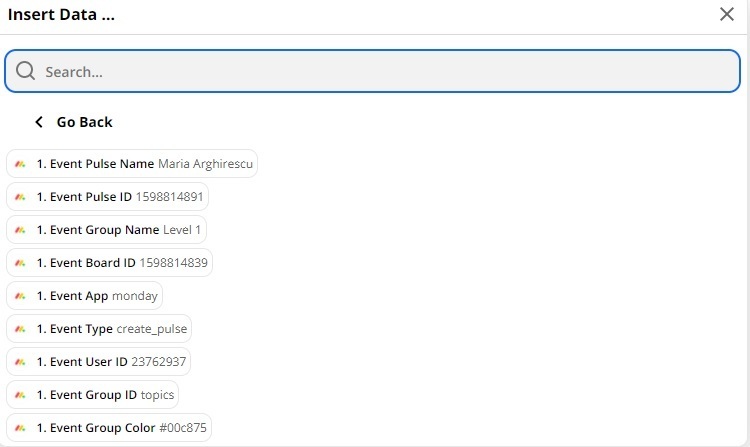
I have 25 columns on my Monday board, and all the 25 columns is detected on my google sheet action but the Monday tags shows only 9  

This post has been closed for comments. Please create a new post if you need help or have a question about this topic.


7 replies

Troy Tessalone
Zapier Orchestrator & Solution Partner
Forum|alt.badge.img+14
  • Zapier Orchestrator & Solution Partner
  • August 26, 2021

Hi @Remdon 

Zaps work when turned ON for new data going forward on a per record basis.

If you are trying to transfer existing Monday Board Items, then you’re better doing that manually via an export/import.


  • Author
  • Beginner
  • August 26, 2021

Hello sir, thanks for answering. I already exported all the data from my Monday board to my google sheet, but what action and triggers do I need when I add a new item on my Monday board and the same time  added on my google sheet? 


Troy Tessalone
Zapier Orchestrator & Solution Partner
Forum|alt.badge.img+14
  • Zapier Orchestrator & Solution Partner
  • August 26, 2021

Hi @Remdon 

Check out the available triggers/actions for each app: https://zapier.com/apps/monday/integrations/google-sheets


Steps

  1. Trigger: Monday - New Item in Board
  2. Action: Monday - Get Column Values
  3. Action: GSheets - Create Row

  • Author
  • Beginner
  • Answer
  • August 26, 2021

I have 25 columns on my Monday board, and all the 25 columns is detected on my google sheet action but the Monday tags shows only 9  


Troy Tessalone
Zapier Orchestrator & Solution Partner
Forum|alt.badge.img+14
  • Zapier Orchestrator & Solution Partner
  • August 26, 2021

@Remdon 

Make sure your Zaps steps are like this

Steps

  1. Trigger: Monday - New Item in Board
  2. Action: Monday - Get Column Values (map the Item [Pulse] ID from Step 1)
  3. Action: GSheets - Create Row

  • Author
  • Beginner
  • August 26, 2021

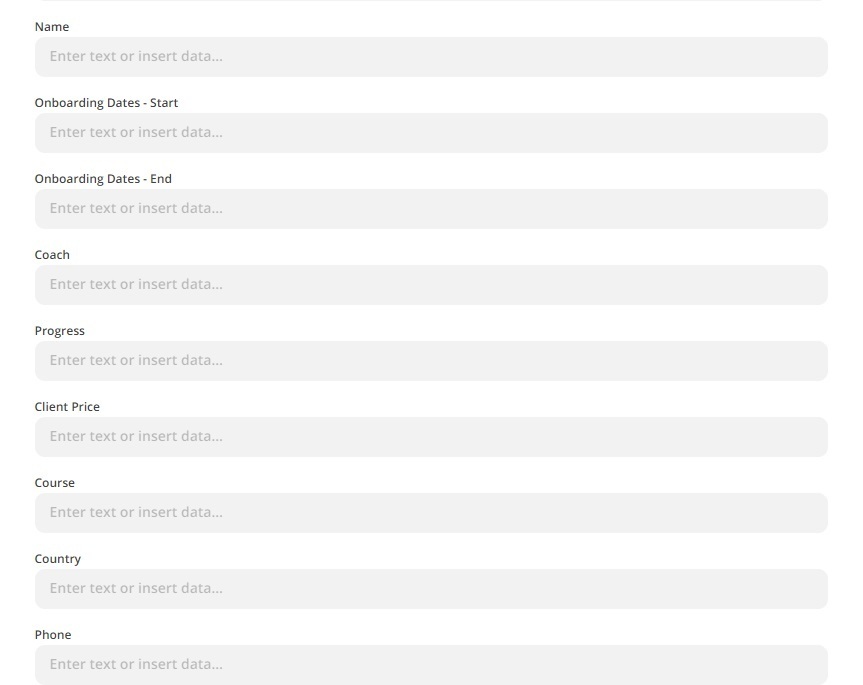
Do I need to fill up this sir? Still only 9 tags are shows in Monday. When I leave it as blank, Zapier says the test successful but when I create new item on my Monday board, nothing happens on my google sheet 


  • Author
  • Beginner
  • August 26, 2021

hi sir, the trigger new item is now working on my google sheets, how about when a new update on my Monday board sir, what trigger and action do I need? Do I follow the same steps?