Answer

Ticktick to todoist Update task; how to find the task?

  • October 21, 2024
  • 3 replies
  • 60 views

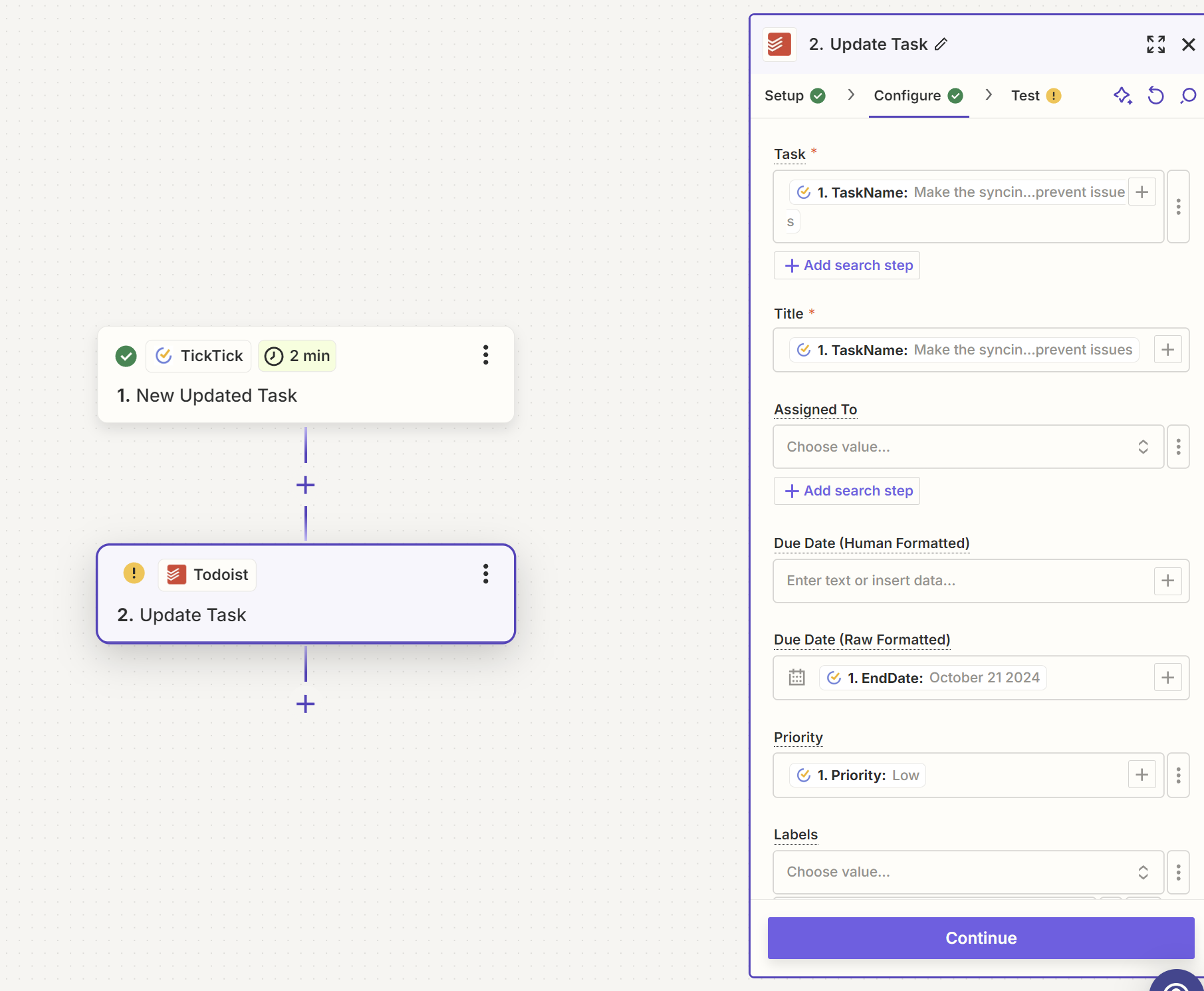
So here is the thing. I am finding it hard to see what I am doing that is wrong. I am trying to create a new zap that basically prevents any syncing errors between my two task databases. In this zap i want to if i update a task in ticktick in any way. For that update to reflect on Todoist. 

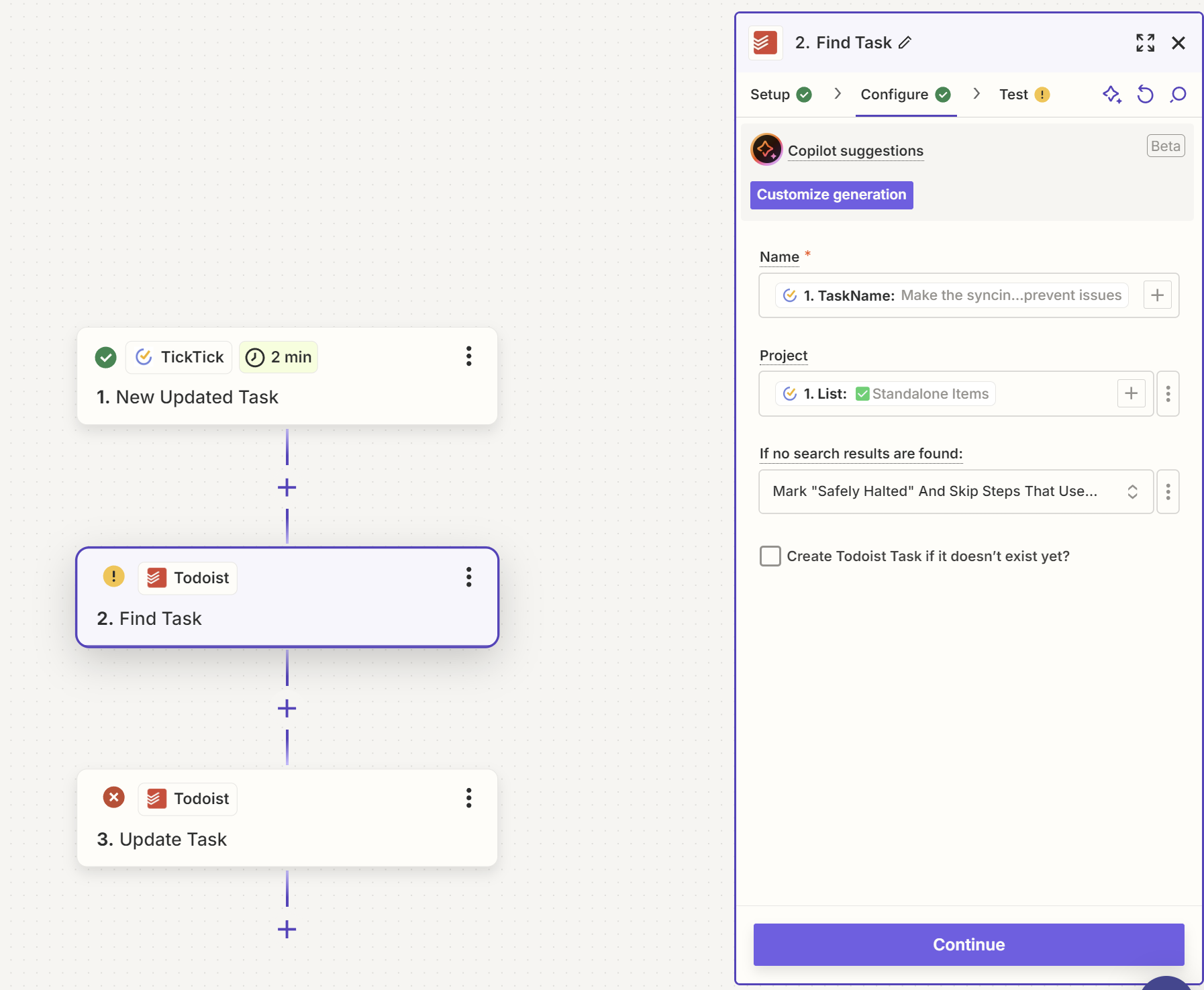
The problem is that i dont know how to FIND the task dynamically from the found task that is updated in the trigger. So the same title/task name, needs to update what has been updated like date, priority etc. 


But it gives me an error that it can't find the task when i put in the dynamic taskname in the name section. And a find task action in between the two doesn't seems to resolve it. 


Best answer by Troy Tessalone

Hi @dutchdragon 

Add this Zap step: Todoist - Find Task

That will return the Todoist Task ID.

This post has been closed for comments. Please create a new post if you need help or have a question about this topic.

3 replies

Troy Tessalone
Zapier Orchestrator & Solution Partner
Forum|alt.badge.img+14
  • Zapier Orchestrator & Solution Partner
  • Answer
  • October 21, 2024

Hi @dutchdragon 

Add this Zap step: Todoist - Find Task

That will return the Todoist Task ID.


  • Author
  • New
  • October 21, 2024

Hi @dutchdragon 

Add this Zap step: Todoist - Find Task

That will return the Todoist Task ID.

I have no idea why it now works. But it does. thank you so much. that leaves me with 1 post left to be resolved.


JammerS
Forum|alt.badge.img+6
  • Zapier Staff
  • October 22, 2024

Hi @dutchdragon,


Wow! Thank you for confirming that Troy’s resolution got the Zap running. This will significantly help our Community members to have as a reference for the same issue.