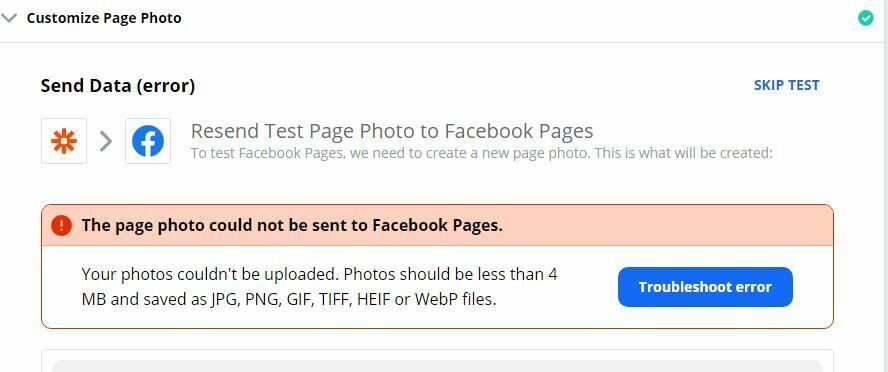
I am trying to post a photo to my facebook page and I am getting this error. How do I correct this? thnak you
i am using RSS TO FACEBOOK PAGE
“Your photos couldn't be uploaded. Photos should be less than 4 MB and saved as JPG, PNG, GIF, TIFF, HEIF or WebP files.”
Best answer by jesse
Hey @kheiro44, we just wanted to check in again on this! It looks like whatever field/file object you’re trying to send to Facebook to post a photo on your page, isn't in alignment with the criteria that Facebook has set. Here is more information regarding what is/isn’t acceptable for that action: https://zapier.com/help/doc/common-problems-facebook-pages#create-page-photo-action. Reconfiguring your action to be in line with those conditions should help get things resolved for you here.
This post has been closed for comments. Please create a new post if you need help or have a question about this topic.
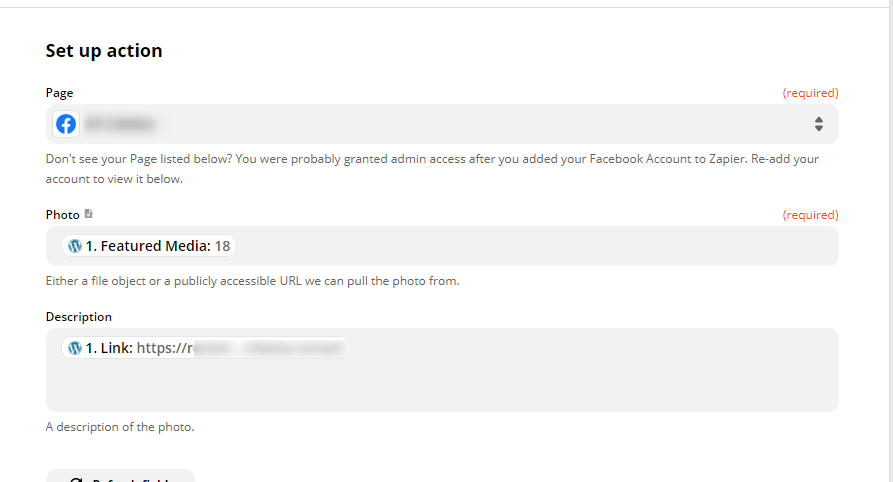
@kheiro44 what is the file you are trying to send? If you can share a screenshot of the settings you have for the Customize Page Photo and also the Send Data from the trigger (RSS) step, that will help us see what the problem is.
In short, it’s either not an image file OR the image file is too large. per Facebook’s rules.
Hey @kheiro44, we just wanted to check in again on this! It looks like whatever field/file object you’re trying to send to Facebook to post a photo on your page, isn't in alignment with the criteria that Facebook has set. Here is more information regarding what is/isn’t acceptable for that action: https://zapier.com/help/doc/common-problems-facebook-pages#create-page-photo-action. Reconfiguring your action to be in line with those conditions should help get things resolved for you here.
Just tried all the possible combinations, change file sizes, filetype…. Different pages. Different wordpress installation. Regardless the settings ( which are not many to configure, either)…. One cannot create a photo post using zapier.
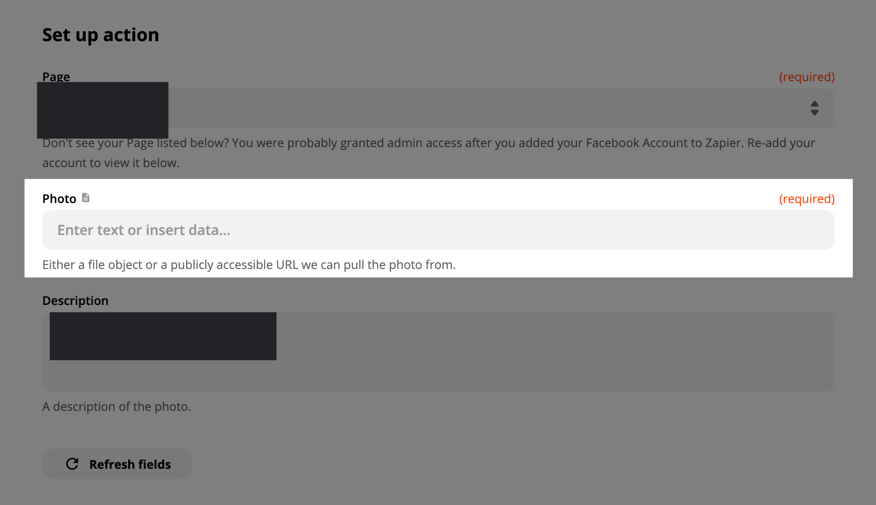
Sorry to hear that you’re having problems! It’s definitely possible to create a photo post, but it sounds like you may have something not quite right with your Zap. Can you make sure that the field you’re mapping here…
… is a publicly-accessible photo link or a fie object that’s one of these types:
If you can share a screenshot of how you’ve got the Facebook Pages step of your Zap set up, that may help others to determine what the problem is :)
Link posted here doesn’t work anymore and I’m having similar issues.
ZapConnect 2026 is coming
Join us September 23rd, 2026 for a free, one-day virtual event with 30+ sessions on AI automation. Get live build-alongs, playbooks, and strategies to lead AI transformation at your organization.