Question

Texty Pro and Filevine Automation

  • March 25, 2025
  • 3 replies
  • 34 views

We use a third party business texting service to our main landline number for outgoing/oncoming texts with clients. The client name and phone number is saved in Texty Pro. We would like to have any outgoing or oncoming text message in Texty Pro automatically save in the activity section of the client’s FileVine project. How do we do this? 

This post has been closed for comments. Please create a new post if you need help or have a question about this topic.


3 replies

Troy Tessalone
Zapier Orchestrator & Solution Partner
Forum|alt.badge.img+14
  • Zapier Orchestrator & Solution Partner
  • March 25, 2025

Hi ​@DBLawyer 

These are the available FileVine Zap app triggers/actions: https://zapier.com/apps/filevine/integrations#triggers-and-actions


You likely have to use the FileVine API: https://developer.filevine.io/docs/v2-ca/branches/main/31e991e1bfac1-filevine-api-v2


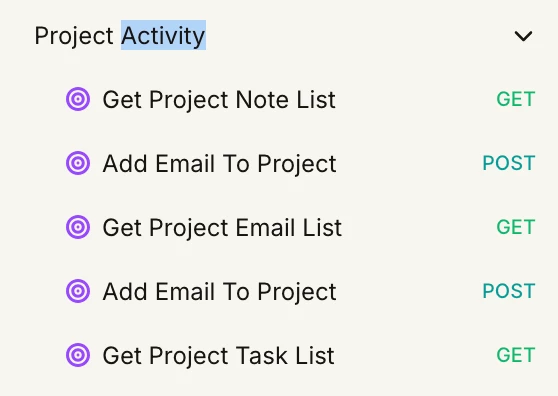
TBD which API endpoint to use for “Project Activity”.

Perhaps you mean a Note or Task or something else.


  • Author
  • New
  • March 25, 2025


@Troy Tessalone I’m not shown Project Activity as an action option when I look at the available Filevine actions listed in Zapier. What am I missing? I’ve already connected Filevine to Zapier using API key. 


Troy Tessalone
Zapier Orchestrator & Solution Partner
Forum|alt.badge.img+14
  • Zapier Orchestrator & Solution Partner
  • March 25, 2025

@DBLawyer 

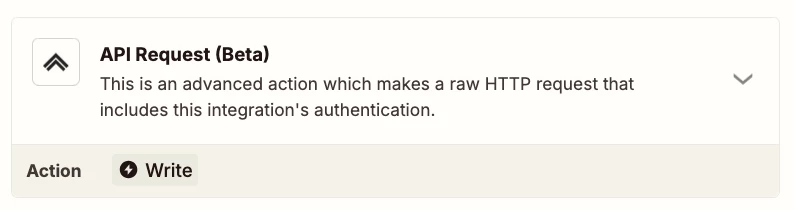
Correct, you will likely have to use the FileVine API via this Zap action: FileVine - API Request

TBD which API endpoint to use for “Project Activity”.

Perhaps you mean a Note or Task or something else.