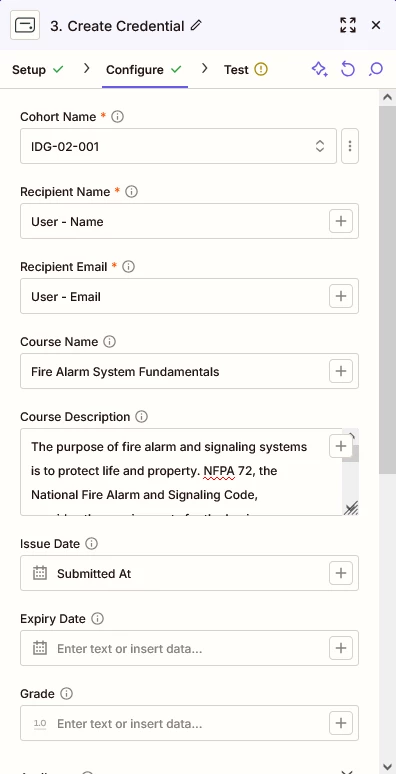
I would like to issue an Accredible badge/certificate when a student passes a quiz (final exam) in a Teachable course. I have a very simple Zap, but I cannot pull the data from Teachable.
What are the Teachable data fields for the Recipient Name, Recipient Email and Issue Date?
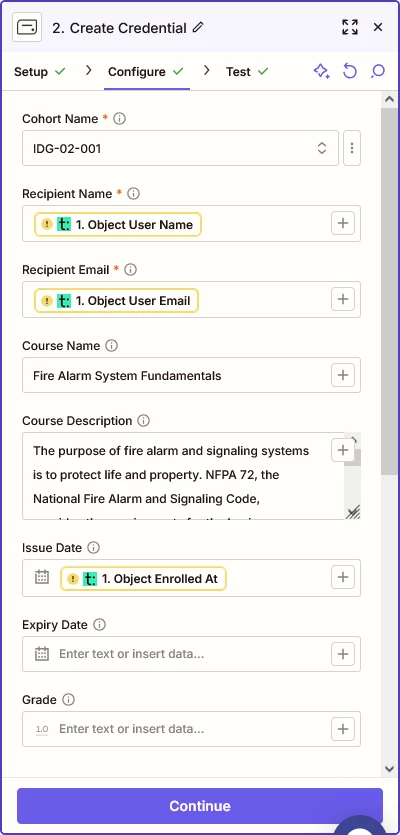
The screenshot in my post is the Zap. It seems in the “Recipient Name,” I enter a dynamic Teachable data field. I found a template, but it still does like the entries.
The name data field in Accredible is “[recipient.name].” If I knew what the data field is in Teachable for the name, I could just type it in.
Not sure why the “Issue Date” has some kind of enrollment trigger. The date is when they pass a quiz to complete the course.
I will have a Zap for each course to trigger a certificate in Accredible for each course. The only variables I need to send is the Name, Email and Quiz Pass Date or Course Completion Date. Thanks!
Because what happens in templates is that you still have configure them according to your needs if you do find a one that’s doing the workflow you need.
I got it to work with my test account. I hesitated to select the data fields since it was populated with my information. We have other beta testers and I will see if it works for other students. Thanks for the help!
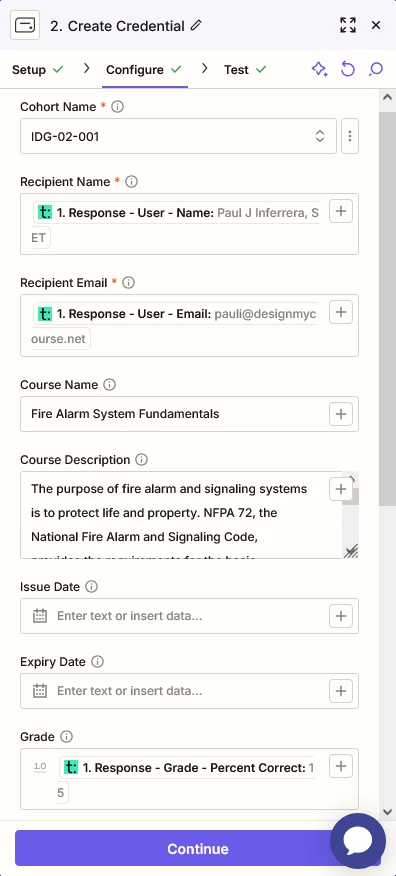
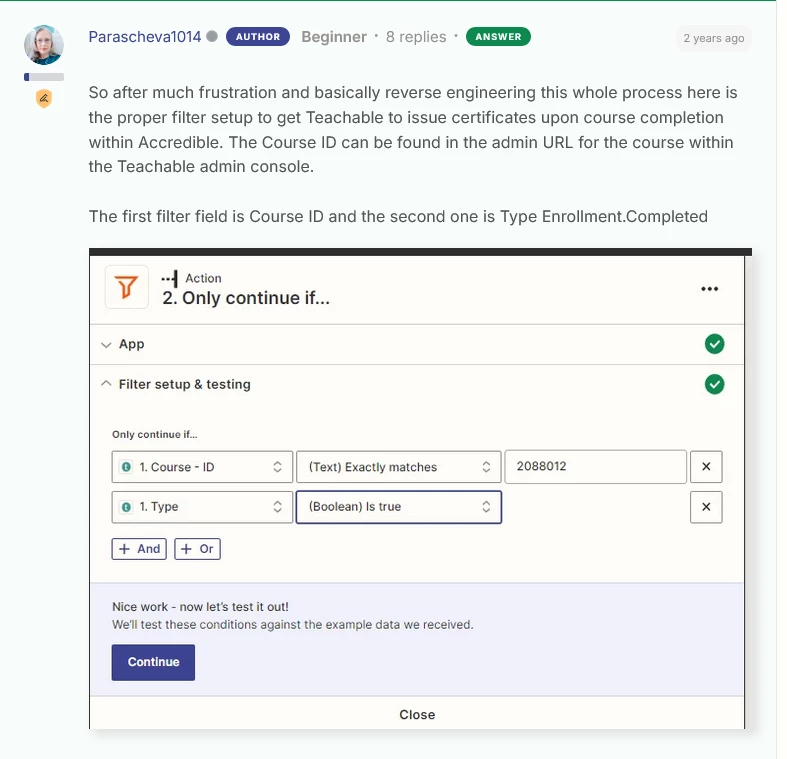
Update. I since modified the date fields and removed my name and email. Others who pass the quiz triggered a certificate, but it was submitted as my test account. I found the solution attached, but it is two years old.
Teachable’s Zapier triggers usually provide student name, email, and enrollment/completion data—try using “New Enrollment” or “Course Completed” events, then map user.name, user.email, and completed_at (or similar) to Accredible’s Recipient fields.
Early access
Next Gen Zaps
Build and deploy automations from AI tools you already use. With Agentic Management, if anything breaks, the agent diagnoses the issue and proposes a fix.