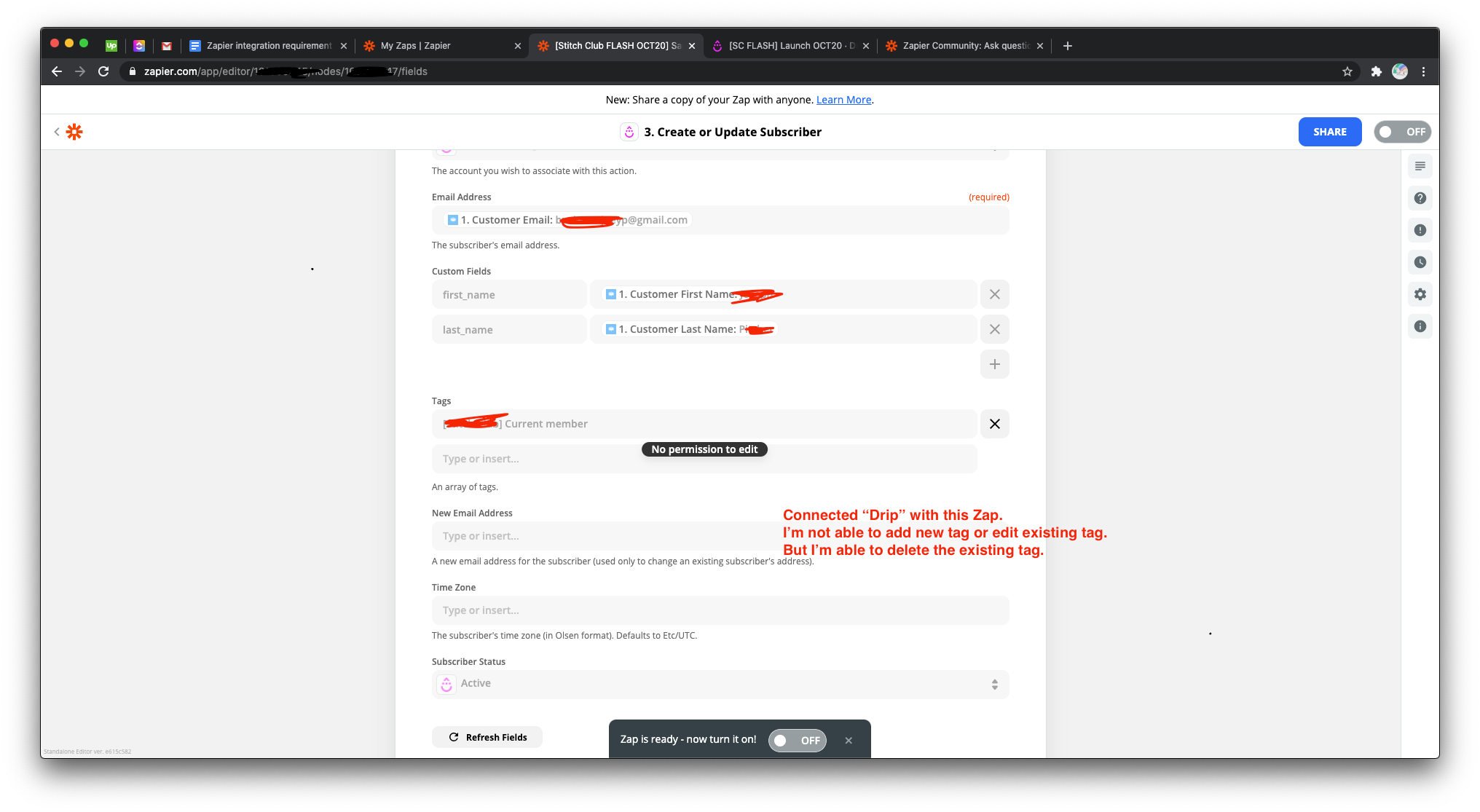
My client has shared a Zap folder with me so that I can access all the Zaps he’s created. He’s added me as an Admin user of his Zapier account. Still, I’m not able to edit some part of the Zaps created by him. Why? I’ve attached a screenshot for the same here.
Best answer by CraigNet3
@thinker500 is the Drip app shared as well? Not only does your client need to share the Zap, or place it in a shared folder, they also need to share all apps within the Zap. In order to share the app your client needs to go to the “My Apps” area (https://zapier.com/app/connections), and change the particular apps from “Private” to “Shared”.
@thinker500 is the Drip app shared as well? Not only does your client need to share the Zap, or place it in a shared folder, they also need to share all apps within the Zap. In order to share the app your client needs to go to the “My Apps” area (https://zapier.com/app/connections), and change the particular apps from “Private” to “Shared”.
Build and deploy automations from AI tools you already use. With Agentic Management, if anything breaks, the agent diagnoses the issue and proposes a fix.