I want to upload invoices sent to clients and received from providers (eg Telecom) from my Gmail to my Dropbox. This will ease my accountant activities
For that I'm using the standard zap : Save new attachments in Gmail to Dropbox
The fact is that in some emails received or sent (eg Telecom), there are many attachments (pdf and png or excel)
I only want to upload the PDF attachements which is the statement that my Accountant will need
How can I select the file type in the zap ?
Thanks a lot and have a good evening/day
Daniel
Best answer by BowTieBots
Hey @Daniel_Clementine,
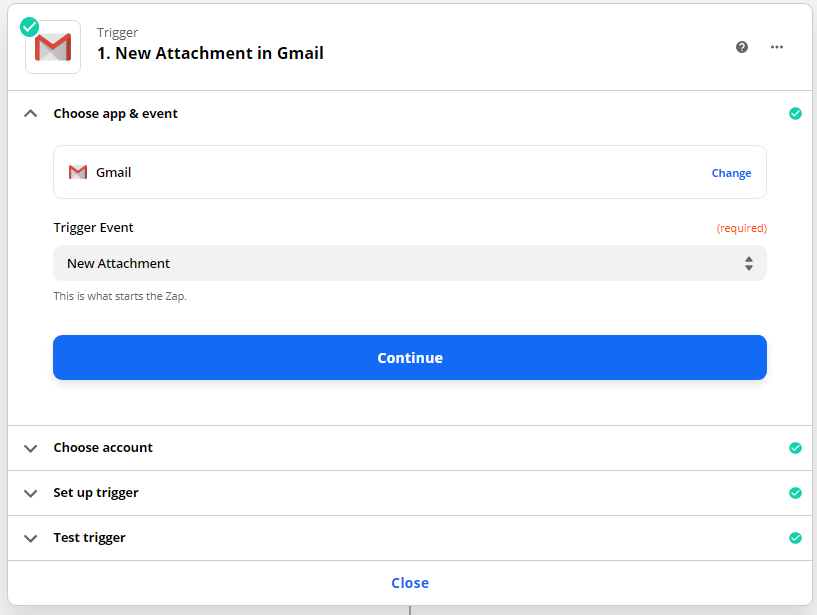
You can do this with Gmail’s new attachment trigger and a filter.
Trigger is a new attachment which occurs for each file in the email attachemnt
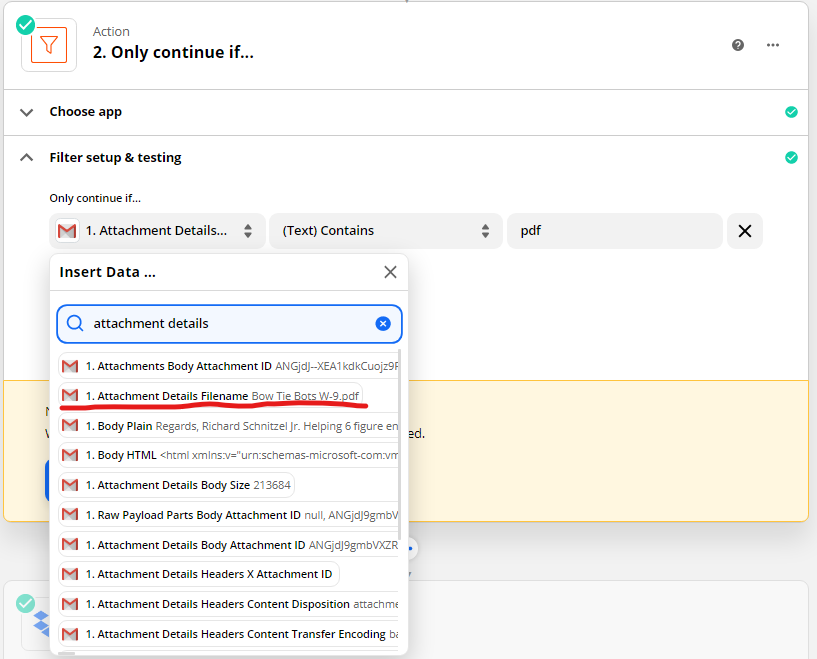
Add a filter that looks for “pdf” in the attachment name
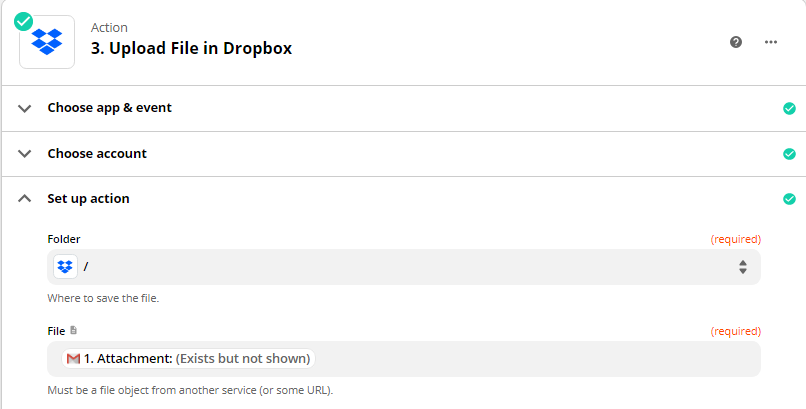
Send attachment to dropbox
Some things to pay attention to:
There will be a fields for all attachments and the attachment that triggered the zap. Make sure you use the correct field
The Attachment value in Zapier that you map to Dropbox should say “Attachment: (Exists but not shown)”
The filter will upload any attachment with pdf in the title. If you want to be more selective add additional values to the filter to include things like from/to email or email title
You can do this with Gmail’s new attachment trigger and a filter.
Trigger is a new attachment which occurs for each file in the email attachemnt
Add a filter that looks for “pdf” in the attachment name
Send attachment to dropbox
Some things to pay attention to:
There will be a fields for all attachments and the attachment that triggered the zap. Make sure you use the correct field
The Attachment value in Zapier that you map to Dropbox should say “Attachment: (Exists but not shown)”
The filter will upload any attachment with pdf in the title. If you want to be more selective add additional values to the filter to include things like from/to email or email title
Early access
Next Gen Zaps
Build and deploy automations from AI tools you already use. With Agentic Management, if anything breaks, the agent diagnoses the issue and proposes a fix.