Best answer

Running the same Zap for each row of a spreadhsheet

  • October 15, 2020
  • 6 replies
  • 927 views

Hi all, 

Once a week I need to go through our company spreadsheet (Google) and look at various data entry. 

I then need to send emails - reminders - commandes…. based on the data that were updated during the week 

I have created a Zap that would do automatize certain task. 


What I would like to do is:

Having the same zap running  for each Row of the Spreadsheet


Example: 

Row 1: No change nothing to do => SKIP to next row 

Row 2: Commande ready => Send email to client Continue to Row 3 

Row 3 Document needed => Send reminder to get documents Continue to Row 4 

Row 4…. 

LAST Row: Change of address => Reminder to change addres => END 

END 


What wold be the solution to keep repeating the zap until the end of the rows? 


Thank you all for your help

Best answer by Troy Tessalone

[ADVANCED] Looping Zaps require a more advanced setup using Code, Filter, Webhook apps.

This post has been closed for comments. Please create a new post if you need help or have a question about this topic.

6 replies

Troy Tessalone
Zapier Orchestrator & Solution Partner
Forum|alt.badge.img+14
  • Zapier Orchestrator & Solution Partner
  • October 15, 2020

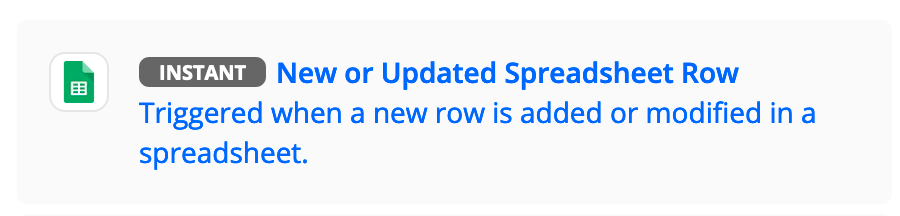
You can configure Zaps that trigger with GSheets New/Updated Row and specify the column that will trigger the update, and maybe use a Filter step to ensure only the desired criteria is met to continue with the other Zap actions.


  • Author
  • Beginner
  • October 15, 2020

Hi Thank you for your answer,

Unfortunately, since there are more than 20 multiple variations I would have to create more than 50 zaps to be able to make this happen 


What I was thinking was more of a checking zap but for each row one after the other

Look up row => If something has change => Action then next row lookup 

and all the way to the end of the spreadsheet then the zap is done when they arrive at the end of the spreadsheet.


Troy Tessalone
Zapier Orchestrator & Solution Partner
Forum|alt.badge.img+14
  • Zapier Orchestrator & Solution Partner
  • October 15, 2020

You’d have to create a looping Zap that iterates over each row in the GSheet incrementally.

But in that case, I think the bigger question is how will the Zap know that data has been updated?


  • Author
  • Beginner
  • October 15, 2020

Thank you Yes that is exactly what I am looking to do  LOOPING ZAP. 

How would I do that?


The zap will do a Lookup for the row then with filter and Path will do the right course of action. 


But its the gong to the next row that is my issue. 


Troy Tessalone
Zapier Orchestrator & Solution Partner
Forum|alt.badge.img+14
  • Zapier Orchestrator & Solution Partner
  • Answer
  • October 16, 2020

[ADVANCED] Looping Zaps require a more advanced setup using Code, Filter, Webhook apps.


  • Author
  • Beginner
  • October 16, 2020

For those looking for a similar solution here is the answer. 

Looping Zap 

https://www.luhhu.com/blog/video-creating-a-looping-zapier-automation-using-webhooks