Best answer

Retrieving and sorting records in Airtable for daily messaging in Zapier

  • September 15, 2026
  • 9 replies
  • 56 views

Forum|alt.badge.img

Hi,

I need daily to retrieve a number (say 25) of records from Airtable, and send them a message.

The trigger is a daily schedule. The selection is based on a flag in the record, e.g. “Pick Me”. After the message has been sent the record is updated to “sent”, so that it will not be in the pool the next day. I need to start from the oldest records, then work my way through them day by day.

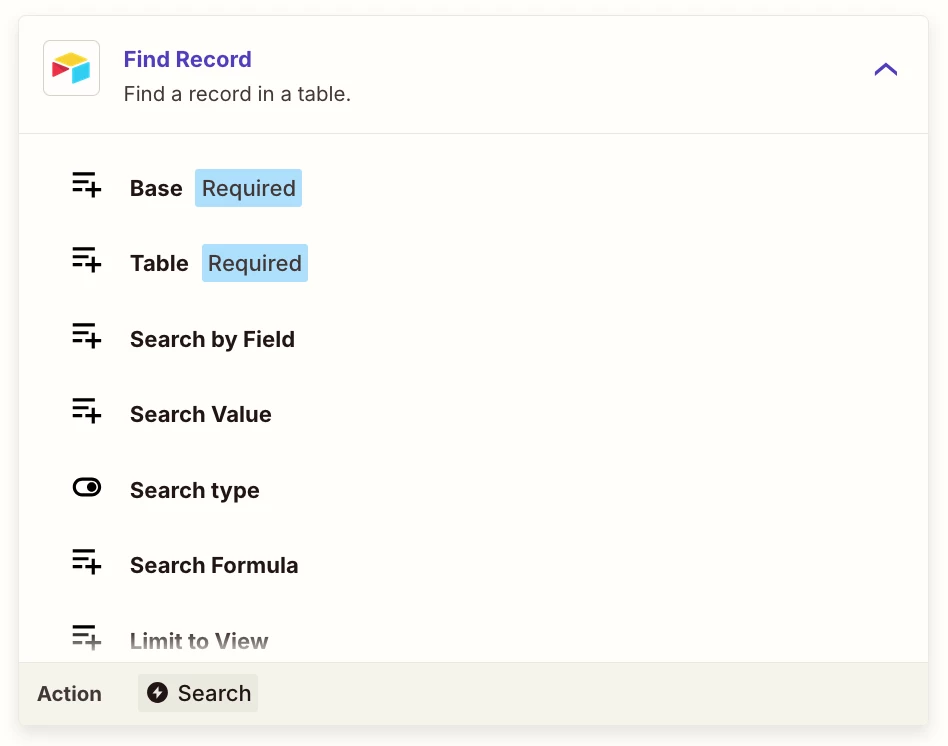
In Make I believe this could be achieved with a sorting and a max number criteria in the Find module. I can’t find either of these in Zapier’s Airtable Find module. Several threads say that there should be a Find records (plural) module, which would at least have a Max Records field, but I can’t find that module.

Seems only module is the Find record (singular), which lacks a Max Records and a sorting field.
Is this not doable in Zapier?

Rgds,

Björn
Best answer by Troy Tessalone

@BjörnE 

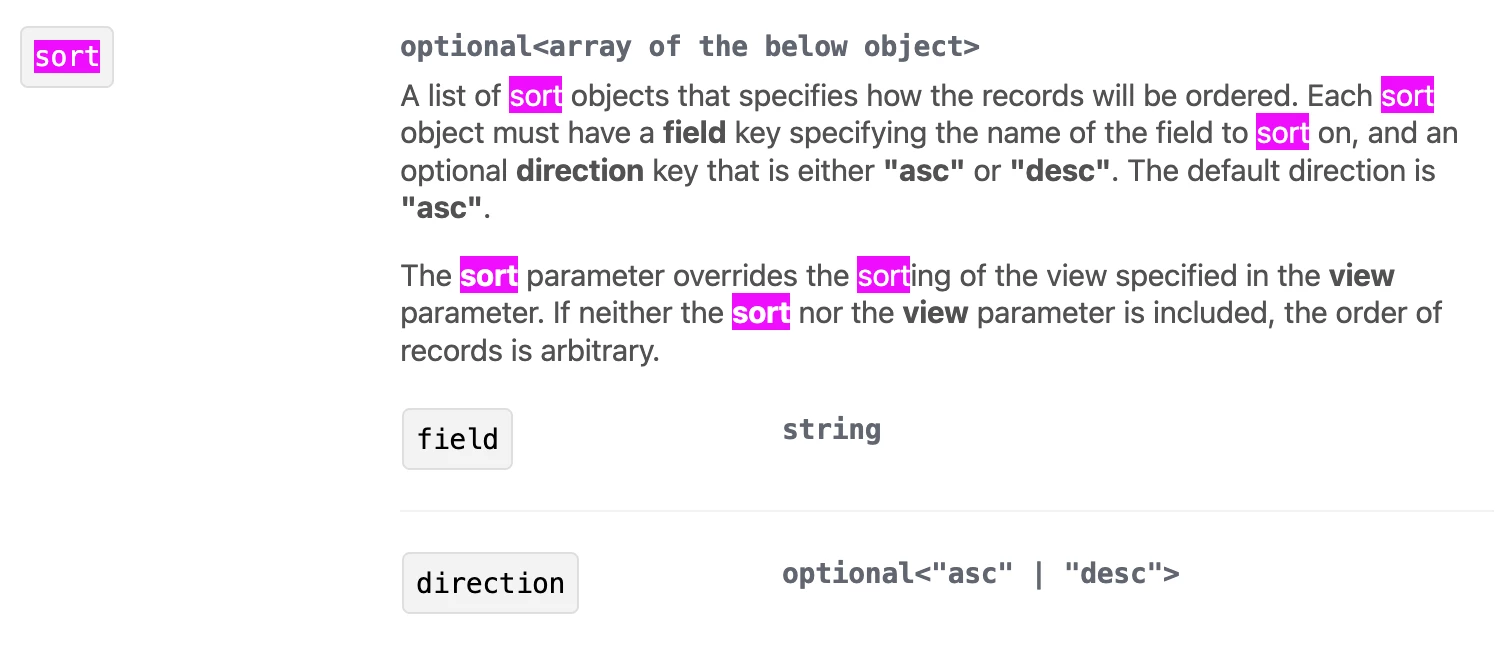
Alternatively, as suggested, the Airtable API can be used to retrieve records.

Airtable API: https://airtable.com/developers/web

Endpoint: List Records (https://airtable.com/developers/web/api/list-records)


9 replies

Troy Tessalone
Zapier Orchestrator & Solution Partner
Forum|alt.badge.img+14
  • Zapier Orchestrator & Solution Partner
  • September 15, 2026

Hi ​@BjörnE 

TIP: Depending on which app is being used to send the message (e.g. Gmail), you may be able to do this as a native Automation in Airtable. 


Help links for using Airtablehttps://zapier.com/apps/airtable/integrations#help


See screenshots below.

Try these Zap steps: 

  1. Trigger: Schedule - Every Day
  2. Action: Airtable - Find Record
    1. View: select a View that has sorting configured
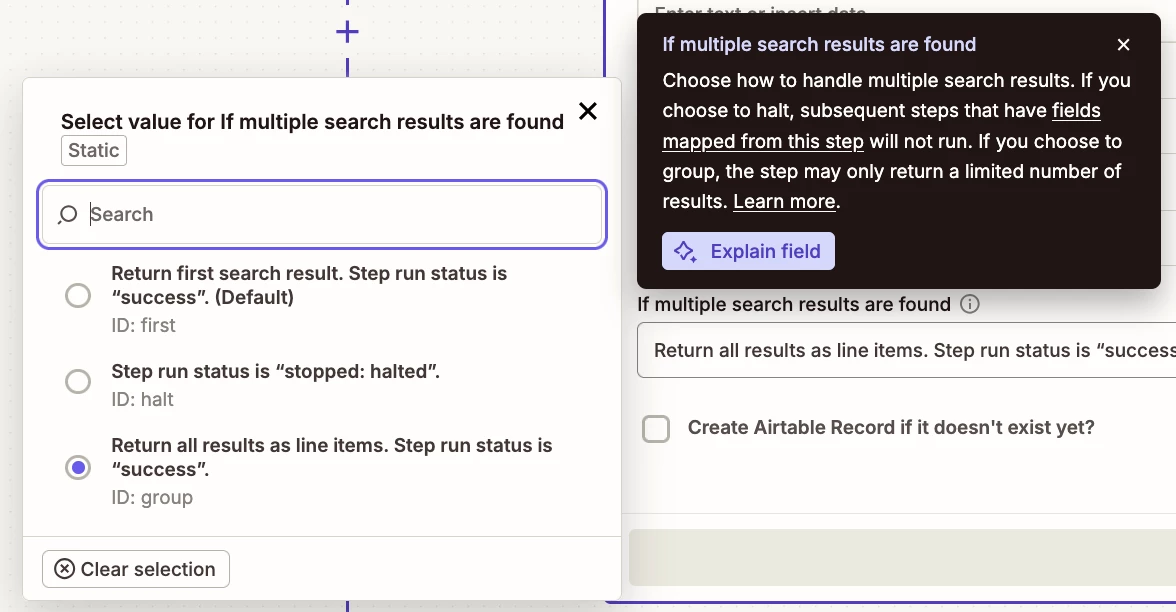
    2. Field: If multiple search results are found
      1. Value: Return all results as line items. Step run status is “success”.
        1. This will return up to 100 records as that is the Airtable API pagination limit max.
    3. NOTE: Advanced option is to use this Zap action: Airtable - API Request
      1. Can limit the returned results to 25
      2. TIP: Ask AI for help with the API request for record limit and sorting
  3. Action: Filter
    1. Condition: Check # of found records count > 0
  4. Action: Looping - Create Loop from Line Items
    1. Map the Record ID along with any other data points from Zap step 2 to iterate thru
  5. Action: Filter
    1. Check loop iteration < 26
  6. Action: [APP] - [EVENT]
    1. UP TO YOU
      1. Map the variables from the Looping step 4
  7. Action: Airtable - Update Record
    1. Map the Record ID from the Looping step 4


Forum|alt.badge.img
  • Author
  • Beginner
  • September 15, 2026

Thanks ​@Troy Tessalone for your answer. I should perhaps have mentioned that the message needs to be orchestrated from Zapier, because it’s an SMS service which only connection to the outside world is Zapier :).

Your Zapier solution suggestion looks very promising at a first reading. However, as I understand it, that would require the Zapier search function to search in order, sorted, non? If it searches randomly, like Airtable does internally, it would not help that the Airtable view would be sorted? So, does Zapier search in order? Too bad that one can’t explicitly define the order, then, as can be done in Make.

Rgds,

Björn


Troy Tessalone
Zapier Orchestrator & Solution Partner
Forum|alt.badge.img+14
  • Zapier Orchestrator & Solution Partner
  • September 15, 2026

@BjörnE 

Check the previous comment again.

For Step 2 it says to select a Table View that has sorting configured.

When in doubt, test it out.


Troy Tessalone
Zapier Orchestrator & Solution Partner
Forum|alt.badge.img+14
  • Zapier Orchestrator & Solution Partner
  • Answer
  • September 15, 2026

@BjörnE 

Alternatively, as suggested, the Airtable API can be used to retrieve records.

Airtable API: https://airtable.com/developers/web

Endpoint: List Records (https://airtable.com/developers/web/api/list-records)


Forum|alt.badge.img
  • Author
  • Beginner
  • September 15, 2026

@BjörnE 

Check the previous comment again.

For Step 2 it says to select a Table View that has sorting configured.

When in doubt, test it out.

Yes, I did notice that, but was wondering how the Zapier search handles it. If the Zapier search honours the sorting of the Airtable view that would be brilliant. I just know that Airtable explicitly warns users that its own searches do not work this way :). I’ll see if I can test that.

Cheers,

Björn


Forum|alt.badge.img
  • Author
  • Beginner
  • September 15, 2026

@BjörnE 

Alternatively, as suggested, the Airtable API can be used to retrieve records.

Airtable API: https://airtable.com/developers/web

Endpoint: List Records (https://airtable.com/developers/web/api/list-records)


Thanks for that also, yes. The word API scared me a bit, but will look into that also.

Cheers,

Björn


Forum|alt.badge.img
  • Author
  • Beginner
  • September 16, 2026

@BjörnE 

Check the previous comment again.

For Step 2 it says to select a Table View that has sorting configured.

When in doubt, test it out.


@Troy Tessalone, I now tested this approach. It fails due a payload size limit:

  • “Response size of 32328434 bytes exceeds maximum allowed size: 20971520.”

The Airtable view has only 3 fields visible and the amount of search hits now when testing was 98. Returning 32 megs of data for 98 records with 3 fields doesn’t seem possible. This indicates that the Zapier search would retrieve all fields for the records (hundreds), although it still seems weird that plain text data would become so big in size.

I have ~5.000 records in the pool that would need to be included in the production search, so this failing with 98 records now would make this approach impossible. 

Does this issue sound familiar to you? I wish it would be possible to limit the search itself, both to the actual view data and to the amount of hits retrieved.

Rgds,

Björn


Troy Tessalone
Zapier Orchestrator & Solution Partner
Forum|alt.badge.img+14
  • Zapier Orchestrator & Solution Partner
  • September 16, 2026

@BjörnE 

You can try creating an Airtable Custom Action with the help of AI to limit the retrieved/returned record data.

Help: https://help.zapier.com/hc/en-us/articles/16277139110157-Create-a-custom-action


Otherwise, you’d have to use the Airtable API to specify:

  • how many records to return
  • which record fields to return
  • which View to use


A different approach would be to try to use a Zapier Agent in a Zap to fetch the desired data from Airtable.

https://zapier.com/apps/agents/integrations


Forum|alt.badge.img
  • Author
  • Beginner
  • September 16, 2026

Thank you ​@Troy Tessalone for following up! After a fair bit of tinkering I think I have it up and running 99.9%.

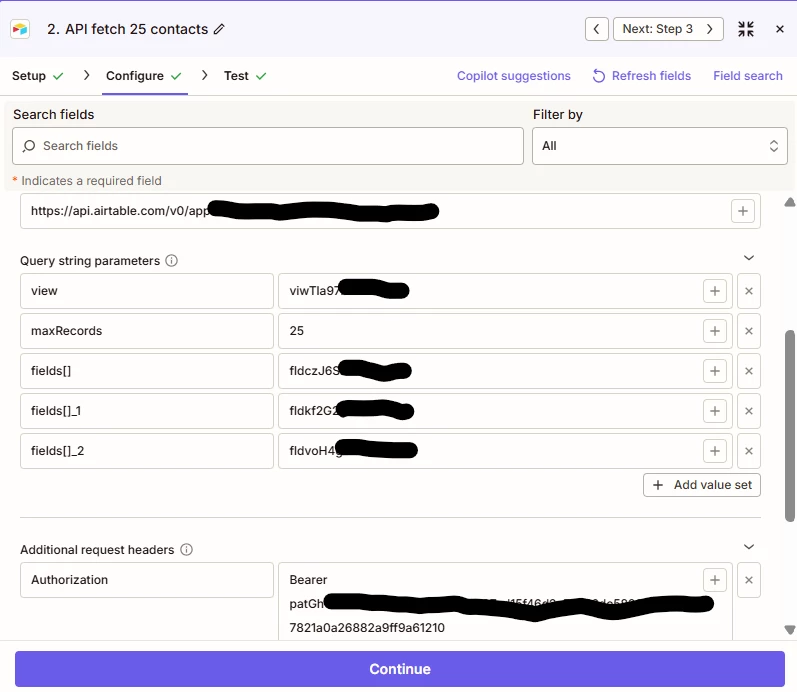
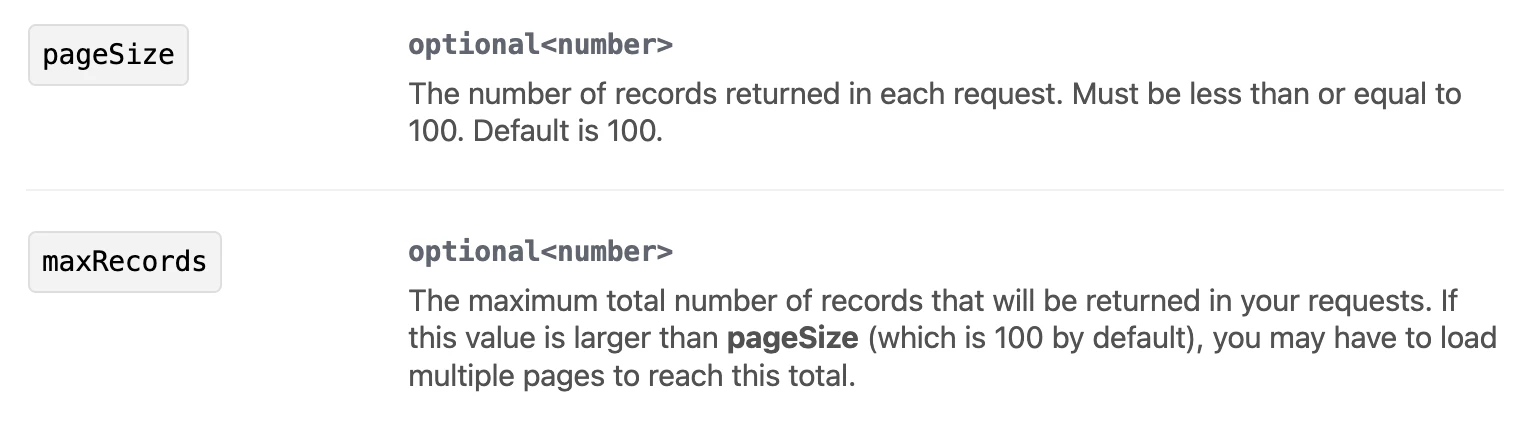
Indeed the Airtable API request is the way to do this currently, since the ‘Find record’ lacks “maxRecords” and limit record retrieval to only selected fields. And yes, at least this Zapier API search honours the sorting of the Airtable view.

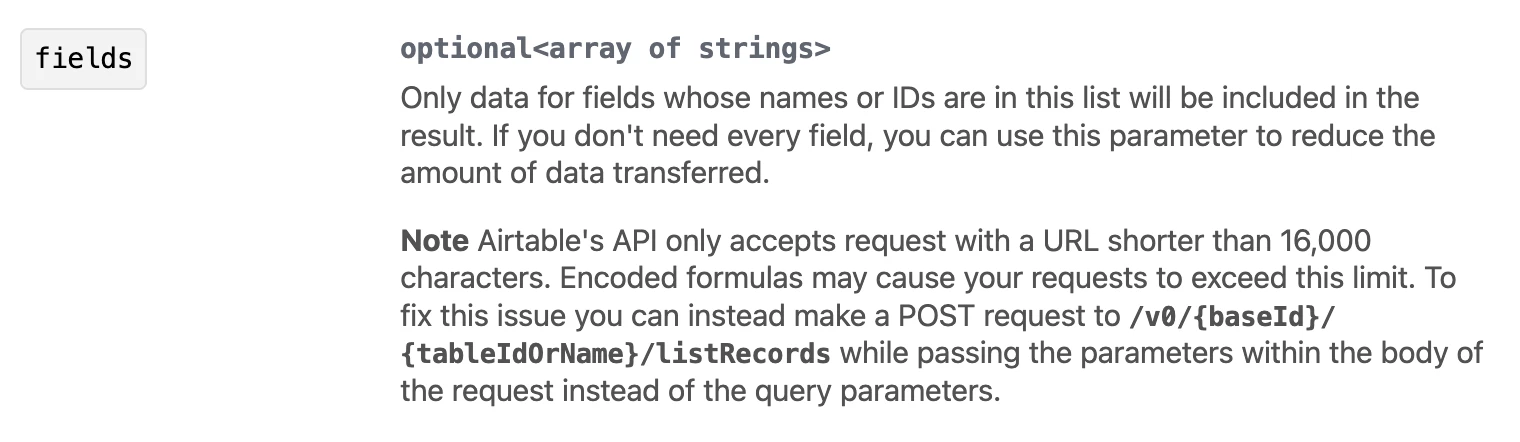
What took most of the tinkering time was getting the limit to specific ‘fields’ to work. Airtable’s API documentation only says it should be an array, but nothing about how that should be input to Zapier.

The fields array need opening and closing brackets after each key, even if there is only one field, like this:

  • fields[]:fld_1……………
  • fields[]_2:fld_2…………

It might be possible to have them all in one array, but I couldn’t figure out the syntax for that.

Here’s an image that hopefully shows anybody else needing this setup how to do it.


Here’s the 7 year old thread that revealed how to code the ‘fields’ to make it work. Have not seen it in any Airtable documentation.

https://community.airtable.com/development-apis-11/api-error-requesting-a-single-field-6434

PS. Not getting the same hits upon next run, this of course requires updating the records with a “sent” flag, and making sure those records that are flagged falls out from the view.. :).

Cheers,

Björn