Is anyone can help me to remove default comma in the output? And change it to newline without using code or replace. Because most of the output is number, so I need to remove the default comma in the first place of the string.
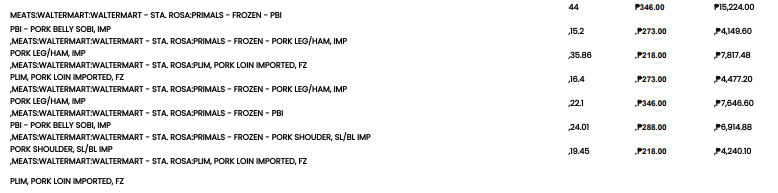


Is anyone can help me to remove default comma in the output? And change it to newline without using code or replace. Because most of the output is number, so I need to remove the default comma in the first place of the string.

Build and deploy automations from AI tools you already use. With Agentic Management, if anything breaks, the agent diagnoses the issue and proposes a fix.
Enter your E-mail address. We'll send you an e-mail with instructions to reset your password.



