Question

Recharge and Enabling Cookies

  • August 28, 2020
  • 4 replies
  • 955 views

Hi there, 

I have just discovered Zapier and love it. i have integrated most of the apps and just wanting to sign into Recharge. However it is saying I need to change my setting to enable third party cookies. My Chrome settings already allow third party cookies and I had no issues signing into the other apps, only Recharge. 

I have tried all the browsers and I keep getting the same message. 

Any ideas on how to manage this would be much appreciated. Thank youj

This post has been closed for comments. Please create a new post if you need help or have a question about this topic.

4 replies

ForYourIT
Forum|alt.badge.img+7
  • Tinkerer
  • August 28, 2020

Hi there @mimiko ,

Great to hear you like it and welcome!
Can you maybe elaborate the question a bit more?

  • Where exactly are you getting this error? 
  • What are you trying to do?
  • Can you share some screenshots?

Thanks!
~Bjorn


  • Author
  • Beginner
  • August 29, 2020

Thank you for your quick response. 

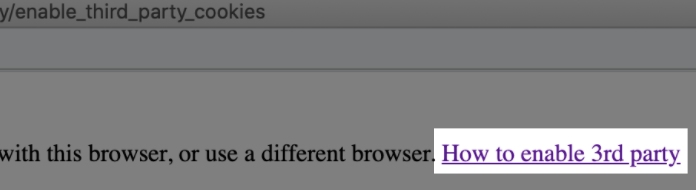
I am trying to log into Recharge through Zapier and get the following message. Note that i have logged into other accounts just fine (such as Shopify and Trello). I have also tried different browsers and get the same message.

Thanks, Liz 


nicksimard
Forum|alt.badge.img+11
  • Zapier Staff
  • September 1, 2020

Hi @mimiko!

That’s a strange one. I can’t say that I’ve ever seen that particular message. What happens when you click on that link in the popup?

Are there any helpful instructions there?


AndrewJDavison
Forum|alt.badge.img+11
  • Zapier Solution Partner
  • October 27, 2020

Hi @mimiko 

Just checking in. Did you manage to get this sorted?