Best answer

Pull Last Email column from Affinity

  • January 12, 2021
  • 4 replies
  • 171 views

working on an integration between Airtable and Affinity, but I can’t seem to pull the Last Email column from Affinity for a trigger (when last email field updates, triggers action). Is this possible?

Best answer by AaronH

@Troy Tessalone , 

Hi @JitterySloth 

Check out this Affinity article: https://support.affinity.co/hc/en-us/articles/360032958852-Affinity-Triggers-in-Zapier

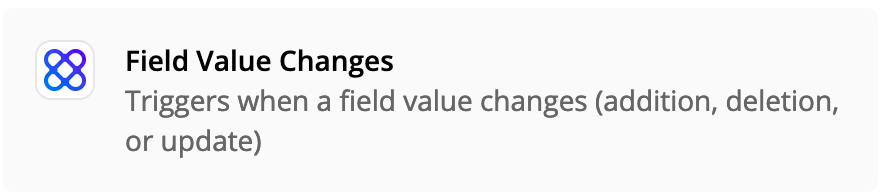
Field Value Changes

Triggers when a field (default or custom) value changes (addition, deletion, or update).

Triggers on list-specific fields ONLY.

Global fields are not supported as triggers.

That is correct. Using “Field Value Changes” will only trigger on specific columns/fields.

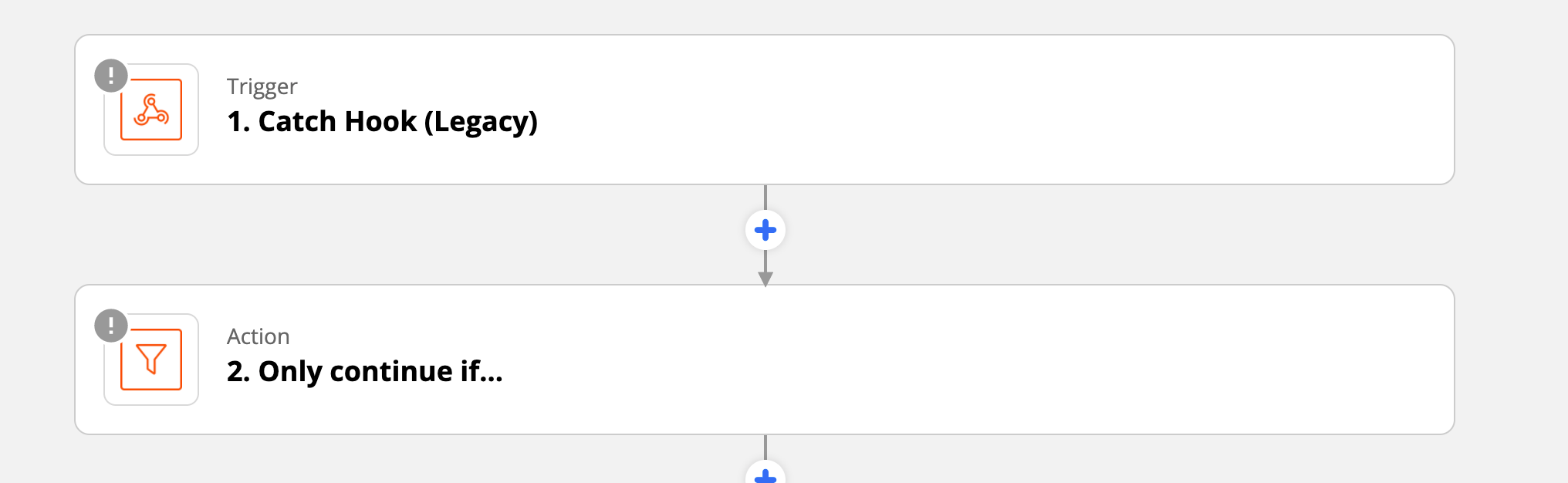
There is a workaround, to trigger on global fields and text columns/fields that is normally not triggered by “Field Value Changes.” You can start with “Webhooks by Zapier”, and select “Catch Hook.” It will display a webhook URL (example: https://hooks.zapier.com/hooks/catch/4922923/ovsve/). With the URL you can make your own custom trigger. You can enable the webhook by sending the link to our Support team to have them enable it for you. Or you can enable it by https://api-docs.affinity.co/#get-a-specific-webhook-subscription

Once you have the webhook enabled, you can create a custom filter. IE, only trigger on an Org that has “Open” status, or anything you want.


There are a few columns that you can do this with. One is the “Last contact column.” This is because, you might have a back and forth conversation, your Zap will keep triggering everytime someone respond back.


Back to the original thread about pulling last contact. @dank Happy to connect with you via email, feel free to reach out to support@affinity.co. 

This post has been closed for comments. Please create a new post if you need help or have a question about this topic.


4 replies

Troy Tessalone
Zapier Orchestrator & Solution Partner
Forum|alt.badge.img+14
  • Zapier Orchestrator & Solution Partner
  • 34070 replies
  • January 12, 2021

What Affinity trigger are you using in your Zap?

Try this one and perhaps followed by a Filter step.


  • New
  • 1 reply
  • January 25, 2021

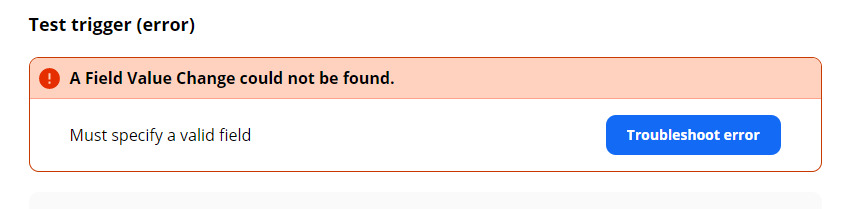
@Troy Tessalone Trying to do something similar but getting stuck on the Affinity side before even getting to the integration. Can Zapier only connect to a finite set of Affinity fields? I tried specifying a custom field in “Set up Trigger” and Zapier is throwing the below error, despite the field clearly existing as a column in our Affinity. 


Troy Tessalone
Zapier Orchestrator & Solution Partner
Forum|alt.badge.img+14
  • Zapier Orchestrator & Solution Partner
  • 34070 replies
  • January 25, 2021

Hi @JitterySloth 

Check out this Affinity article: https://support.affinity.co/hc/en-us/articles/360032958852-Affinity-Triggers-in-Zapier

Field Value Changes

Triggers when a field (default or custom) value changes (addition, deletion, or update).

Triggers on list-specific fields ONLY.

Global fields are not supported as triggers.


AaronH
  • New
  • 2 replies
  • Answer
  • January 26, 2021

@Troy Tessalone , 

Hi @JitterySloth 

Check out this Affinity article: https://support.affinity.co/hc/en-us/articles/360032958852-Affinity-Triggers-in-Zapier

Field Value Changes

Triggers when a field (default or custom) value changes (addition, deletion, or update).

Triggers on list-specific fields ONLY.

Global fields are not supported as triggers.

That is correct. Using “Field Value Changes” will only trigger on specific columns/fields.

There is a workaround, to trigger on global fields and text columns/fields that is normally not triggered by “Field Value Changes.” You can start with “Webhooks by Zapier”, and select “Catch Hook.” It will display a webhook URL (example: https://hooks.zapier.com/hooks/catch/4922923/ovsve/). With the URL you can make your own custom trigger. You can enable the webhook by sending the link to our Support team to have them enable it for you. Or you can enable it by https://api-docs.affinity.co/#get-a-specific-webhook-subscription

Once you have the webhook enabled, you can create a custom filter. IE, only trigger on an Org that has “Open” status, or anything you want.


There are a few columns that you can do this with. One is the “Last contact column.” This is because, you might have a back and forth conversation, your Zap will keep triggering everytime someone respond back.


Back to the original thread about pulling last contact. @dank Happy to connect with you via email, feel free to reach out to support@affinity.co.