Using Parser by Zapier i am hoping to strip the items from a woocommerce order so that i can send those items to a row within excel.
How/What is the best way to parce out the order items and have it so that they layout in a readable format?

Using Parser by Zapier i am hoping to strip the items from a woocommerce order so that i can send those items to a row within excel.
How/What is the best way to parce out the order items and have it so that they layout in a readable format?
Best answer by christina.d
Hi Friends! I wanted to drop in and summarize some of the suggestions here:
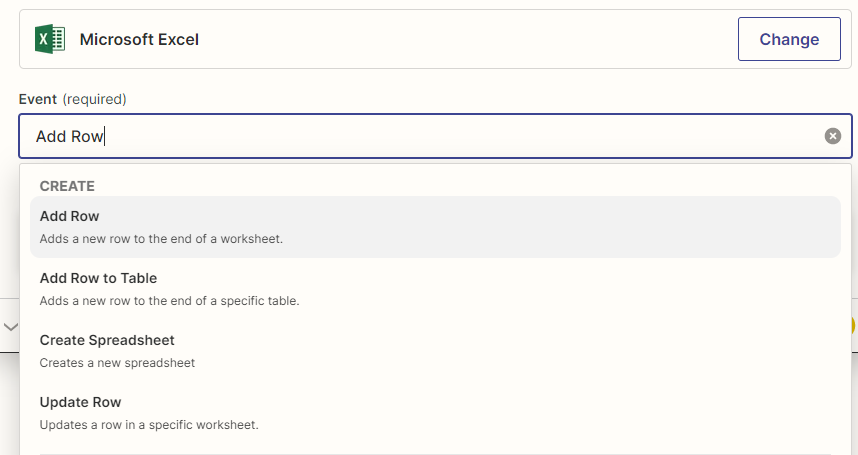
Looking at the Microsoft Excel App Action Step inside Zapier it seems creating a new row doesn’t support Line-Items scenario where you get the entire Order Details from WooCommerce.
Alternatively,you can try using Google Sheets and map the fields into the columns of your spreadsheet there.
Parsing is completely a different kind of scenario and I would suggest try the above method and see if it works for you.
Troy also brought up a good point in that there are more robust tools which can handle parsing email templates with line items such as Mailparser!
I hope this helps! Keep us posted how this works for you, Lee!

Build and deploy automations from AI tools you already use. With Agentic Management, if anything breaks, the agent diagnoses the issue and proposes a fix.

Join us September 23rd, 2026 for a free, one-day virtual event with 30+ sessions on AI automation. Get live build-alongs, playbooks, and strategies to lead AI transformation at your organization.
No account yet? Create an account
Enter your E-mail address. We'll send you an e-mail with instructions to reset your password.