Question

Pardot permissions error - 'Error code: 46'

  • December 1, 2021
  • 3 replies
  • 83 views

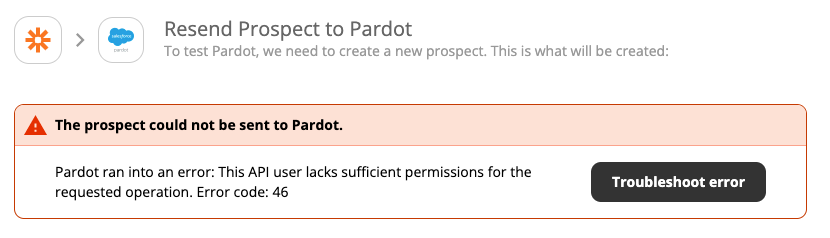
We have a Zap set up to create a prospect in Pardot whenever a LiveChat session is finished. It was set up without any problems and has been running fine for the last 2 months. The individual who set it up no longer works in my department, so I went to update the zap with the new LiveChat account and Pardot account to sync and we’ve been getting an error (46): Pardot ran into an error: This API user lacks sufficient permissions for the requested operation. Error code: 46.

I’ve checked with my IT department and I have the same permissions as the previous account. Why would I still be getting this error?

 

This post has been closed for comments. Please create a new post if you need help or have a question about this topic.

3 replies

Troy Tessalone
Zapier Orchestrator & Solution Partner
Forum|alt.badge.img+14
  • Zapier Orchestrator & Solution Partner
  • December 1, 2021

Hi @Andrew Humme 

Error: This API user lacks sufficient permissions for the requested operation

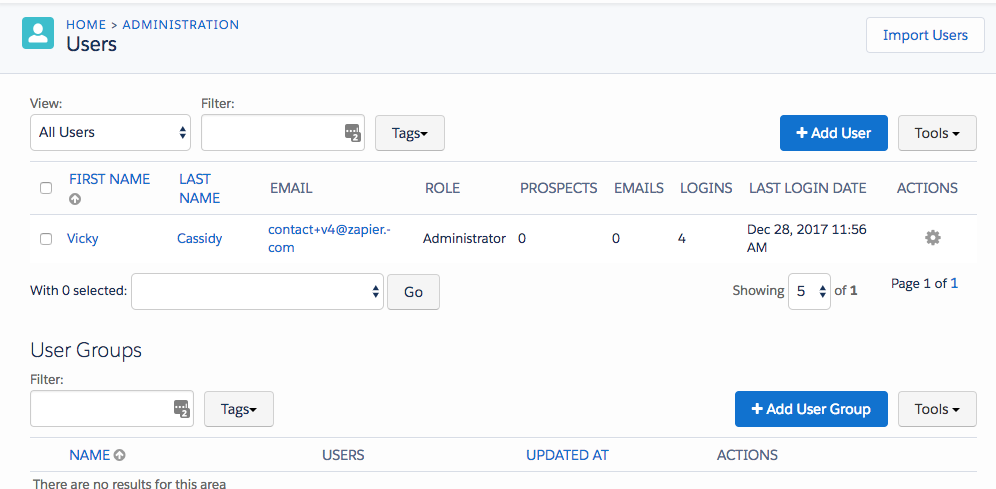
Pardot requires that you are an admin to perform certain actions. You can see permissions for your users here: https://pi.pardot.com/user

You’ll need to upgrade your user’s role to Admin, then reconnect the account to Zapier and try again.


  • Author
  • Beginner
  • December 1, 2021

Thanks for the reply @Troy Tessalone. My IT Dept says I am already a Pardot admin, do you know if you can set a pardot admin and not also be a SF admin? I think there is some confusion around privileges. 


Troy Tessalone
Zapier Orchestrator & Solution Partner
Forum|alt.badge.img+14
  • Zapier Orchestrator & Solution Partner
  • December 1, 2021

@Andrew Humme 

I suggest reviewing the available help articles for Salesforce and Pardot…

Pardot: https://zapier.com/apps/pardot/help

Salesforce: https://zapier.com/apps/salesforce/help