Answer

Monday.com trigger to Xero Create Sales Invoice - need column values from monday.com

  • June 30, 2021
  • 6 replies
  • 148 views

Hello, I am looking to create an invoice on Xero when a trigger is set, to create an invoice in Xero.com using information that is on the Monday.com board, Can’t seem to find specific board items.

 In Monday.com we have all the information needed to create the invoice for accounting. 


EX . In Column Text1 there is who the invoice is for and so on and so forth. For some reason no columns are showing up.


Best answer by Troy Tessalone

Hi @Zach17w 

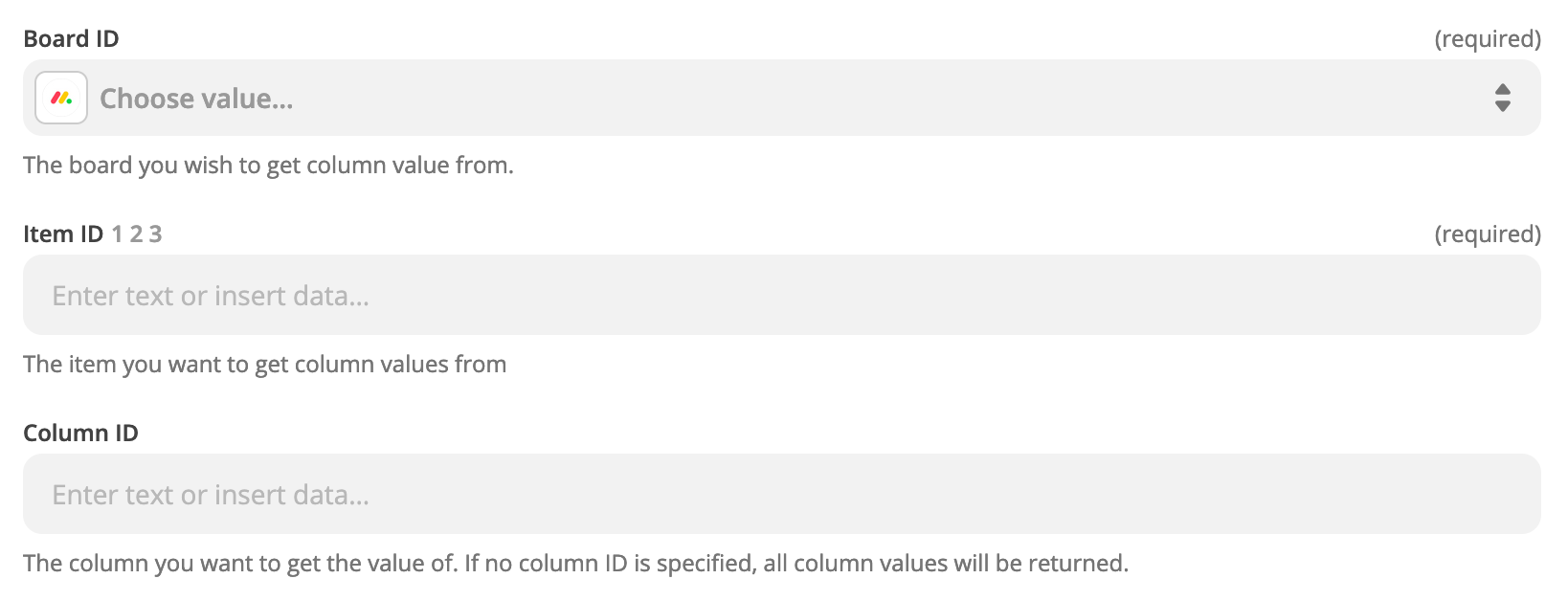
Add this step to your Zap: Monday - Get Column Values

This post has been closed for comments. Please create a new post if you need help or have a question about this topic.

6 replies

Troy Tessalone
Zapier Orchestrator & Solution Partner
Forum|alt.badge.img+14
  • Zapier Orchestrator & Solution Partner
  • Answer
  • June 30, 2021

Hi @Zach17w 

Add this step to your Zap: Monday - Get Column Values


  • Author
  • New
  • June 30, 2021

Hey Troy,


Appreciate the response.


Just so I make sure we understand each other.

So The Zap would be 

Specific Column Changed Value in Board in Monday.com

Action Get Column Values in Monday.com

When Setting up this action

I have Board ID

Item ID

and Column ID

in Column ID I need to input the JSON monday.com Column name
 

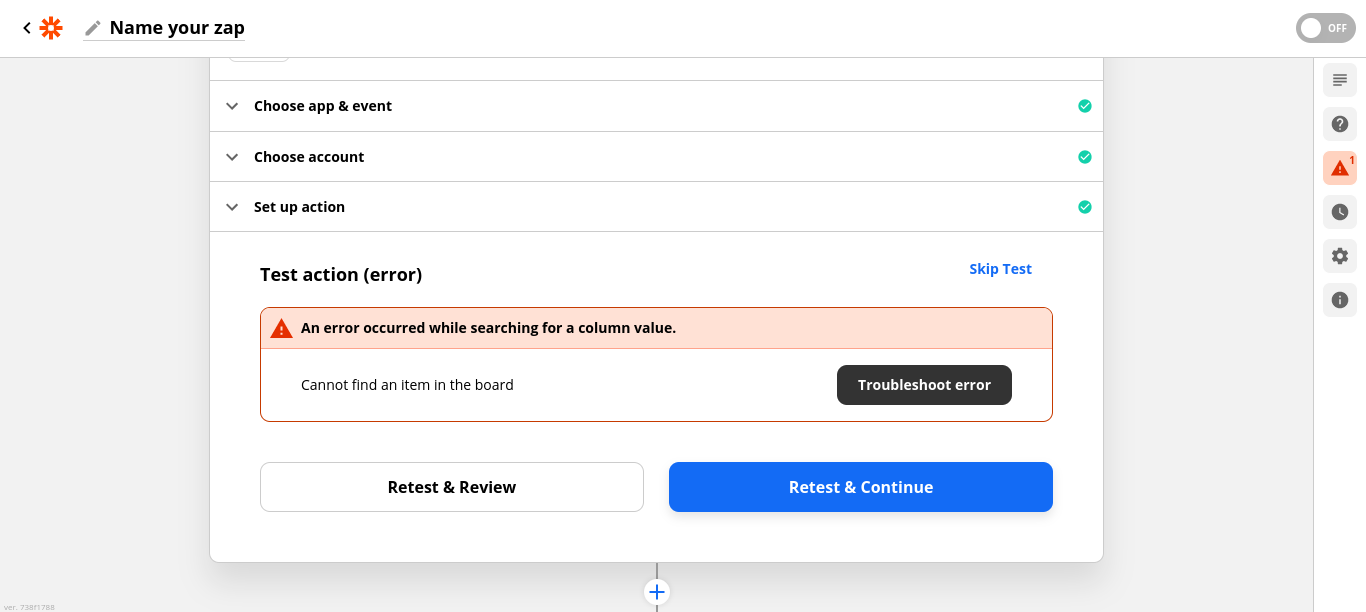
I am getting error code 400 bad request. 


Sorry if I am making an obvious error 


Cheers


Troy Tessalone
Zapier Orchestrator & Solution Partner
Forum|alt.badge.img+14
  • Zapier Orchestrator & Solution Partner
  • June 30, 2021

@Zach17w

NOTE: Column ID is optional, so leave empty to return all column values. (see description underneath the field)


  • Author
  • New
  • June 30, 2021


Troy Tessalone
Zapier Orchestrator & Solution Partner
Forum|alt.badge.img+14
  • Zapier Orchestrator & Solution Partner
  • June 30, 2021

@Zach17w 

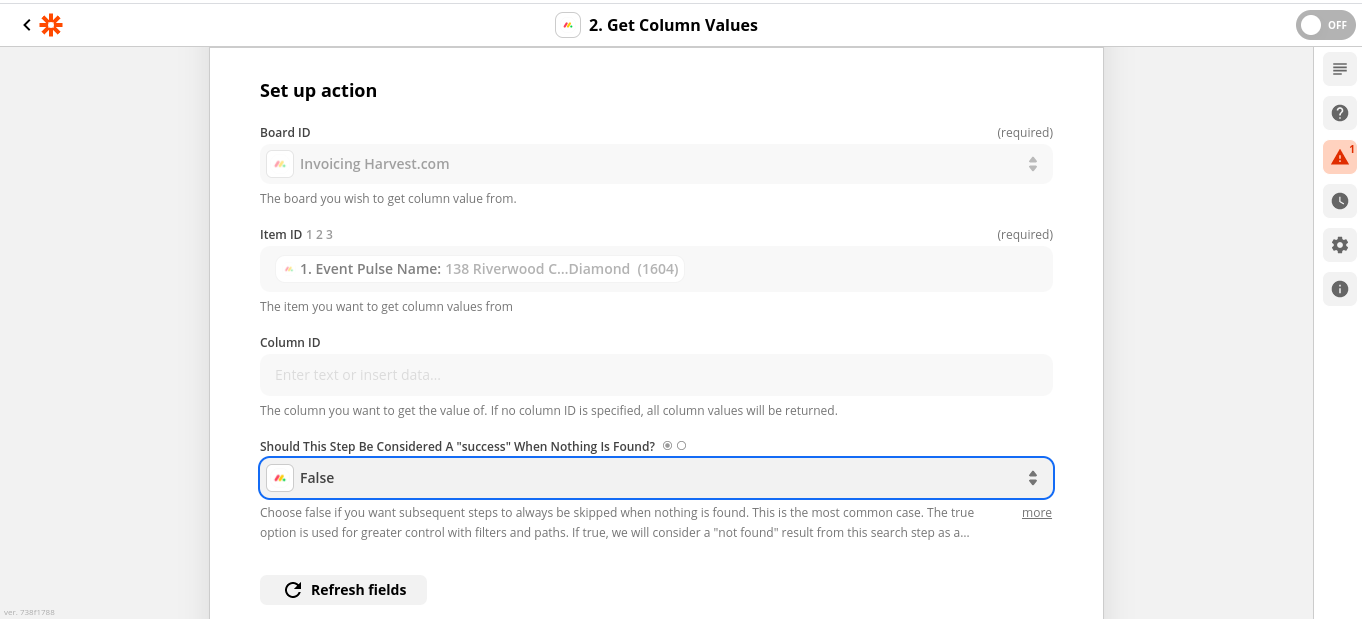
This needs to be the Pulse ID from the trigger step, instead of the Pulse Name.


  • Author
  • New
  • June 30, 2021

Thank you so much Troy. That makes sense, can’t believe I missed that. Cheers.