Question

Line break in Ebay order to Slack automation

  • August 22, 2024
  • 6 replies
  • 39 views

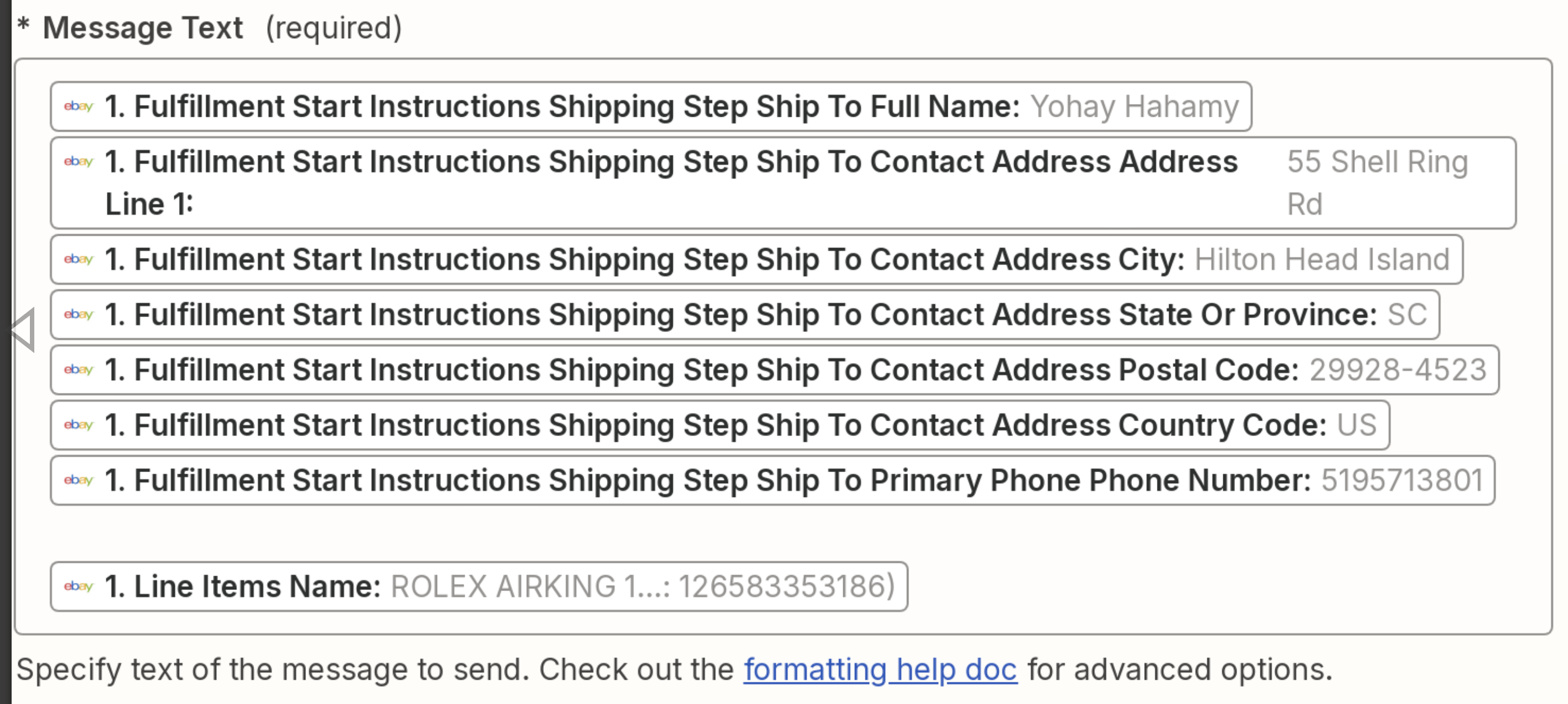
I am setting up a simple Ebay order automation. It is my first time using Zapier and I can’t figure out why the State(SC) phone number and watch type have no breaks and how to fix the formatting. Any help or tips is appreciated

This post has been closed for comments. Please create a new post if you need help or have a question about this topic.


6 replies

Troy Tessalone
Zapier Orchestrator & Solution Partner
Forum|alt.badge.img+14
  • Zapier Orchestrator & Solution Partner
  • August 22, 2024

Hi @watchguy231 

Did you add line breaks between the mapped variables in the Message Text field?

Also, reference the field description link for help formatting the Message Text.


  • Author
  • New
  • August 23, 2024

Hi, for line breaks do I just hit return? and where do I find the field description


Troy Tessalone
Zapier Orchestrator & Solution Partner
Forum|alt.badge.img+14
  • Zapier Orchestrator & Solution Partner
  • August 23, 2024

@watchguy231 

For line returns, hit the return.


Also, make sure to add spaces between mapped variables, if applicable.


Field description in your screenshot is shown below the field.


When in doubt, test it out.


  • Author
  • New
  • August 23, 2024

Ah I see, thanks. Can I add comma’s between elements and/or can I just add a space between two elements instead of a line break? The formatter is confusing me


Troy Tessalone
Zapier Orchestrator & Solution Partner
Forum|alt.badge.img+14
  • Zapier Orchestrator & Solution Partner
  • August 23, 2024

@watchguy231 

When in doubt, test it out.

Trial and error is often the best way to find out and learn.

Help formatting Slack messages: https://help.zapier.com/hc/en-us/articles/8496025607181-Tips-for-formatting-Slack-messages


SamB
Community Manager
Forum|alt.badge.img+11
  • Community Manager
  • September 2, 2024

Hi @watchguy231 👋

Just came across the thread here and wanted to reach out to see how you’re getting on. Were you able get the formatting of the Slack message sorted out following the guide Troy shared?

Happy to lend a hand if you’re still stuck at all or have any further questions–just let us know! 🙂