Question

Is this a two step Zap

  • December 28, 2025
  • 5 replies
  • 26 views

I will be spending some time setting up Zapier but before I do, I was wondering if this example counts as a two step or multistep zap? If this counts as more than a two step then the pricing is prohibitive for now. Because I am on a 30 day free trial, I can’t tell. 


5 replies

Troy Tessalone
Zapier Orchestrator & Solution Partner
Forum|alt.badge.img+14
  • Zapier Orchestrator & Solution Partner
  • December 29, 2025

Hi ​@CaptPan 

The Zap steps are labeled with numbers.

  1. Trigger: Airtable
  2. Action: Filter
  3. Action: Gmail

Troy Tessalone
Zapier Orchestrator & Solution Partner
Forum|alt.badge.img+14
  • Zapier Orchestrator & Solution Partner
  • December 29, 2025

@CaptPan 

Airtable has native Automations.

Airtable Automations have a native integration with Gmail.

You can create this same automation as an Airtable Automation.


  • Author
  • Beginner
  • December 29, 2025

Hey ​@Troy Tessalone ,

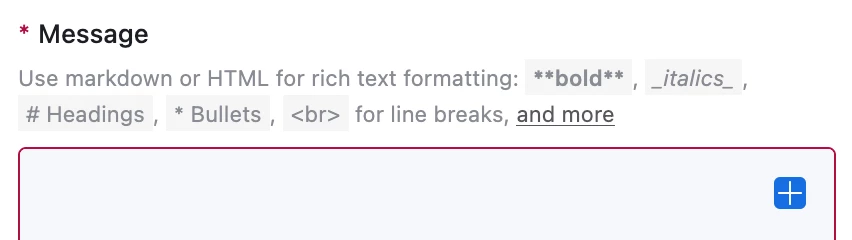
You can create the same automations, but Airtable has lost the ability to send out HTML email signatures, so you end up sending an unbranded response which is what I am trying to get around. 


Sparsh from Automation Jinn
Forum|alt.badge.img+6

Hey ​@CaptPan,

It counts as a multi step Zap but Filter action doesn’t count towards your task usage. You will have to upgrade to a paid account if you want to leverage multi step Zaps.

Here is a helpful article about what doesn’t count as tasks in Zapier- https://help.zapier.com/hc/en-us/articles/8496196837261-How-is-task-usage-measured-in-Zapier. Hope it helps!


Troy Tessalone
Zapier Orchestrator & Solution Partner
Forum|alt.badge.img+14
  • Zapier Orchestrator & Solution Partner
  • December 29, 2025

@CaptPan 

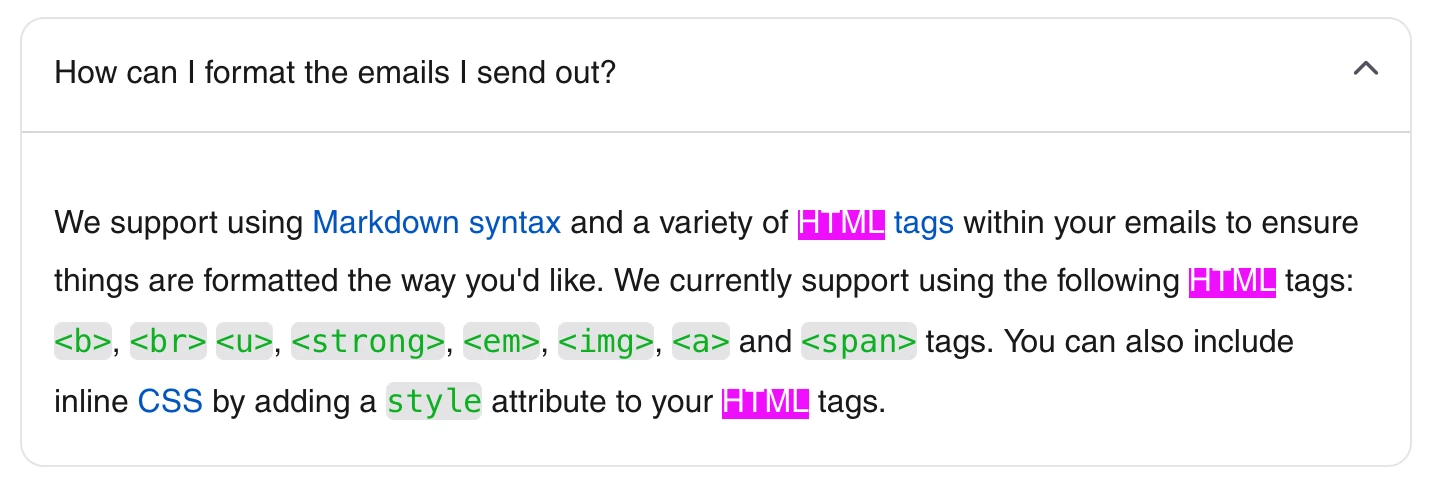
Airtable Automations Send Email actions support HTML. (see screenshot)

That means you can recreate the email signature in HTML to use in the email template that is sent by the Airtable Automation action.