Question

Is it possible to create and delete CustomGPT conversations automatically?

  • October 18, 2023
  • 15 replies
  • 66 views

Hi all, using customgpt, is there a way to create a new conversation every time and deleting it afterwards after a few days? 

This post has been closed for comments. Please create a new post if you need help or have a question about this topic.


15 replies

Troy Tessalone
Zapier Orchestrator & Solution Partner
Forum|alt.badge.img+14
  • Zapier Orchestrator & Solution Partner
  • 34039 replies
  • October 18, 2023

Hi @robertmlifecell 

Good question.

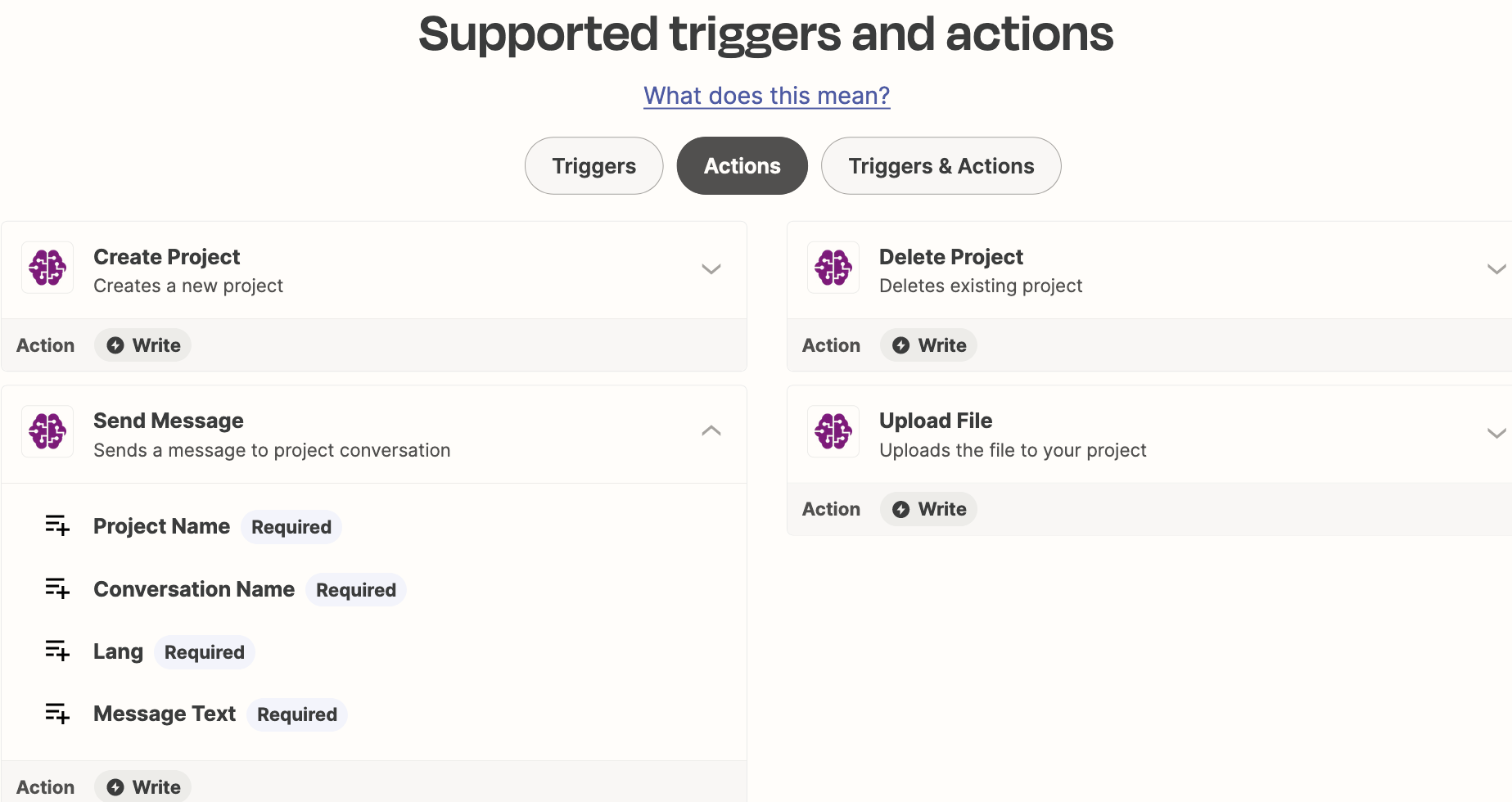
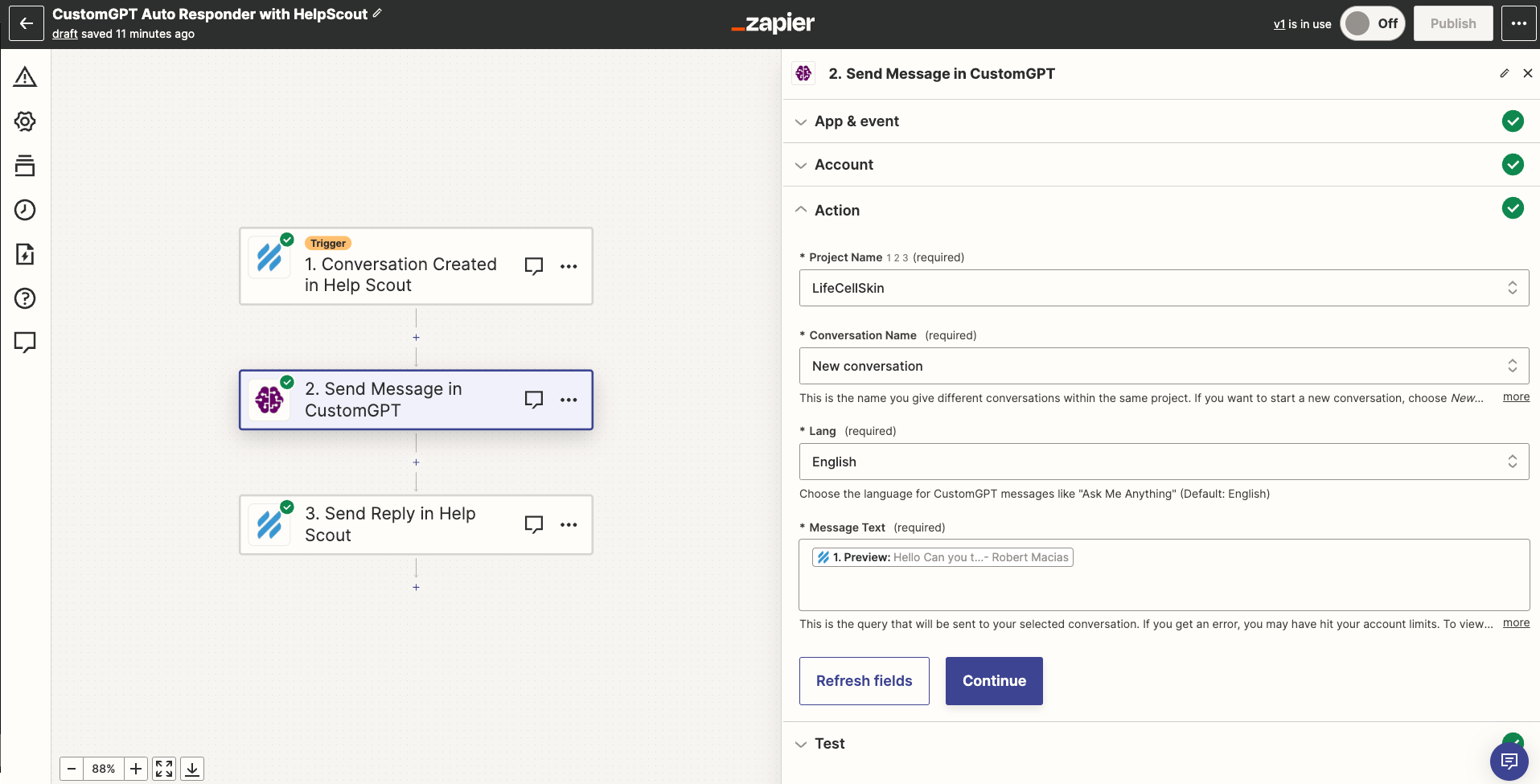
Which CustomGPT Zap action are you using? (show screenshots)


  • Author
  • Beginner
  • 7 replies
  • October 18, 2023

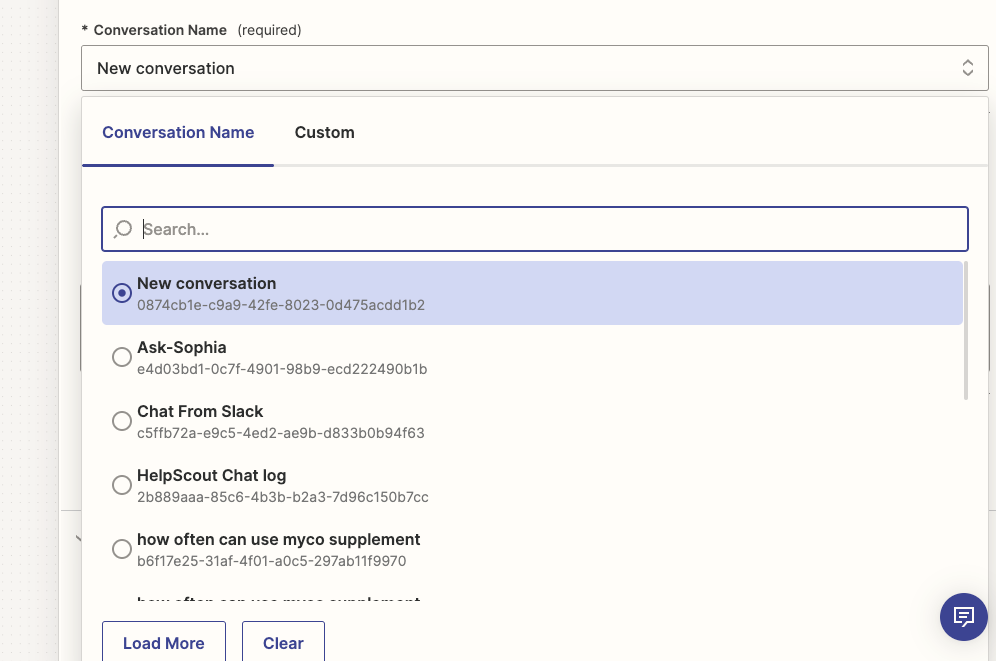
Hi Troy, The Conversation name. every time a new chat is created it should create a new chat also instead of using the same one.


Troy Tessalone
Zapier Orchestrator & Solution Partner
Forum|alt.badge.img+14
  • Zapier Orchestrator & Solution Partner
  • 34039 replies
  • October 18, 2023

@robertmlifecell 

We would need to see screenshots with how your Zap steps are configured.


  • Author
  • Beginner
  • 7 replies
  • October 18, 2023

Sure here it is


Troy Tessalone
Zapier Orchestrator & Solution Partner
Forum|alt.badge.img+14
  • Zapier Orchestrator & Solution Partner
  • 34039 replies
  • October 18, 2023

@robertmlifecell 

Can you show a screenshot with the field description expanded?


  • Author
  • Beginner
  • 7 replies
  • October 18, 2023
here are some of the fields. some of the I have used with other Zaps with the same chat log.


Troy Tessalone
Zapier Orchestrator & Solution Partner
Forum|alt.badge.img+14
  • Zapier Orchestrator & Solution Partner
  • 34039 replies
  • October 18, 2023

@robertmlifecell 

Can you show a screenshot with the field description expanded? (click more)


  • Author
  • Beginner
  • 7 replies
  • October 18, 2023

Sorry here it is 


Troy Tessalone
Zapier Orchestrator & Solution Partner
Forum|alt.badge.img+14
  • Zapier Orchestrator & Solution Partner
  • 34039 replies
  • October 18, 2023

@robertmlifecell 

To delete a convo, you would have to use the CustomGPT API: https://docs.customgpt.ai/reference/delete_api-v1-projects-projectid-conversations-sessionid

App APIs can be used in Zaps via these apps:


  • Author
  • Beginner
  • 7 replies
  • October 18, 2023

okay thank you, what about making every new conversation? like when two people ask it to different questions, it is two different chats?


Troy Tessalone
Zapier Orchestrator & Solution Partner
Forum|alt.badge.img+14
  • Zapier Orchestrator & Solution Partner
  • 34039 replies
  • October 18, 2023

@robertmlifecell

You appear to have the correct Conversation Name option selected based on the field description.


When in doubt, test it out.


  • Author
  • Beginner
  • 7 replies
  • October 18, 2023

right when I have, It doesn’t, it uses that same new chat log.


Troy Tessalone
Zapier Orchestrator & Solution Partner
Forum|alt.badge.img+14
  • Zapier Orchestrator & Solution Partner
  • 34039 replies
  • October 18, 2023

@robertmlifecell 

You may need to try reaching out to CustomGPT Support for help troubleshooting/guidance.


  • Author
  • Beginner
  • 7 replies
  • October 20, 2023

okay thank you for the help.


SamB
Community Manager
Forum|alt.badge.img+11
  • Community Manager
  • 9676 replies
  • November 2, 2023

Hey there, @robertmlifecell! 👋

Just wanted to check in to see how you were getting on? I can see that you reached out to our Support team but it was for a different issue (timeout errors with the CustomGPT app).

Am I correct in thinking that means you were able to successfully set up Zaps to create new conversations and delete them after a few days? If so, how did you manage to fix so that it created new conversations? And did you sort the deletion side of things by using a Code or Webhooks action as Troy suggested?

Would love it if you could share some details with us when you have the time. As I’m sure there are plenty of folks in the Community here that would like to learn how you sorted this so that they can implement a similar workflow with their Zaps!

Look forward to hearing from you! 🙂