Best answer

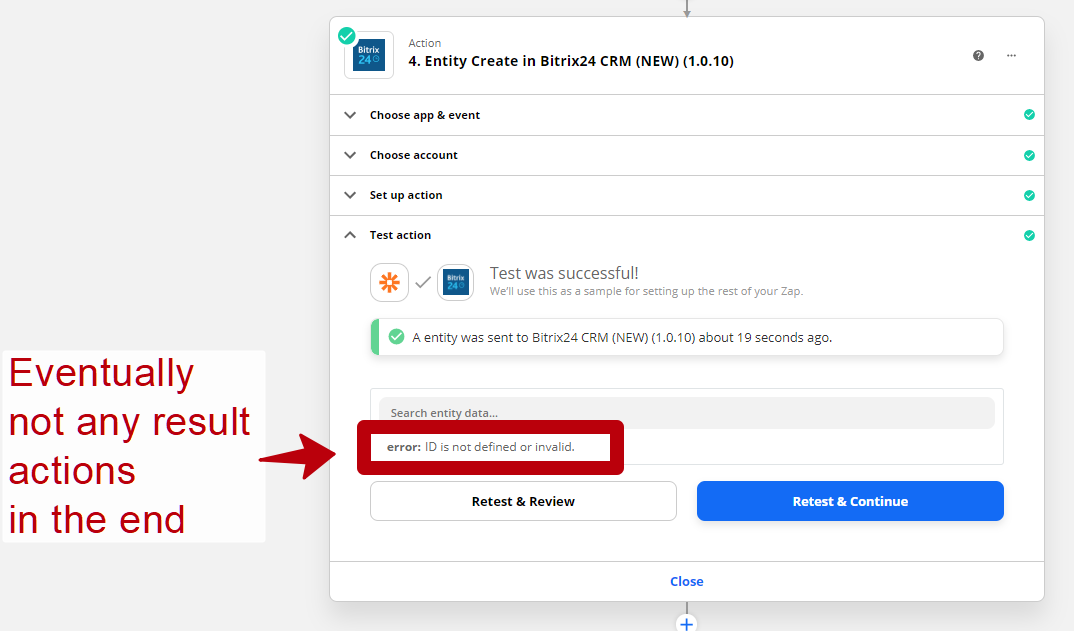
ID is not defined or invalid

  • April 18, 2021
  • 8 replies
  • 879 views

Hi guys!

Why can this error appear in the Bitrix24 application?

"error: ID is not defined or invalid"

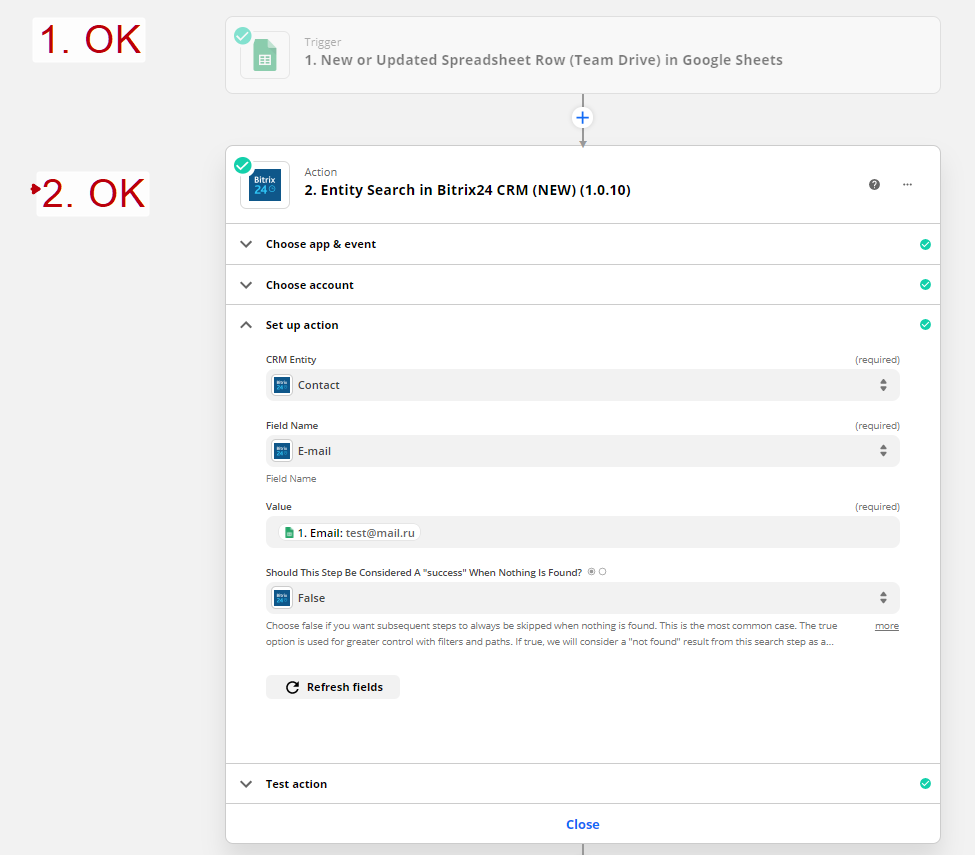
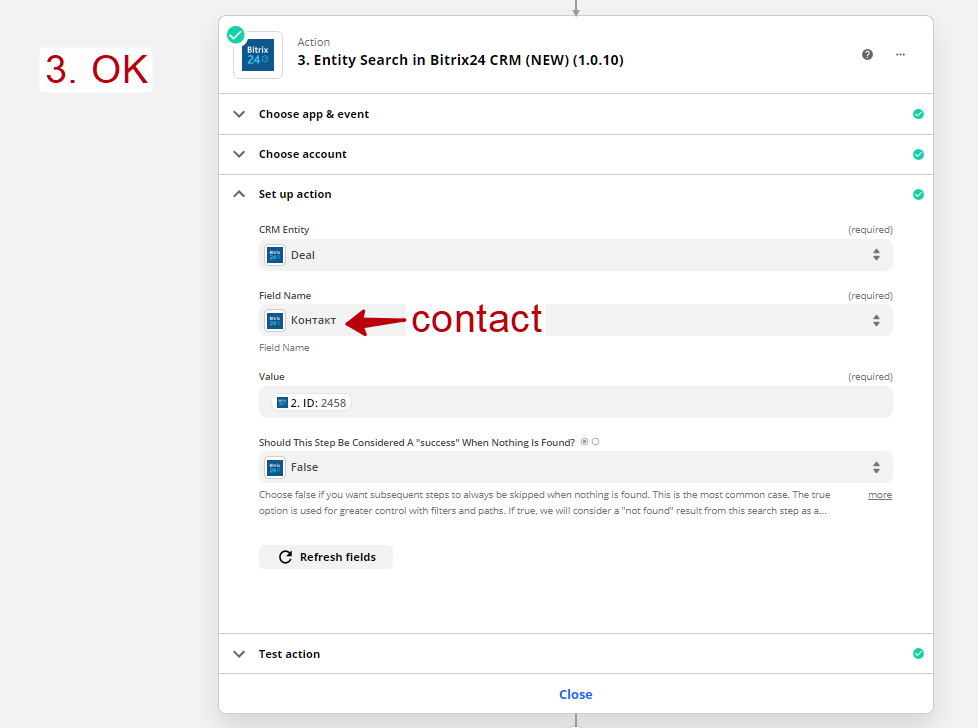
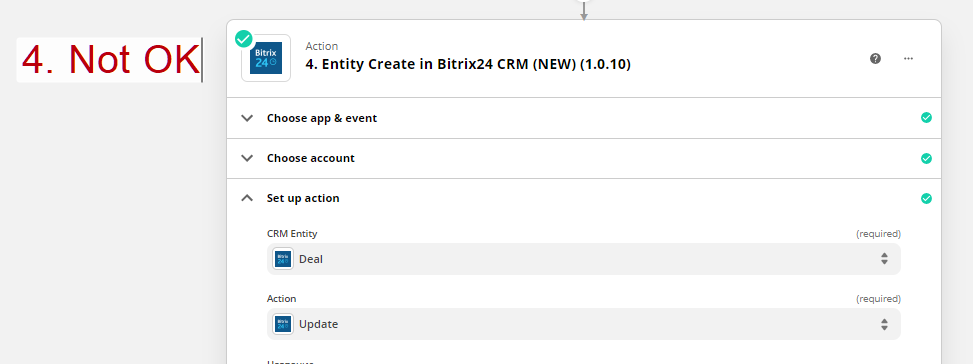
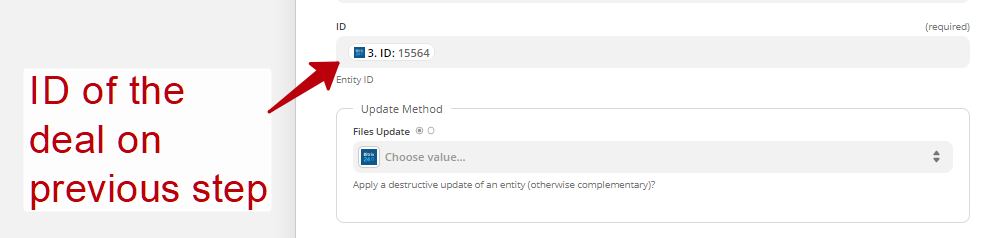
I get the ID number from the same entity one step earlier and insert in the next one. But during the test it gives an error (

Best answer by Andrey

Problem is solved. Support has recommended change version of the Bitrix24 version 1.10 to 1.09. Thx all

This post has been closed for comments. Please create a new post if you need help or have a question about this topic.

8 replies

Troy Tessalone
Zapier Orchestrator & Solution Partner
Forum|alt.badge.img+14
  • Zapier Orchestrator & Solution Partner
  • April 18, 2021

Hi @Andrey 

Please provide screenshots of how your Zap steps are currently configured, thanks.


  • Author
  • Beginner
  • April 18, 2021

Hi @Andrey 

Please provide screenshots of how your Zap steps are currently configured, thanks.

Ofcourse, sorry


  • Author
  • Beginner
  • April 19, 2021

@Troy Tessalone Hello sir! Have you any thoughts?


Troy Tessalone
Zapier Orchestrator & Solution Partner
Forum|alt.badge.img+14
  • Zapier Orchestrator & Solution Partner
  • April 19, 2021

@Andrey 

May be best to open to a ticket with Zapier Support here: https://zapier.com/app/get-help


  • Author
  • Beginner
  • April 21, 2021

@Troy Tessalone Yeah, thx, have send. 

Guys, can anybody else suggest what kind of that issue?


andywingrave
Forum|alt.badge.img+9
  • Zapier Solution Partner
  • April 22, 2021

Hey @Andrey - The best way to test if this is a bug or not, can often be to pass through a hard-coded value to the zap step. 

So to troubleshoot, you would:

  1. Take a known Entity ID
  2. Pass that through as a value in the zap

Then if that works, you know there’s an issue with the previous step, and it might be fixable using a formatter step. 

If however, it doesn’t work, you know it’s an issue with the zap itself, and I’d recommend reaching out to the Bitrix24 team


  • Author
  • Beginner
  • April 22, 2021

Hey @Andrey - The best way to test if this is a bug or not, can often be to pass through a hard-coded value to the zap step. 

So to troubleshoot, you would:

  1. Take a known Entity ID
  2. Pass that through as a value in the zap

Then if that works, you know there’s an issue with the previous step, and it might be fixable using a formatter step. 

If however, it doesn’t work, you know it’s an issue with the zap itself, and I’d recommend reaching out to the Bitrix24 team

Thank you. Yeah i tried it, didnt help(

I have wrote to Bitrix support


  • Author
  • Beginner
  • Answer
  • April 29, 2021

Problem is solved. Support has recommended change version of the Bitrix24 version 1.10 to 1.09. Thx all