Best answer

hubspot - numbers instead of words

  • February 2, 2022
  • 4 replies
  • 107 views

Dear Zapier Community, 

I am currently facing an issue with the integration between Hubspot and Excel. 

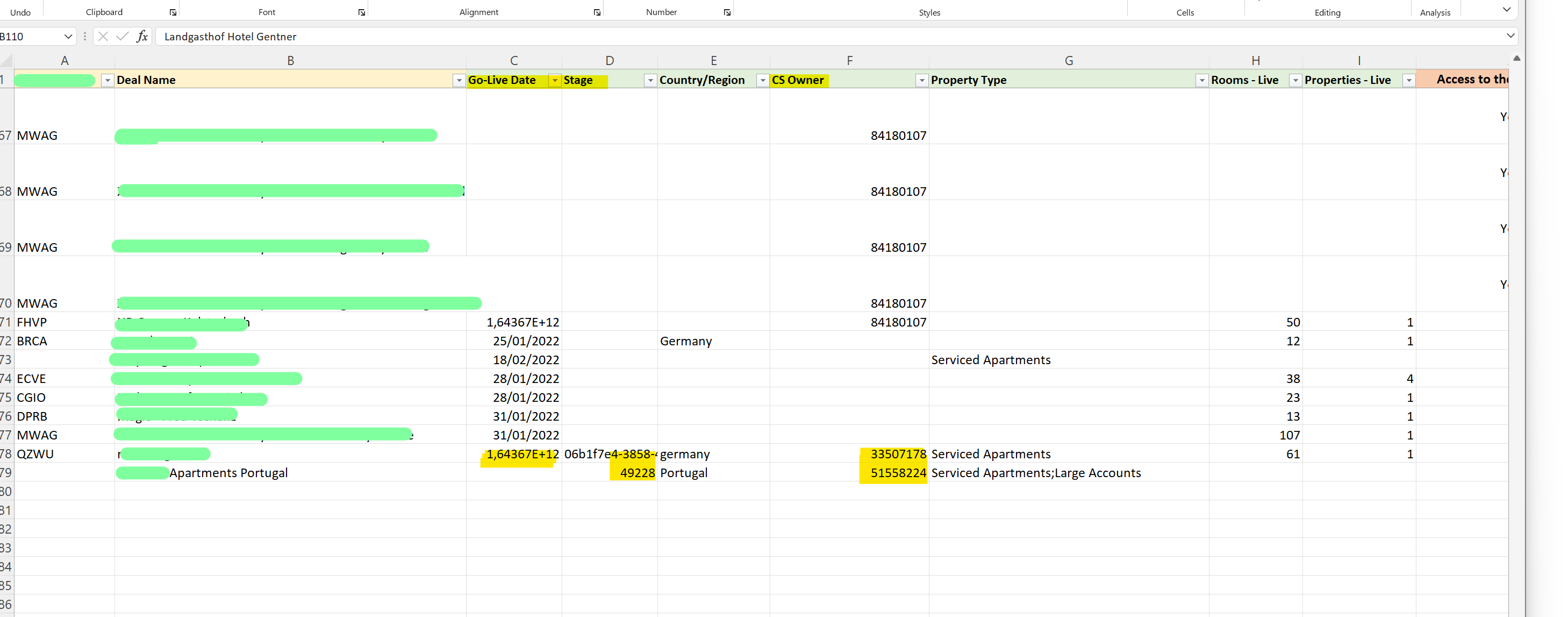
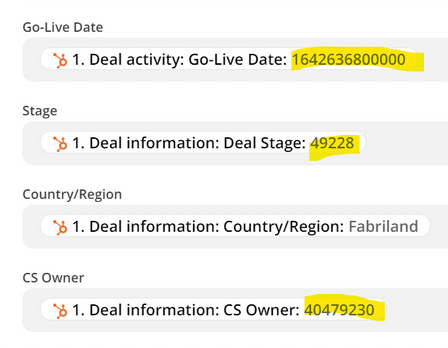
When certain fields are inserted into the Excel sheet they don’t have the same format as they do in Hubspot but I rather get numbers, which I guess are the correspondent ID (?) of the words/options I see in Hubspot.

Did anyone encounter this issue? 
 

I look forward to hearing from you,

Best,

Fabri 
Best answer by Troy Tessalone

@Fabri 

Yes those are the internal IDs for each variable option form HubSpot.

See if there are other data points available with the friendly names.

Otherwise, you’ll need to create and maintained what is known as Lookup Tables to translate those numbers to friendly values: https://zapier.com/help/create/format/create-lookup-tables-in-zaps


This post has been closed for comments. Please create a new post if you need help or have a question about this topic.

4 replies

Troy Tessalone
Zapier Orchestrator & Solution Partner
Forum|alt.badge.img+14
  • Zapier Orchestrator & Solution Partner
  • February 2, 2022

Hi @Fabri 

Check the mapped variables in your Zap step.

Please post screenshots with how your Zap steps are configured with the variables mapped.


  • Author
  • Beginner
  • February 2, 2022

Hi @Troy Tessalone, thanks a lot for your help! 

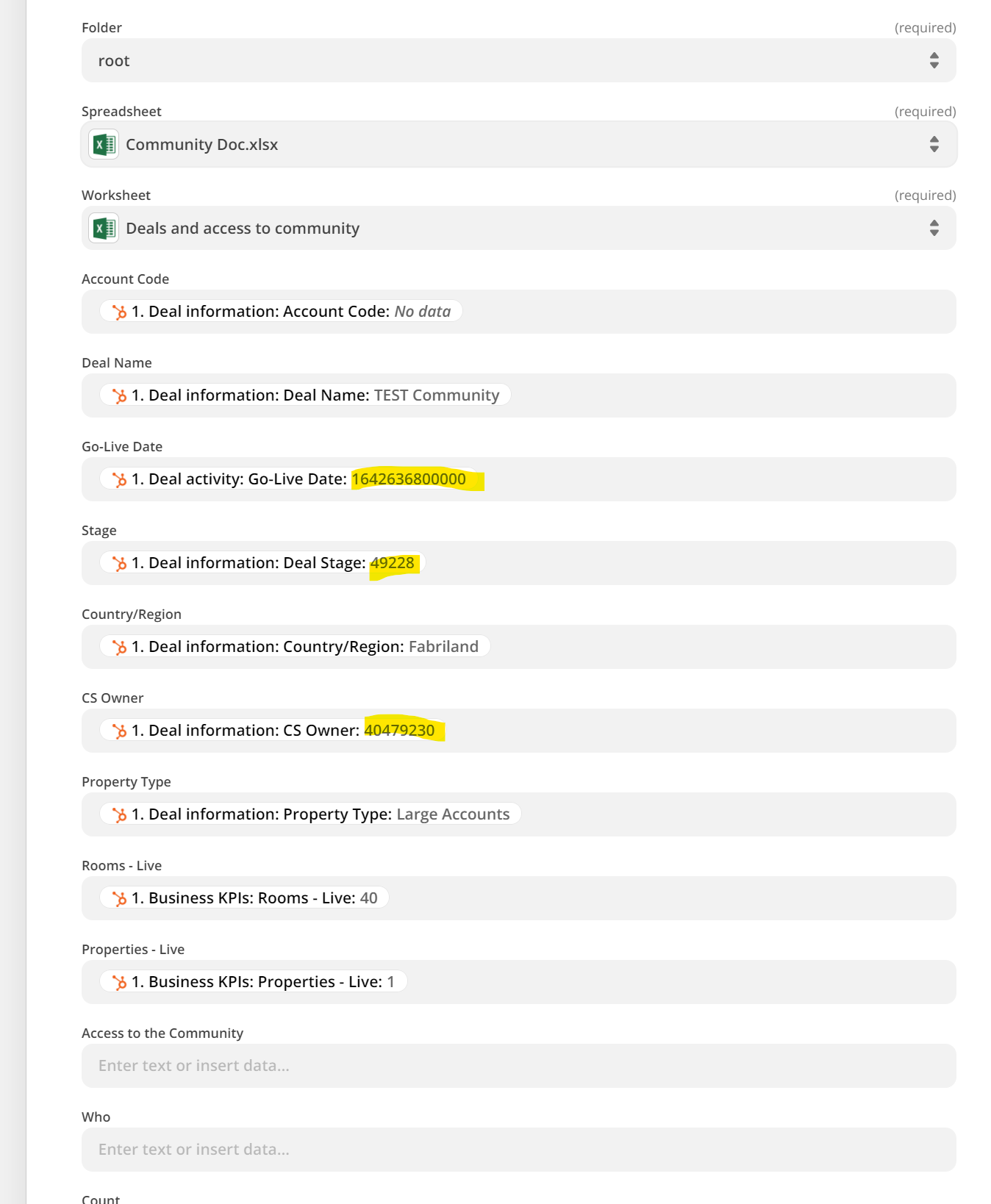
Here is the picture of the mapping 

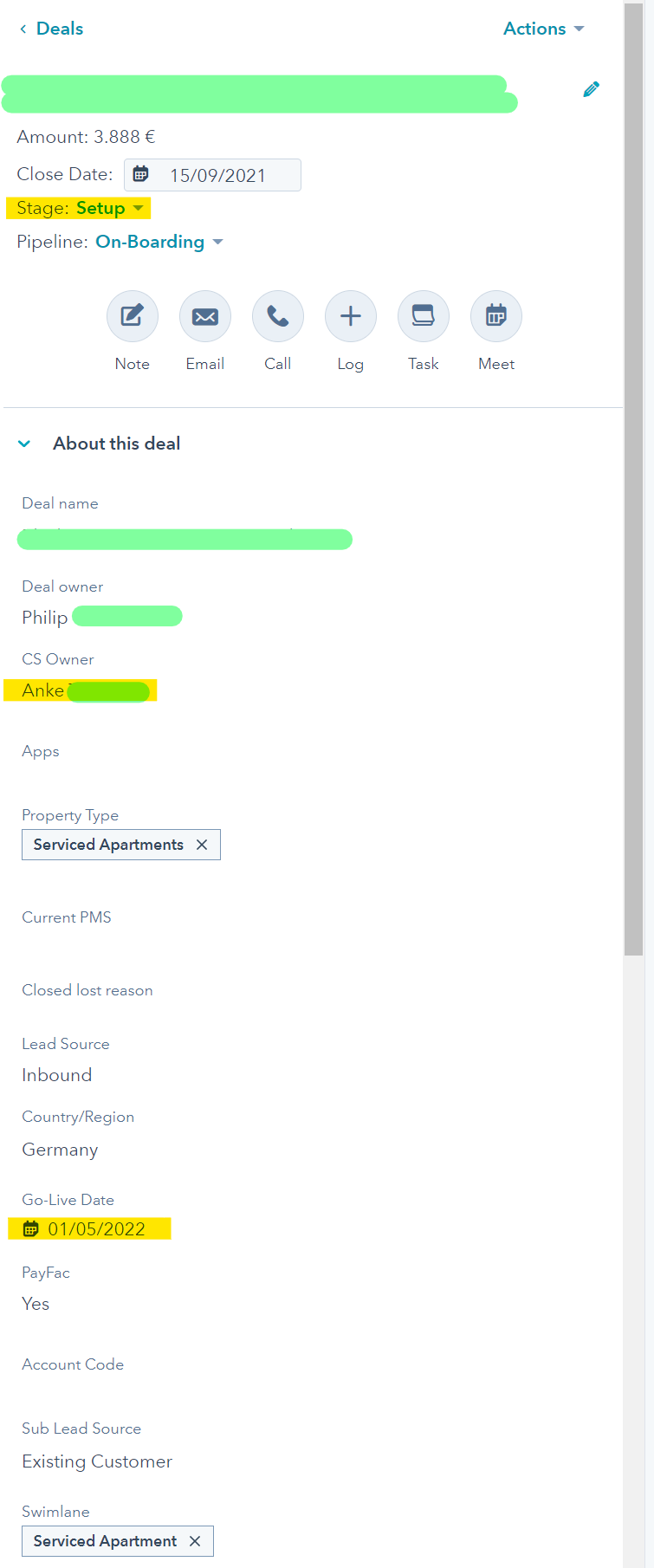
and here how the data appear on Hubspot:


Troy Tessalone
Zapier Orchestrator & Solution Partner
Forum|alt.badge.img+14
  • Zapier Orchestrator & Solution Partner
  • Answer
  • February 2, 2022

@Fabri 

Yes those are the internal IDs for each variable option form HubSpot.

See if there are other data points available with the friendly names.

Otherwise, you’ll need to create and maintained what is known as Lookup Tables to translate those numbers to friendly values: https://zapier.com/help/create/format/create-lookup-tables-in-zaps


  • Author
  • Beginner
  • February 3, 2022

Thanks a lot @Troy Tessalone I will check it out! :) Much appreciated your help!