Question

How to use Zapier to calculate age from date of birth in Hubspot

  • February 4, 2025
  • 4 replies
  • 84 views

Hello!


I have a Hubspot property, ‘date of birth’. I am trying to use another property ‘age’ which would should in months and years. I dont think this is something Hubspot can do itself so I am trying to use Zapier. Does anyone know how I can get Zapier to change it from date of birth to age and put it into the correct property? 


Thank you! 😊


Ollie 

This post has been closed for comments. Please create a new post if you need help or have a question about this topic.

4 replies

DavidLGS
Forum|alt.badge.img+6
  • Zapier Solution Partner
  • February 4, 2025

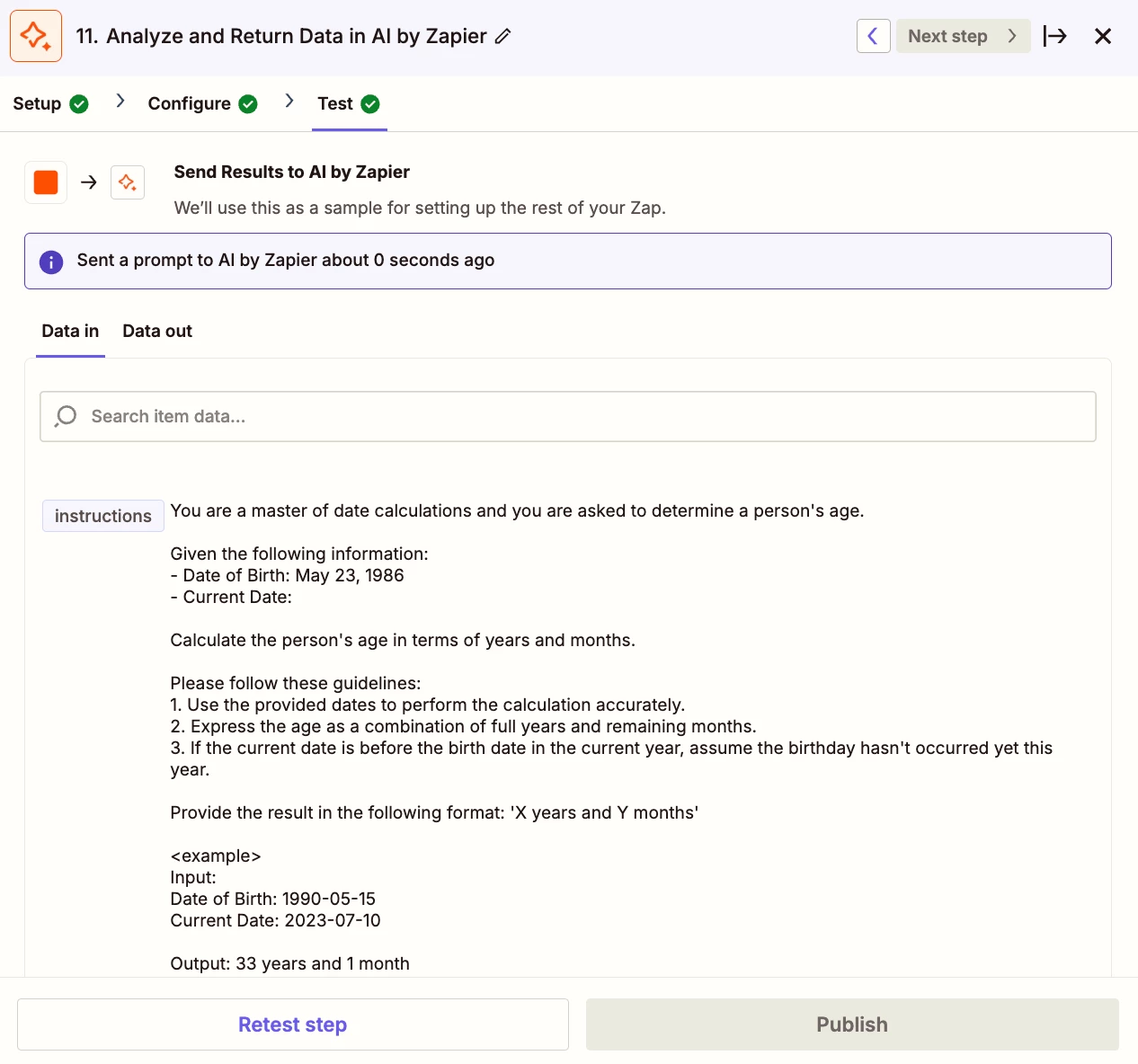
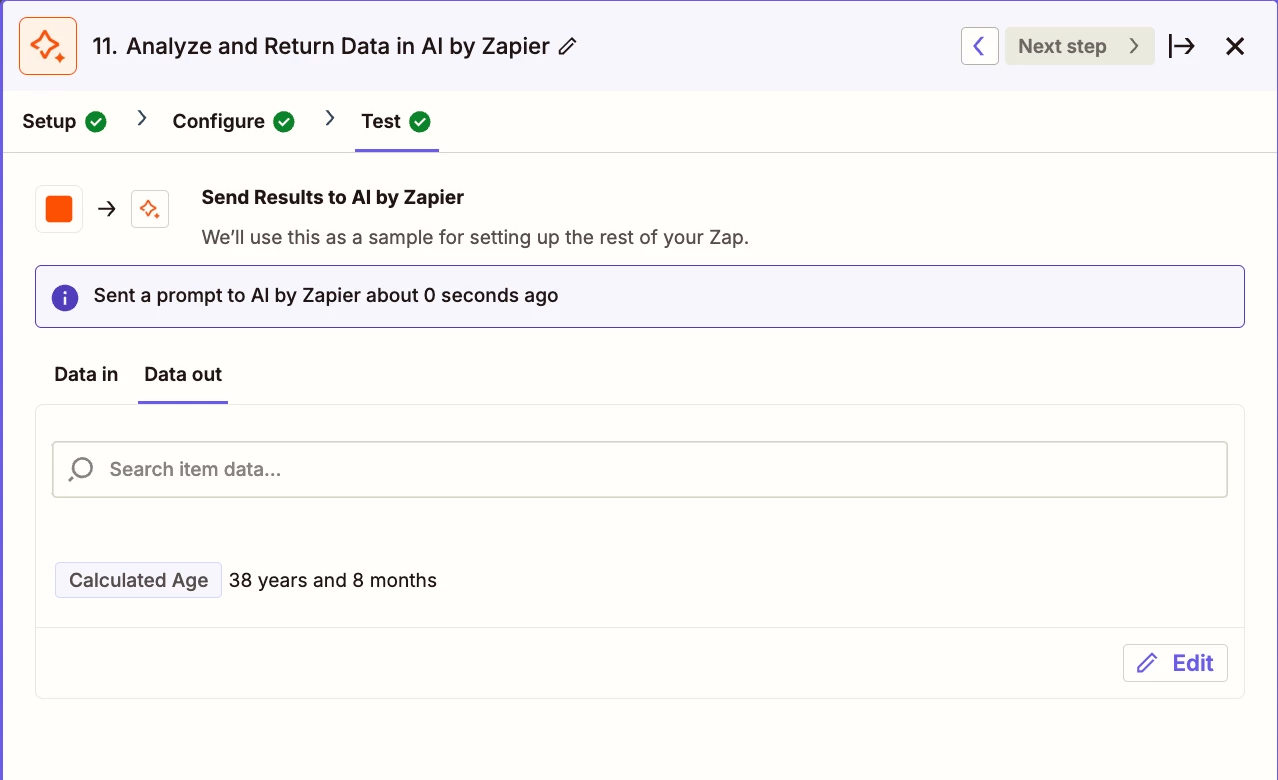
I would use an AI by Zapier step. Use the ‘date of birth’ field as an input to the prompt and tell it to convert it to years and months as the output(s). Then add a Hubspot ‘update contact’ action to map that/those outputs to the correct Hubspot property.

Otherwise, you can do this with several formatter steps and performing math operations. i.e. <today’s date> - “date of birth” = XX. Then another step to divide that by 12. etc. etc. Much more convoluted but doable.


It wont convert it to years and months. I havent found the co-pilot to be that useful. Is there another way I can do this? 


DavidLGS
Forum|alt.badge.img+6
  • Zapier Solution Partner
  • February 4, 2025

Not copilot. AI by Zapier as already stated.


SamB
Community Manager
Forum|alt.badge.img+11
  • Community Manager
  • February 11, 2025

Hi ​@oliverlockhart! 👋

Just checking in—how did you get on with the AI by Zapier action that DavidLGS suggested?

Let us know if you’re still stuck or have any more questions. 🙂