Question

How to send attachments in Asana via Outlook

  • May 30, 2023
  • 7 replies
  • 101 views

aplv

Hi! I have a zap wherein an email is sent via outlook once I use a certain tag in Asana. My question is, how I can also send the attachments within the said task.

 

This post has been closed for comments. Please create a new post if you need help or have a question about this topic.

7 replies

Troy Tessalone
Zapier Orchestrator & Solution Partner
Forum|alt.badge.img+14
  • Zapier Orchestrator & Solution Partner
  • May 30, 2023

Hi @aplv 

Good question.

Try searching for the word “file” for data points from Asana step 1.

It may show something like “File exists but not shown”.


aplv
  • Author
  • New
  • May 30, 2023

Thanks for this. I was able to find the file but whenever I attach a pdf, it only shows as text. How do I fix this


Troy Tessalone
Zapier Orchestrator & Solution Partner
Forum|alt.badge.img+14
  • Zapier Orchestrator & Solution Partner
  • May 30, 2023

@aplv 

Please post detailed screenshots with how your Zap step is configured to give us context, thanks.


aplv
  • Author
  • New
  • May 30, 2023

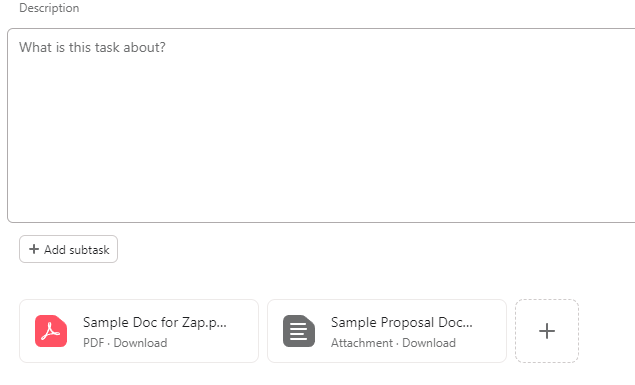
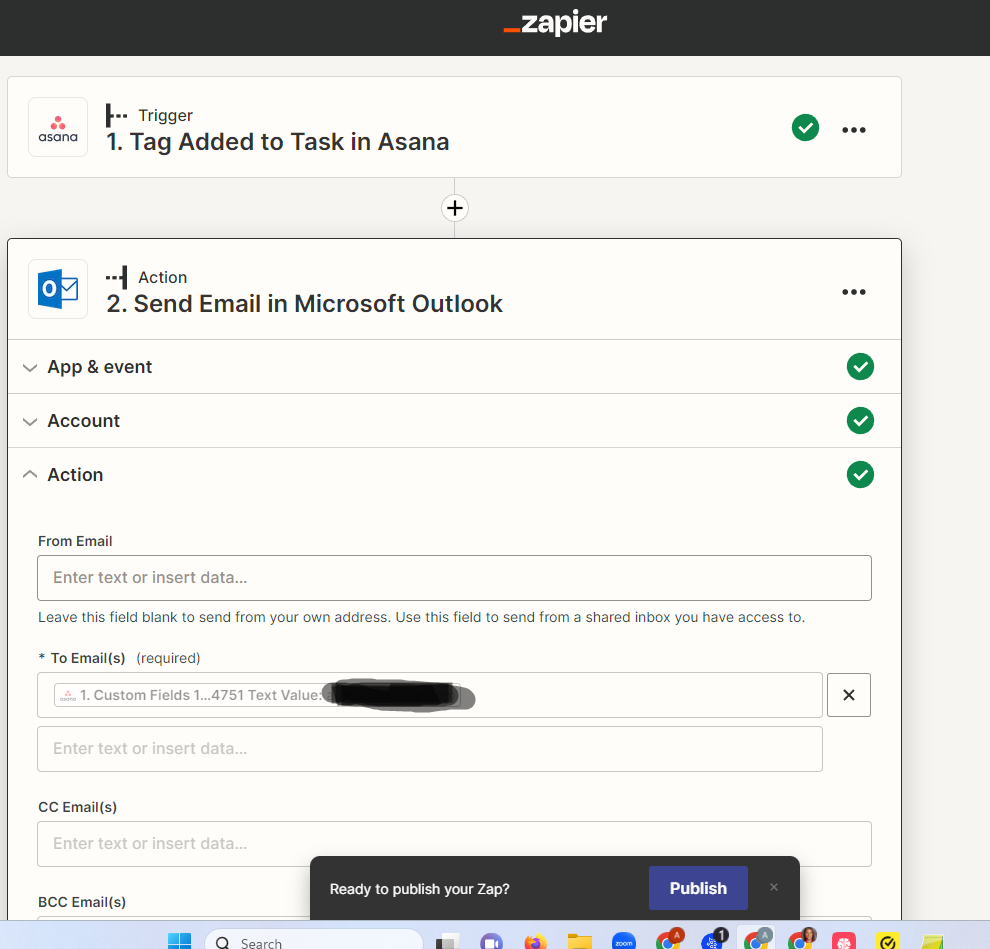
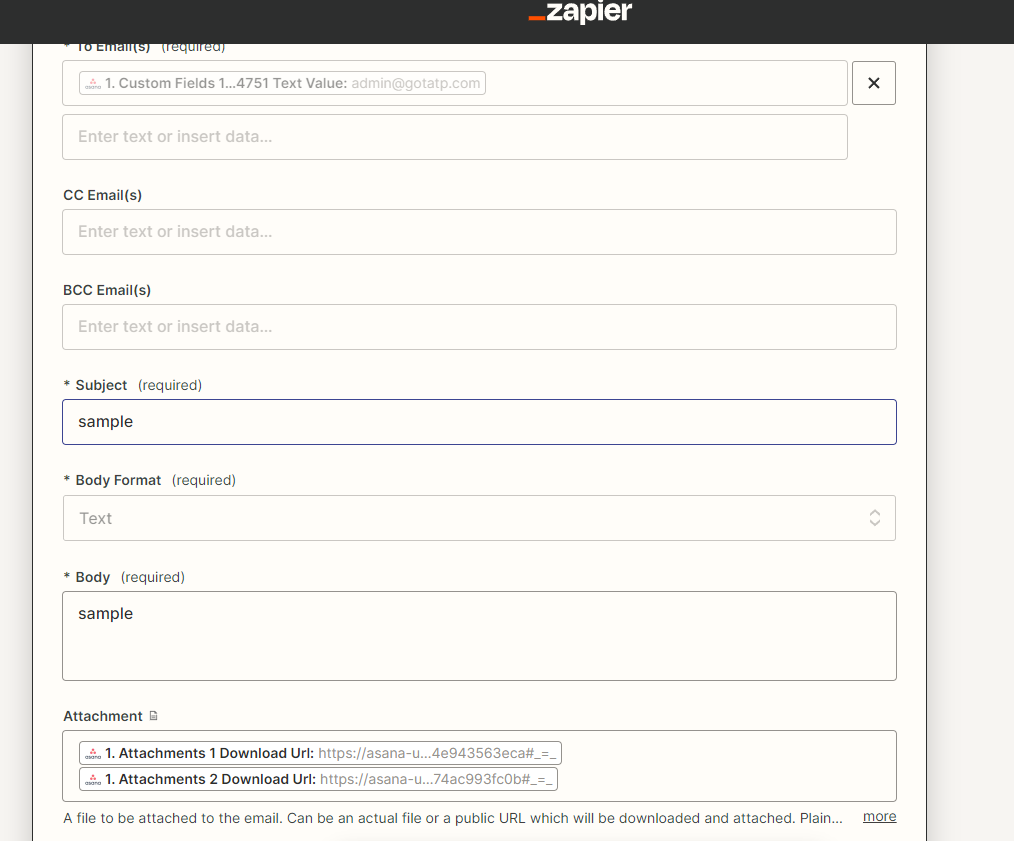
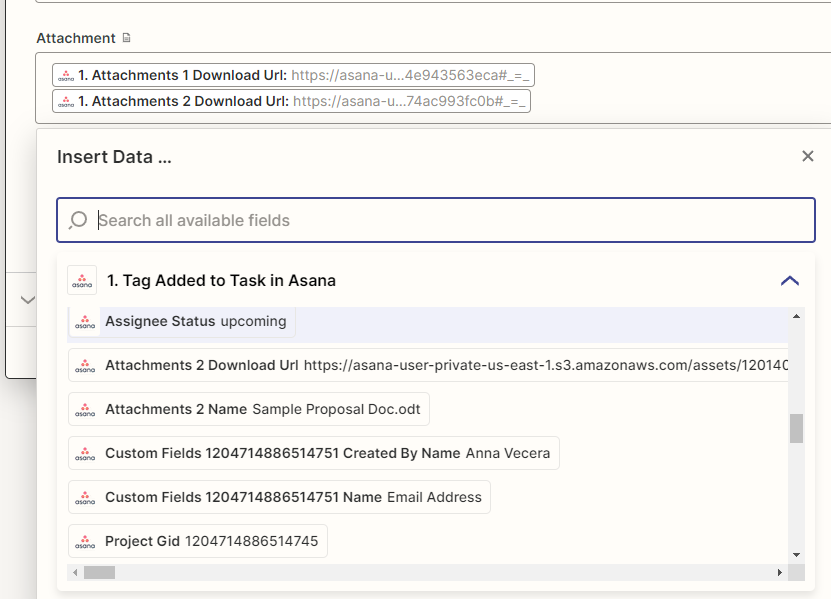
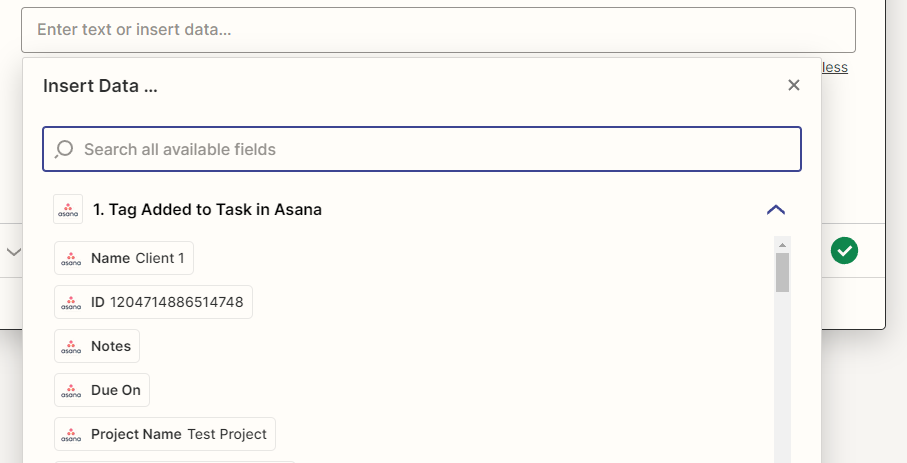
I have figured out again the solution to my problem above but I have another roadblock. I added to attachments in Asana and I have configured the Zap to attach the two to the email but only one shows up. See photos below: 


Troy Tessalone
Zapier Orchestrator & Solution Partner
Forum|alt.badge.img+14
  • Zapier Orchestrator & Solution Partner
  • May 30, 2023

@aplv 

There is not enough context for us to understand which Zap step this screenshot is from.


aplv
  • Author
  • New
  • May 30, 2023

Apologies, hope these would help 


Troy Tessalone
Zapier Orchestrator & Solution Partner
Forum|alt.badge.img+14
  • Zapier Orchestrator & Solution Partner
  • May 30, 2023

@aplv 

Based on the field name “Attachment” (singular) and the field description, the “Attachment” field expects 1 file.


You either have to ZIP multiple files before attaching to the email, or use the attachment links in the body of the email.