Question

How to monitor multiple deal fields in Pipedrive's updated deal trigger?

  • September 7, 2026
  • 2 replies
  • 14 views

Hi everyone,

I’m using Pipedrive’s “Updated Deal” trigger. The “Field to Watch for Changes On” setting appears to accept only one field, but I’d like to monitor multiple deal fields, including custom fields.

My goal is to run the subsequent actions when any of the selected fields changes (OR logic). For example, a change to Field A or Field B should trigger the actions, while changes to unrelated fields should not.

Is there a supported way to specify multiple fields in this setting?

If not, what workarounds would allow me to handle this within a single Zap?

I’ve already verified that a Pipedrive-side automation that sends a webhook to Zapier can work. However, I’d prefer to keep the logic and configuration in Zapier to simplify maintenance, rather than:

  • Managing an automation or webhook separately in Pipedrive.

  • Creating a separate Zap for each monitored field.

Any implementation suggestions that meet these requirements would be appreciated. If this isn’t currently supported, is there an existing feature request for monitoring multiple fields in the Updated Deal trigger?

2 replies

SamB
Community Manager
Forum|alt.badge.img+11
  • Community Manager
  • September 8, 2026

Hi and welcome to the Community ​@totonoü dev! 😁

I can see you reached out to our Support team about this too. They suggested setting the Updated Deal trigger to watch all fields rather than a specific one, then using a Zapier table to keep a record of deal values and check whether any of the monitored fields have changed. Sharing their instructions on how to do that in case it’s helpful to others coming across this:

Recommended approach: two Zap workflows with a Zapier table
 
Here's a cleaner way to monitor multiple fields while keeping your logic organized:
 
Zap 1: Capture new deals

  1. Trigger: Pipedrive New Deal
  2. Action: Zapier Create Record in your Zapier table, storing the deal ID and all the fields you want to monitor

 
Zap 2: Monitor updates and filter changes

  1. Trigger: Pipedrive Updated Deal (leave "Field to Watch for Changes On" blank)
  2. Action: Zapier Find Record to look up the deal in your Zapier table using the deal ID
  3. Add a Filter step with OR logic to compare the fields:
    • Pipedrive Current [Field A] does not exactly match Zapier Table [Field A]OR
    • Pipedrive Current [Field B] does not exactly match Zapier Table [Field B]OR
    • (repeat for each field you're monitoring)
  4. If the filter passes, update the Zapier record with the new values, then proceed with your downstream actions

One thing I'd add to that is to also have an Update Record action to overwrite the monitored fields in the table with the new values after the filter passes. That way, if the deal is updated again but none of the monitored fields change, then the filter won't pass. 

Let us know how you get on with that approach, want to make sure you’re all set! 


Troy Tessalone
Zapier Orchestrator & Solution Partner
Forum|alt.badge.img+14
  • Zapier Orchestrator & Solution Partner
  • September 8, 2026

Hi ​@totonoü dev 

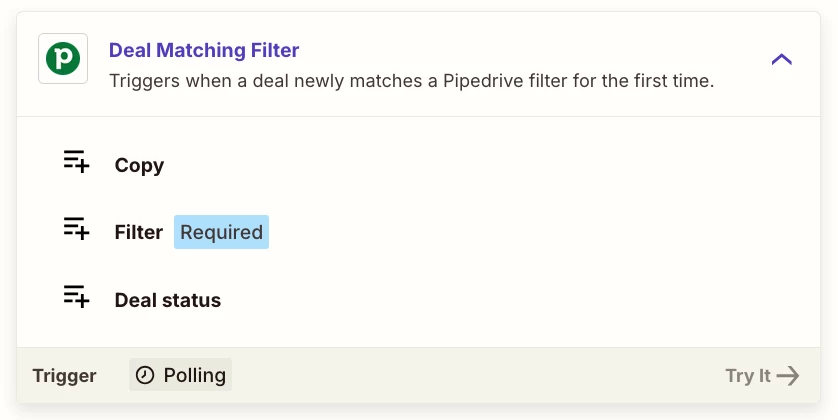
Use this Zap trigger: Pipedrive - Deal Matching Filter

Description: Triggers when a deal newly matches a Pipedrive filter for the first time.