Question

How to match FB Lead Ads fields with already defined records

  • February 2, 2023
  • 3 replies
  • 46 views

Hello all

i thinks it’s a noob question here. i am having some issues with the configuration of Zap between Facebook Lead Ads to Salesforce.

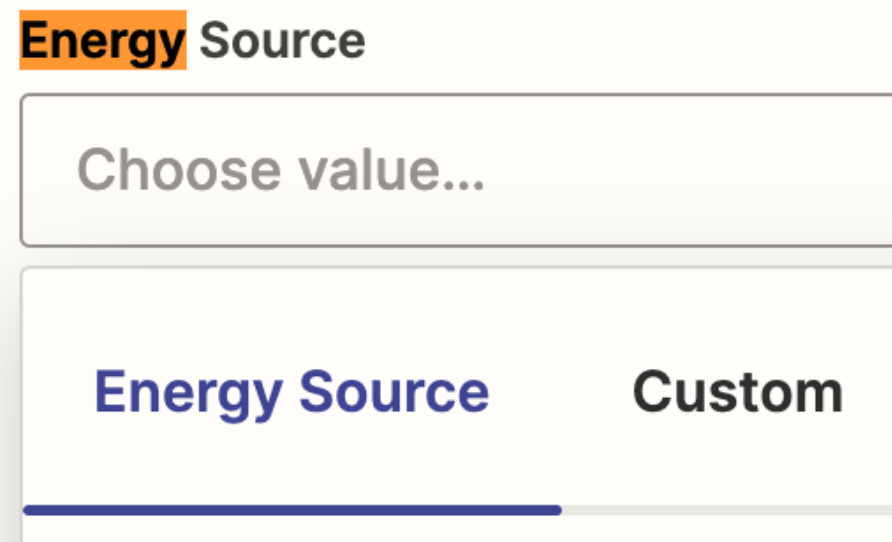
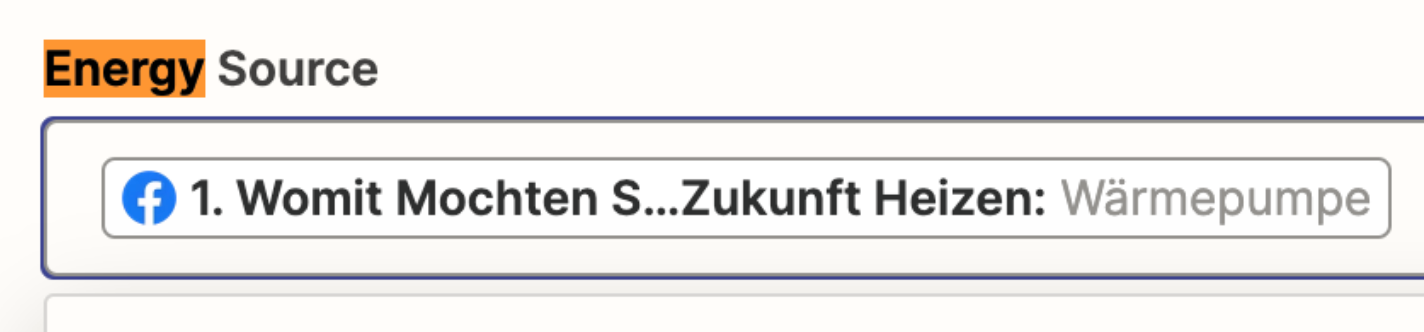
There are fields already determined in SF that need just to be matched (Energy Sources: Gas, Oil etc..). But instead of taking the response from FB and matching them. Zapier just will overwrite them instead, see attached screenshot. 

Thanks in advance for the help

 

This post has been closed for comments. Please create a new post if you need help or have a question about this topic.

3 replies

Troy Tessalone
Zapier Orchestrator & Solution Partner
Forum|alt.badge.img+14
  • Zapier Orchestrator & Solution Partner
  • February 2, 2023

Hi @Soufiane 

Good question.

But instead of taking the response from FB and matching them. Zapier just will overwrite them instead, see attached screenshot. 

Please clarify what you mean by this with a specific example and screenshots, thanks.


You can use the ‘Custom’ option to map dynamic variables from previous steps.


  • Author
  • New
  • February 2, 2023

Hi @Troy Tessalone  

wow thanks for the quick response 😀. Normally i will just take the answer to a question from FB Form and use it as the filler for this energy source filled but that doesn’t work, see attached. Or am i thinking too complicated.

Cheers


Troy Tessalone
Zapier Orchestrator & Solution Partner
Forum|alt.badge.img+14
  • Zapier Orchestrator & Solution Partner
  • February 2, 2023

@Soufiane 

You may need to add a Formatter > Utilities > Lookup Table step to do the data translation: https://zapier.com/help/create/format/create-lookup-tables-in-zaps


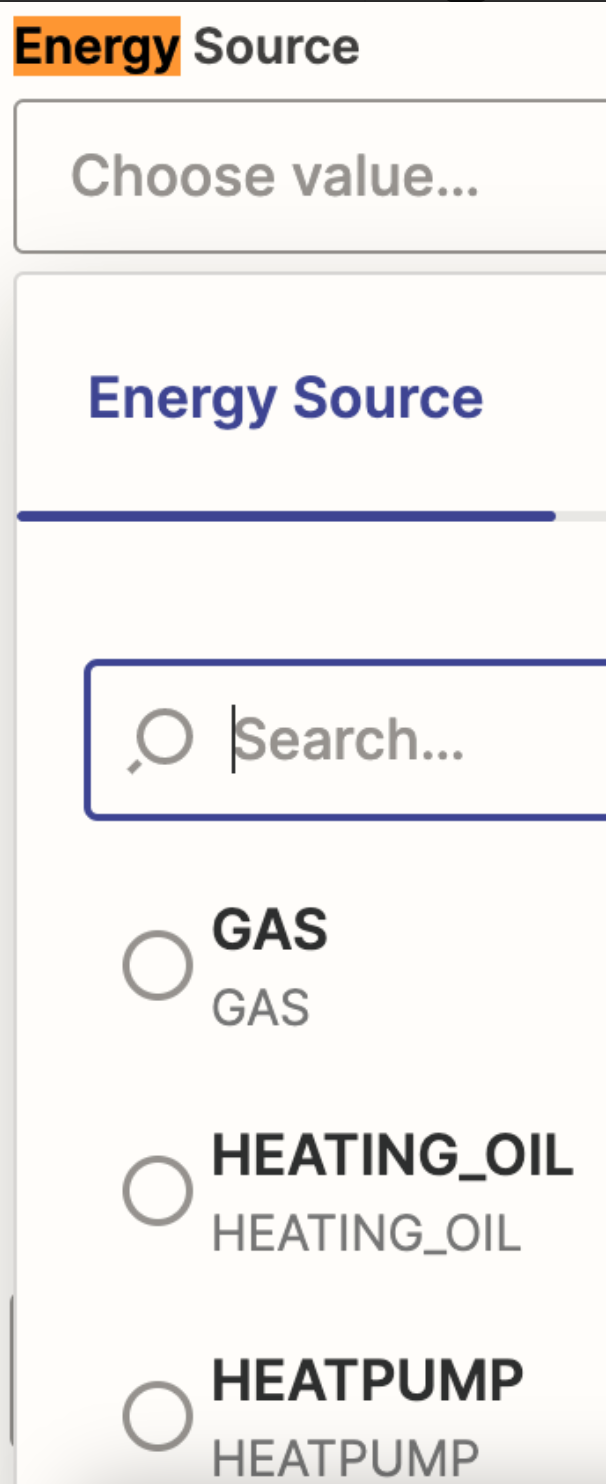
You have a dynamic variable mapped that has a value that does not match the standardized list of expected values for the Energy Source field.


These are valid values expected for the Energy Source field.