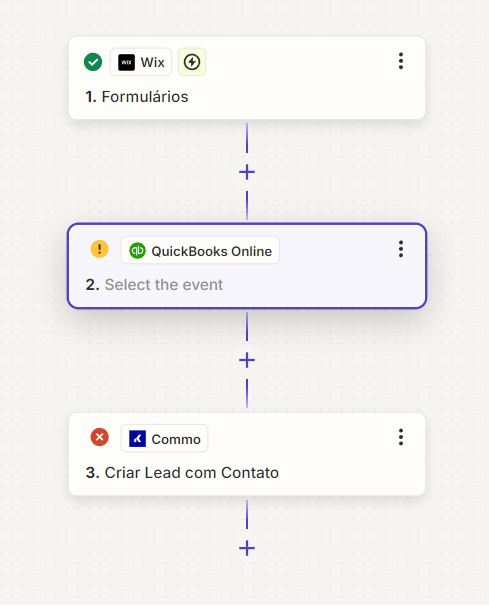
Question

How to link landing page options field to Kommo via Zapier?

  • October 10, 2024
  • 7 replies
  • 55 views

Hello, guys, how are you? I have a question…


My client has a landing page (https://www.stimmocuritiba.com.br).

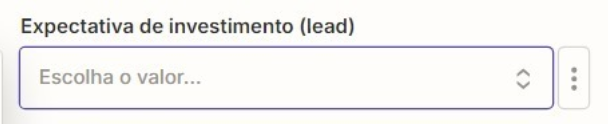
I need the options field in the image below to be linked to the options field in Kommo (https://www.kommo.com).
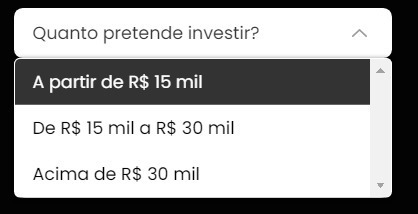


I’m using Zapier to integrate my landing page with Kommo.

In Kommo, I created these fields shown in the image below, a SELECT field and another OPTIONS FIELD.
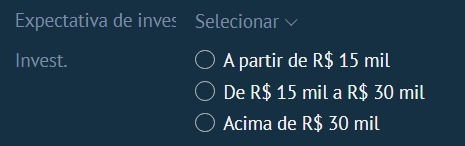
However, Zapier doesn’t recognize these fields. Do you know why?

In Zapier, it only lets me select one fixed option, rather than linking each option that the field provides.
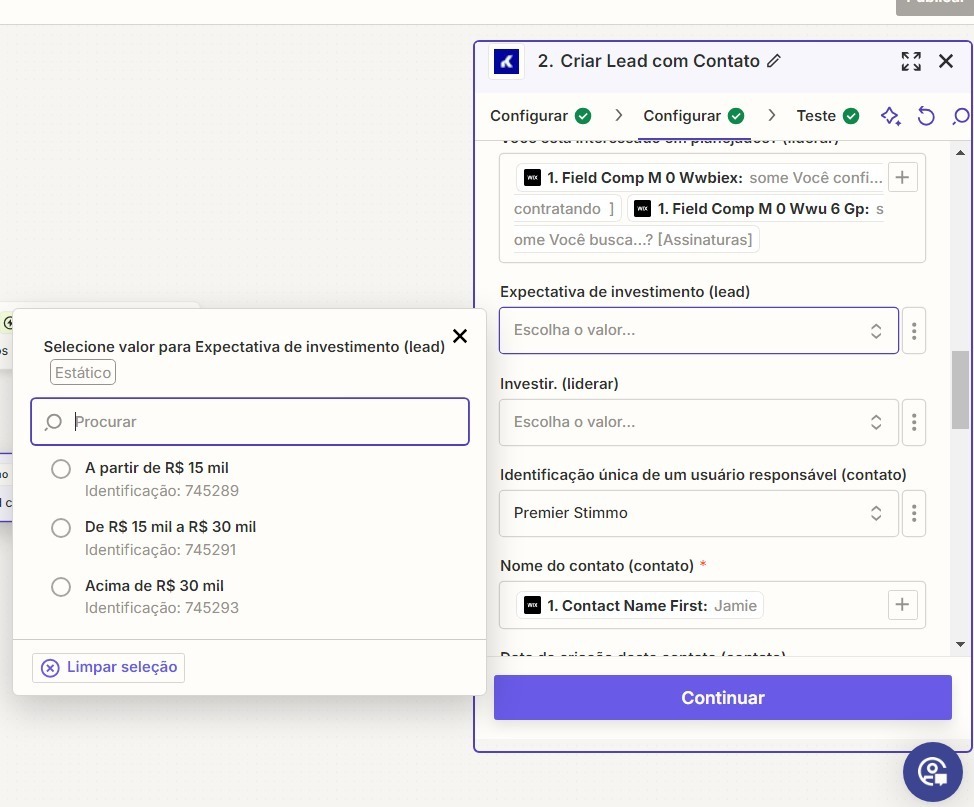
Is my question clear?


This post has been closed for comments. Please create a new post if you need help or have a question about this topic.

7 replies

Troy Tessalone
Zapier Orchestrator & Solution Partner
Forum|alt.badge.img+14
  • Zapier Orchestrator & Solution Partner
  • October 10, 2024

Hi @Lucas Pierry 

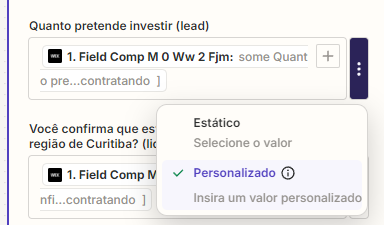
Use the [...] button to switch to “Custom” mode.

Then you can use the [+] button to map a dynamic variable from a previous Zap step.


Help link about mapping dynamic variables to dropdown lists: https://help.zapier.com/hc/en-us/articles/8496241696141-Add-custom-values-to-dropdown-menu-fields-in-Zaps

You may have to use a Lookup Table to translate values between the apps:


EXAMPLE

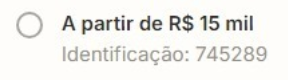
Option: A partir de R$ 15 mil

ID: 745289

The app expects the ID value, not the Option value.


SamB
Community Manager
Forum|alt.badge.img+11
  • Community Manager
  • October 15, 2024

Hi @Lucas Pierry! 👋

Just came across your post here and wanted to ask how things are going. Were you able to get things sorted with Troy’s suggestions? 

If not and you’re still stuck at all, just let us know and we’ll be happy to assist further. Looking forward to hearing from you! 🙂


  • Author
  • Beginner
  • October 17, 2024

Hi Sam and Troy, how are you?

I couldn't solve the problem. I have doubts.

I clicked on the “+” and selected “personalized” and after that I selected the field that has the drop-down menu, however, an error occurs when publishing. Did I do it right?


  • Author
  • Beginner
  • October 17, 2024
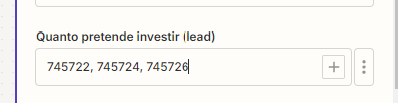
Or do I have to put the ID of the dropdown fields like in the image below?


ken.a
Forum|alt.badge.img+6
  • Zapier Staff
  • October 18, 2024

Hi @Lucas Pierry,

You’d need to put the ID in the dropdown field. As Troy suggested you will need to use the Lookup Table for it to be dynamic and for the Zap to be able to translate the value.


You may have to use a Lookup Table to translate values between the apps:


EXAMPLE

Option: A partir de R$ 15 mil

ID: 745289

The app expects the ID value, not the Option value.


Hopefully, this helps.


  • Author
  • Beginner
  • October 20, 2024

Hello, everyone, thank you for your help.
 

I followed the tutorial you sent me, but QuickBooks is no longer available in Brazil. What other tool can I use?


I'll show you what I've done so far:

I created a “Lookup Table” and linked it with the IDs of each response from the dropdown menu.


Is this correct? 👆
 

Then, I went to set up the cadence, and it turned out like this. Is it right? 👇


ken.a
Forum|alt.badge.img+6
  • Zapier Staff
  • October 22, 2024

Hi there @Lucas Pierry,

The Lookup Table setup looks correct. However, you will need to add the “Find Record in Zapier Tables” action for you to be able to map the data from the Lookup Table to the Kommo step.

Additionally, you can explore alternative apps for QuickBooks Online here: https://zapier.com/apps/categories/accounting

Hopefully, this helps.