
Question

How to link 2Chat with WhatsApp groups and Slack for two-way communication

  • June 7, 2026
  • 1 reply
  • 12 views

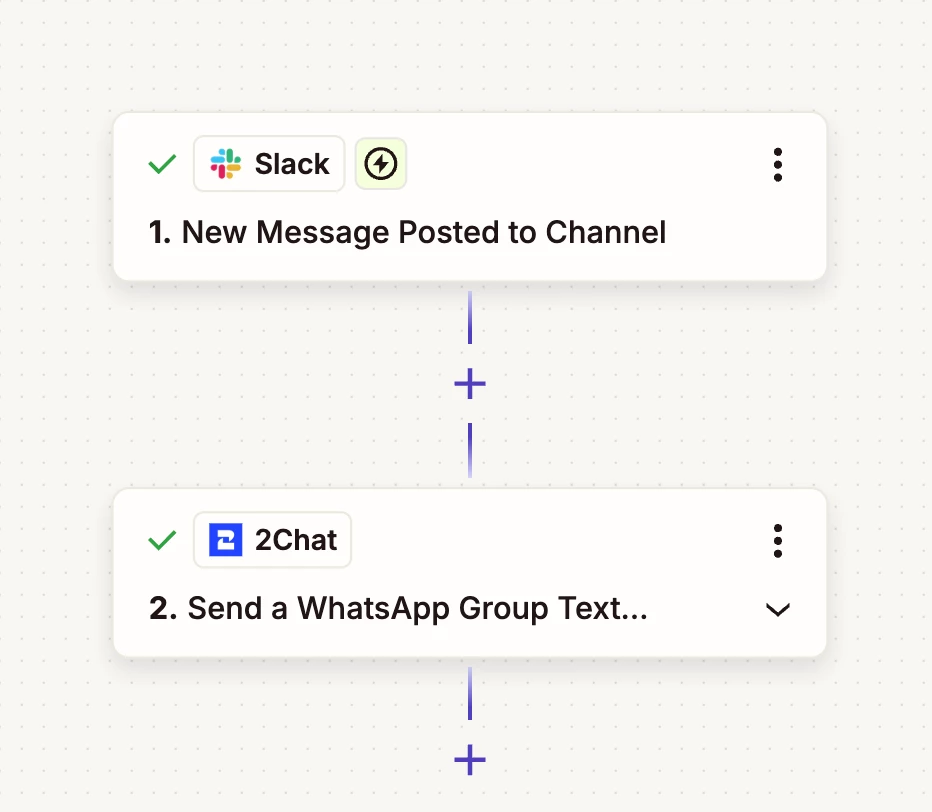
I am working on linking 2Chat with a Slack channel so that when someone sends a message in a Whatsapp Group it will update a corresponding Slack channel. I have managed to set up the communication to go FROM the Slack channel I’ve created TO the Whatsapp group I’ve created. But I can’t figure out how to send replies to my message back to the Slack channel.

Any ideas?

The below pic is the one-way zap I have set up. Just need to figure out how to send it back the other way. And keeping in mind not to end up with a continuous loop of the same message getting sent to both groups over and over.



1 reply

SamB
Community Manager
Forum|alt.badge.img+11
  • Community Manager
  • June 9, 2026

Hi and welcome to the Community ​@KDellar! 😁

To prevent the Zap getting stuck in a loop you could store a record of the message that was sent in Zapier Tables (or other database/spreadsheet etc). That way, when a each Zap triggers, it could search the table for the message to see if it’s the same one that has already triggered the other Zap. With that approach you’d need to have a Filter in each Zap to prevent them running if the message as already been shared in Slack or on WhatsApp.

For example here’s how it could work if using Zapier Tables to store a record of the messages:

Zap 1 - Sends the Slack message to WhatsApp and stores it in Zapier Tables

  • Trigger: New Message Posted to Channel (Slack) - runs when a new message is posted in the channel.
  • Action: Find Record (Zapier Tables) - set to create a new record if an existing one isn’t found (needs to store the message text). 
  • Action: Only continue if… (Filter by Zapier) - set to only continue if Zap Data Was Found field is false (meaning it’s a new message as an existing record wasn’t found).
  • Action: Send a WhatsApp Group Text (2Chat) - sends the message to the group.

Zap 2 - Posts the WhatsApp message on Slack and stores it in Zapier Tables

  • Trigger: WhatsApp Group Message Received (2Chat) - runs when a group message is received.
  • Action: Find Record (Zapier Tables) - set to create a new record if an existing one isn’t found (again would need to store the message text).  
  • Action: Only continue if… (Filter by Zapier) - set to only continue if Zap Data Was Found field is false (again, means it’s a new message as an existing record wasn’t found).
  • Action: Send Channel Message (Slack) - sends the message to the channel.

The filters are key to making sure that the Zap workflows only post a message on WhatsApp or on Slack if no existing record of that message is found. Check out our Add conditions to Zap workflows with filters guide to learn more.

If you give that a try and get stuck, or if have more questions, just let us know!

