Question

How to know how long to Delay zapier when automating Canva files

  • March 2, 2026
  • 6 replies
  • 31 views

I have a Canva automation set up, but canva’s processing takes some time and half my files don’t get completed. How do I know how much to delay after the API steps?  Is there a way to get it to work faster?

6 replies

Troy Tessalone
Zapier Orchestrator & Solution Partner
Forum|alt.badge.img+14
  • Zapier Orchestrator & Solution Partner
  • March 2, 2026

Hi ​@Melanie17 

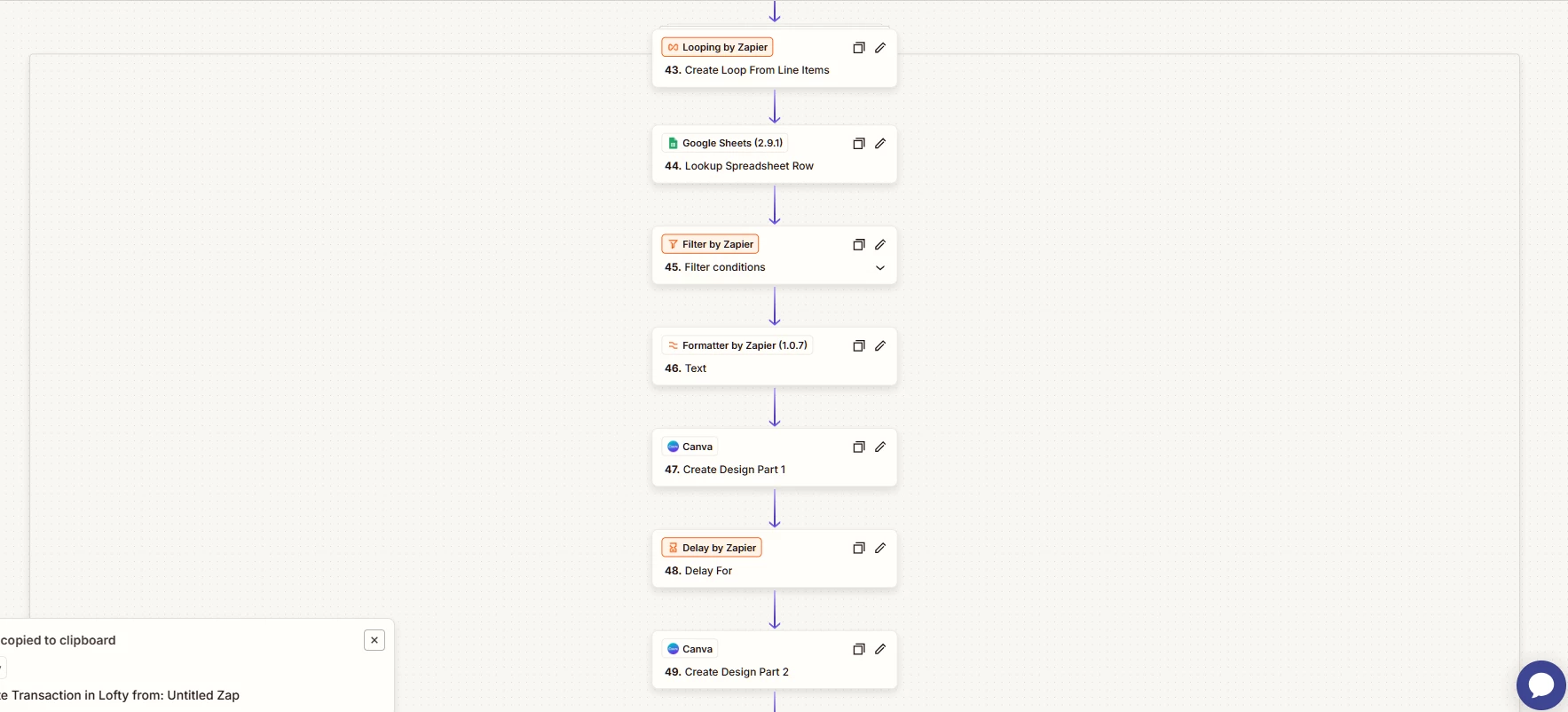
Help us have more info by posting screenshot showing how your Zap steps are outlined.


  • Author
  • Beginner
  • March 4, 2026

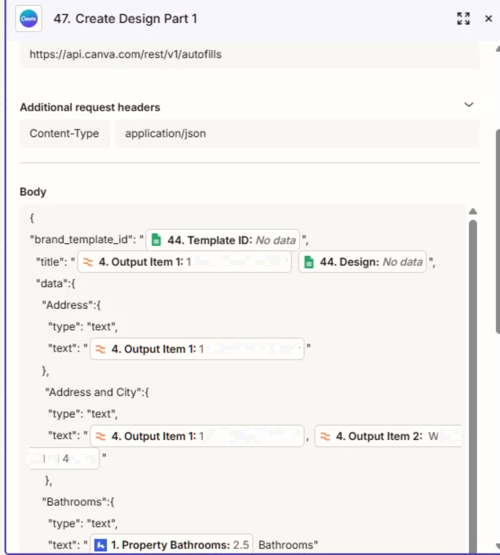
My zap is used to create different files from Canva Templates. file those templates into canva folders, export them to google drive, and then file them in the correct google drive folder.  I have a lot of templates (16-20) and have thought about only doing a few templates at a time, but would really love to leave it like this so it can create all my marketing pieces at once. To find the correct templates, I have a loop that compares a field from my CRM to a google sheet that contains the template IDs.


Where I run into problems is when the creation of the canva files gets backed up.  I think canva just eventually times out and the files don’t get created.  I have tried to delay for a few minutes in between each, but it seems that I’m likely just pushing the canva system too hard. Is there any way to get it to work 


This post has been edited by a moderator to remove personally identifiable information (PII). Please remember that this is a public forum and avoid sharing personal or potentially sensitive details.


Troy Tessalone
Zapier Orchestrator & Solution Partner
Forum|alt.badge.img+14
  • Zapier Orchestrator & Solution Partner
  • March 4, 2026

@Melanie17 

Instead of using Delay For, try using Delay After Queue.

Help links for using Delay: https://zapier.com/apps/delay/integrations#help


Loop iterations run in parallel unless programmed otherwise.

Here’s an option for doing sequential loop iterations.


If you have many loop iterations, then it would be better to create a queue using Zapier Tables.

Idea being that you have a set of Zaps that work together to:

  • Have a Zap that creates the core data that needs to be processed for a Canva File into a Zapier Table record
  • Have a Zap that runs to pick a queue record, processes the record, then picks the next queue record


There are different approaches for how to design the Zaps and configure the logic in the Zaps.

If you are looking to hire help to optimize your Zaps, I’m a Zapier Partner: 

https://zapier.com/partnerdirectory/automation-ace


  • Author
  • Beginner
  • March 4, 2026

I tried Delay After Queue but maybe I’ll play around with it again.


SamB
Community Manager
Forum|alt.badge.img+11
  • Community Manager
  • March 24, 2026

Hey there ​@Melanie17 👋 Did the Delay After Queue action do the trick?

Let us know how it went, want to make sure you’re all set! 🙂  


Forum|alt.badge.img+1

The main thing is: don’t guess the delay time.

Canva exports run in the background, so one file may finish fast and another may take longer. That means a fixed delay will always be hit or miss. Canva’s API docs say exports are asynchronous, so the better way is to check the export job status until it says it’s finished, instead of relying on one delay time.

So the simple answer is:

  • start the Canva export

  • wait a short amount

  • check if the export is done

  • only continue when the status says success

That is usually more reliable than picking one random delay for every file. A fixed delay can help a little, but it won’t make Canva process faster.