Question

How to get my zap to ignore my google sheet cells?

  • February 25, 2024
  • 5 replies
  • 137 views

I’m exporting from my zap table to my Google sheet.

I’m trying to get my zap to ignore a cell in my google sheet. Not just sending a blank value, but completely ignore it. I have written a code in a column that keeps getting overwritten by blanks.

This post has been closed for comments. Please create a new post if you need help or have a question about this topic.

5 replies

Troy Tessalone
Zapier Orchestrator & Solution Partner
Forum|alt.badge.img+14
  • Zapier Orchestrator & Solution Partner
  • February 25, 2024

Hi @PetterT 

For us to have more context, post screenshots with how your Zap steps are outlined and configured along with examples from your GSheet


  • Author
  • New
  • February 26, 2024

Hi Troy,

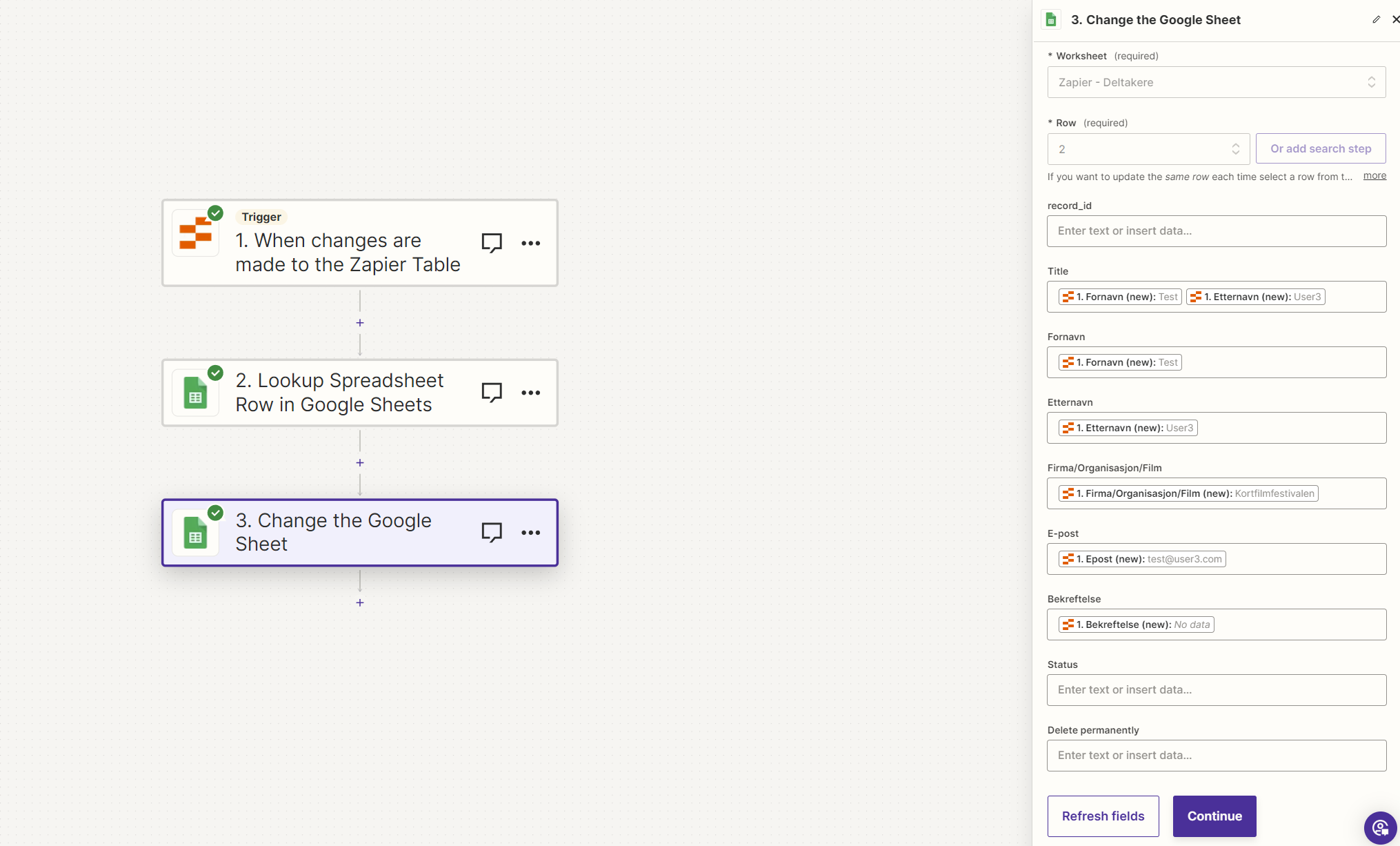
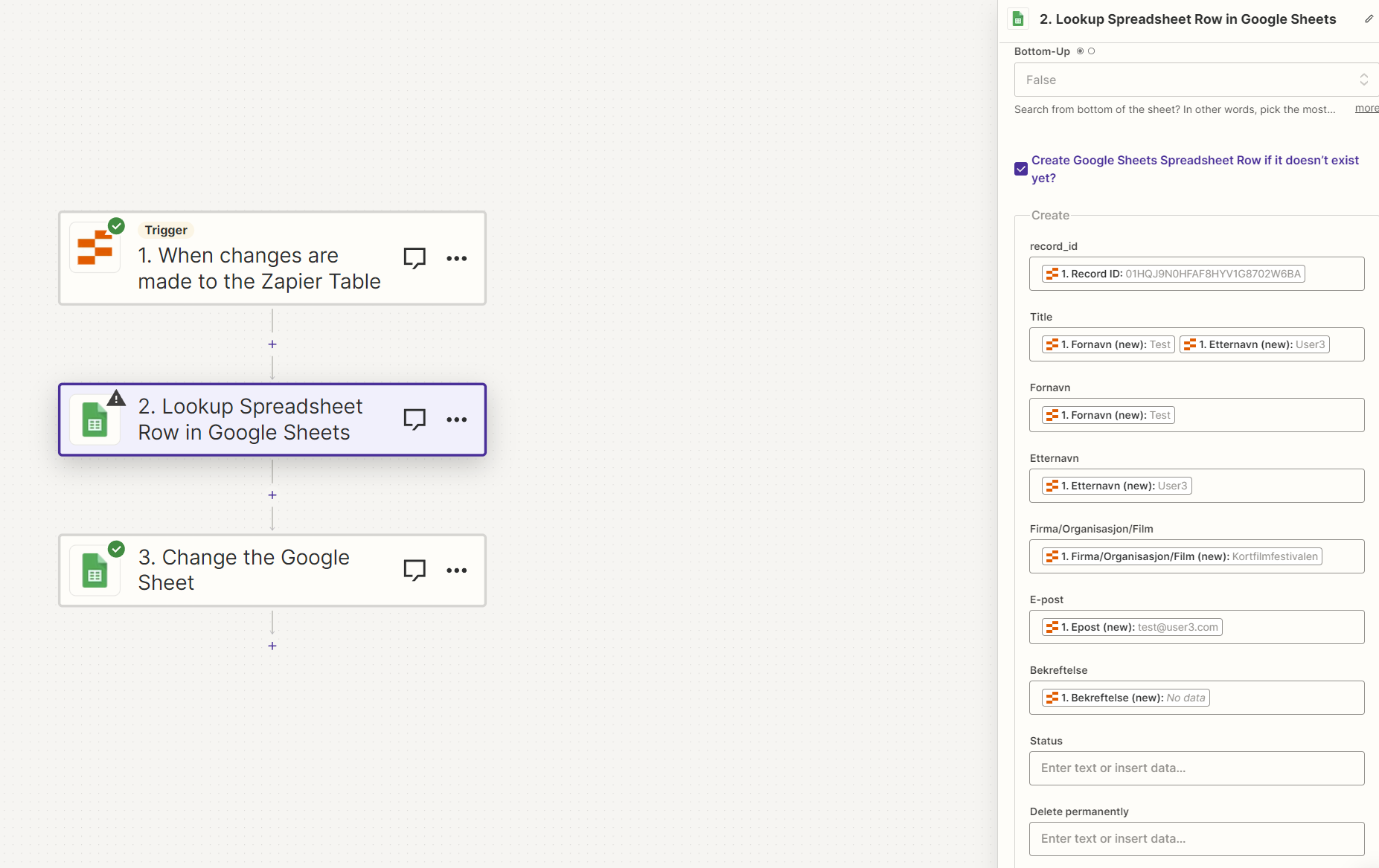
Thank you, sure thing. I’ve added some screenshots here.


In GS I’ve added formulas in column H and I, based on if the other fields are filled in or not.

When I’m importing this into WP, I delete the ones that are not confirmed, which are blanks in column G.

Column H is to get WP to publish the entry when it’s imported.

I’m also having a hard time getting GS to update when there’s a change to the Zapier table, got any tips to solve that? It seems like it only updates when I edit the zap and run a test.


Troy Tessalone
Zapier Orchestrator & Solution Partner
Forum|alt.badge.img+14
  • Zapier Orchestrator & Solution Partner
  • February 26, 2024

@PetterT 

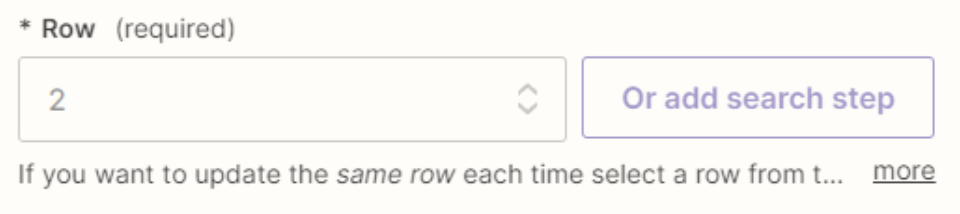
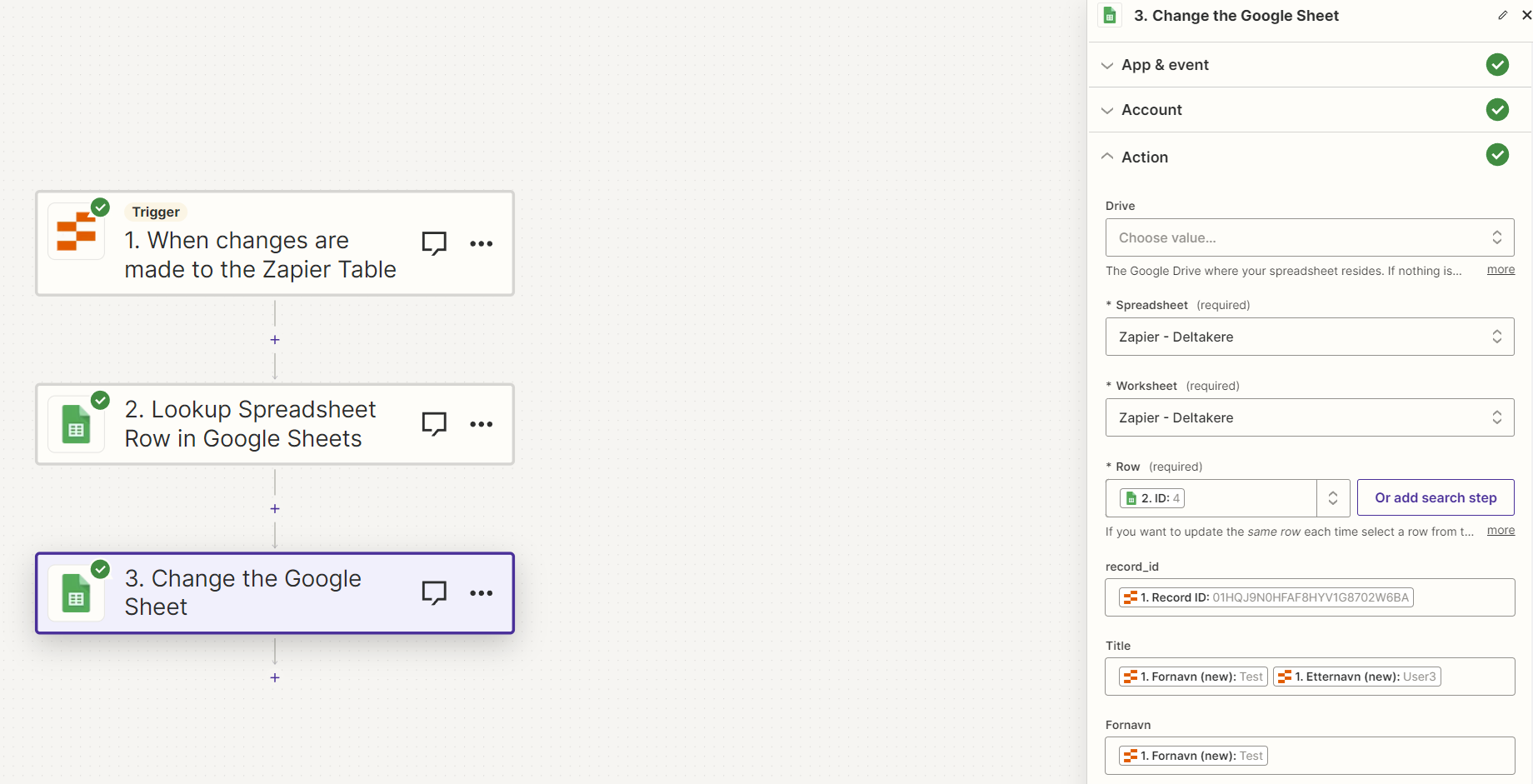
In Step 3 to update the GSheet Row, you need to map the Row/ID variable from Step 2.


  • Author
  • New
  • February 26, 2024

Thank you Troy, I tried this now but can’t seem to get it to work.


Troy Tessalone
Zapier Orchestrator & Solution Partner
Forum|alt.badge.img+14
  • Zapier Orchestrator & Solution Partner
  • February 26, 2024

@PetterT

You would need to explain more about what is not working as you expected.

For Zaps that are turned ON, check your Zap Runs history to see the DATA IN/OUT for each step to help you troubleshoot: https://zapier.com/app/history/