Question

How to decode the encoded URL which my attachment file is uploaded through Email Parser by Zapier?

  • November 6, 2024
  • 2 replies
  • 53 views

I’m trying to use Email Parser by Zapier to transfer attachment files on my mail to Kintone (Japanese CRM) automatically.

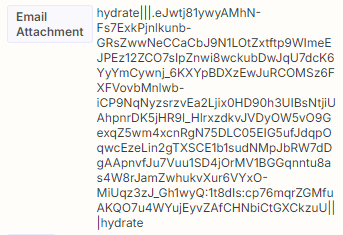
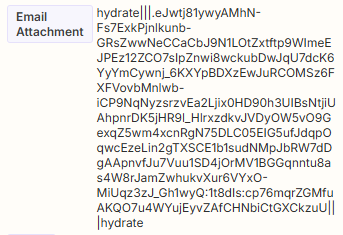
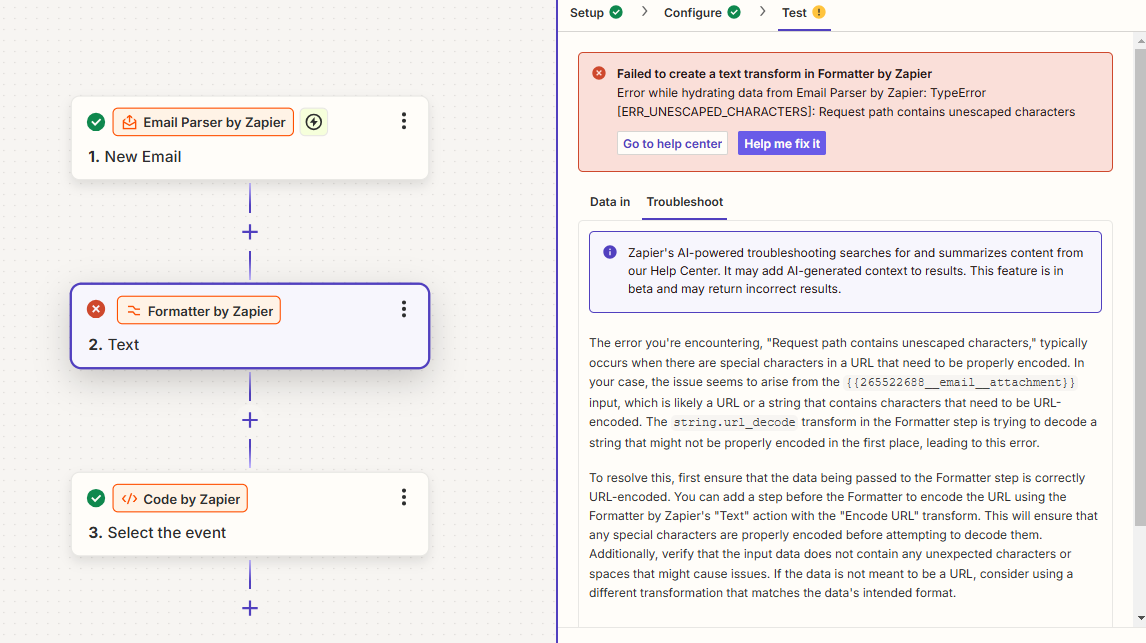
After receiving the email through Email Parser by Zapier, it appears that the attachment file is uploaded to Zapier's AWS, and the encoded URL of its location is stored as a value in the Zap (ex: picture 1).

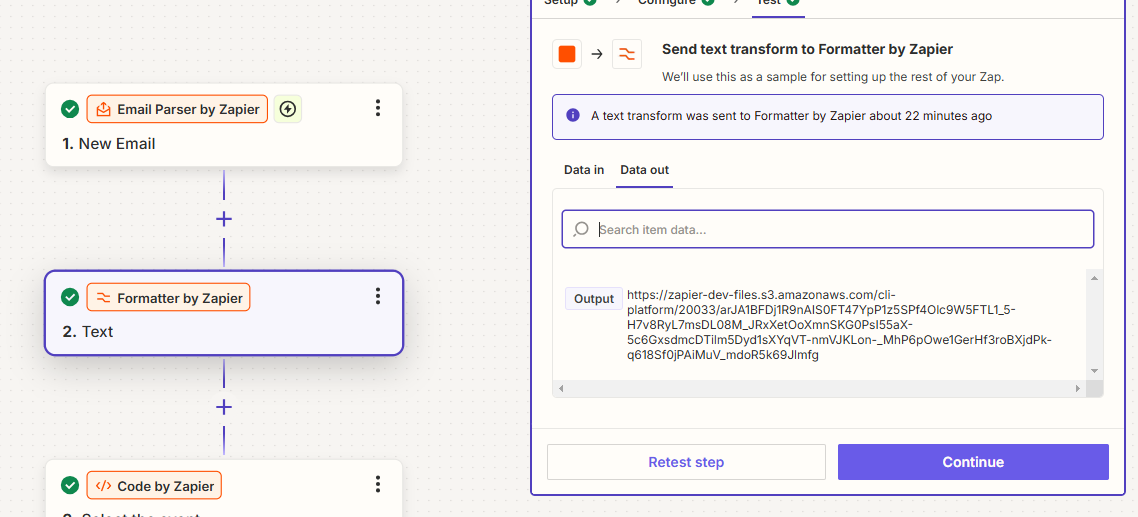
Thus, in my second step, I'm using the Formatter to decode the encoded URL (e.g., as shown in Picture 2, the URL is already expired). However, most of the encoded URLs cannot be decoded by the Formatter. How can I resolve this issue? Thanks!

Picture 1
Picture 2
Picture 3
 

This post has been closed for comments. Please create a new post if you need help or have a question about this topic.

2 replies

Troy Tessalone
Zapier Orchestrator & Solution Partner
Forum|alt.badge.img+14
  • Zapier Orchestrator & Solution Partner
  • November 6, 2024

Hi @yuki.senuma 

This is an example of a file object which is a temp file.


Try using this Zap trigger: Gmail - New Attachment

Triggers when you receive a new attachment.


Help link for using files in Zaps: https://zapier.com/help/create/basics/send-files-in-zaps

Zap app: Files by Zapier


ken.a
Forum|alt.badge.img+6
  • Zapier Staff
  • November 7, 2024

Hi @yuki.senuma,

Welcome to the Community! 🎉

I just saw your post and wanted to check in to see how you’re doing. Have you had a chance to try Troy’s suggestion?

Please do let us know if you’re still in need of some help on this at all - happy to assist further! 🤗