Best answer

How to convert attendee meta data from The Events Calendar to a Google Spreadsheet

  • May 20, 2025
  • 3 replies
  • 46 views

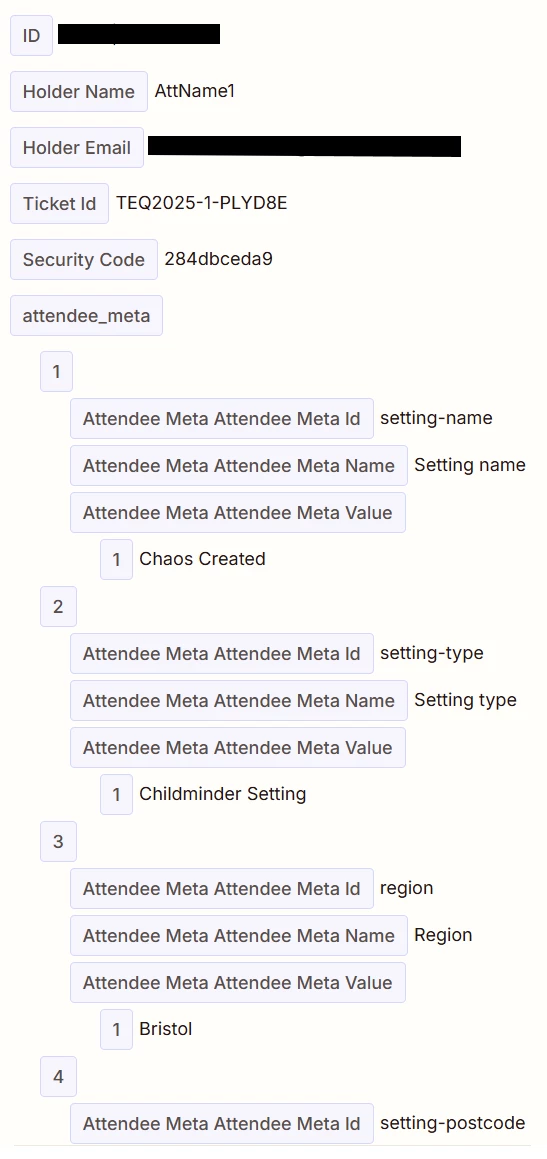
Hi. Hoping somebody can help. I’m using The Events Calendar/Events Tickets (Wordpress plugin) and I’m trying to write to a spreadsheet line in Google Docs. I’m all set up, and most of the data comes through great. But we have some custom meta data (Attendee Data) coming in, and I can’t figure out how to grab the bits of data I need. I was using Transform > Pick from List and then picking the First item for Setting Name, Second item for Setting Type, but the issue is some of the fields are optional so they won’t always be in the same order… Any suggestions? 
 

Best answer by Troy Tessalone

Hi ​@Alimaggs 

Follow this related guide to convert array object properties to their own variable to map.


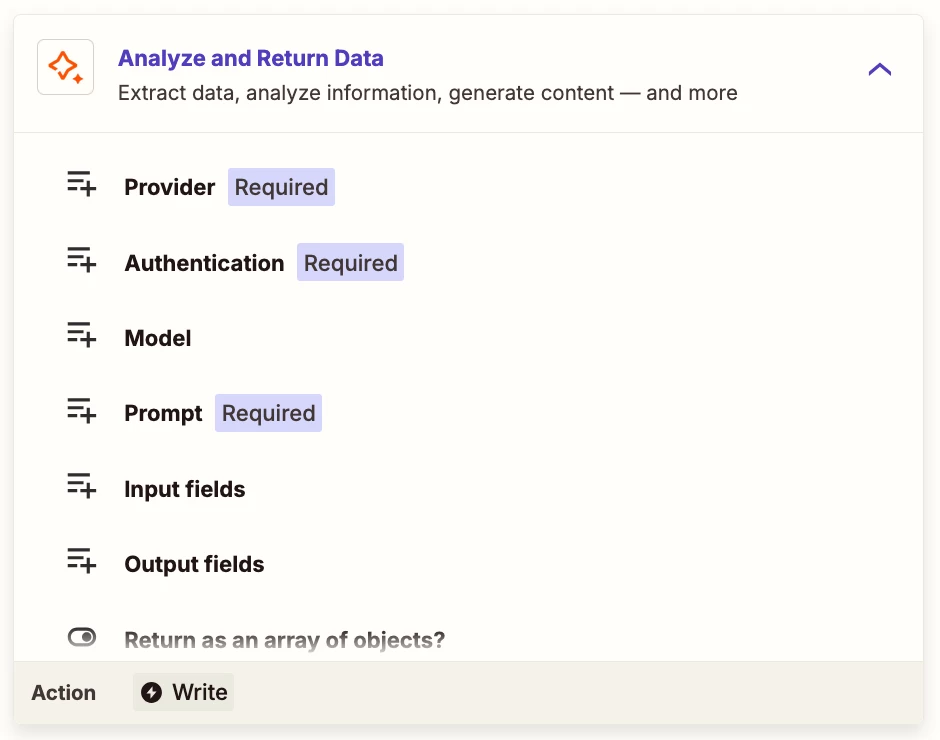
NOTE: Instead of the AI step, you can also explore using this Zap action: AI by Zapier - Analyze and Return Data


This post has been closed for comments. Please create a new post if you need help or have a question about this topic.

3 replies

Troy Tessalone
Zapier Orchestrator & Solution Partner
Forum|alt.badge.img+14
  • Zapier Orchestrator & Solution Partner
  • Answer
  • May 20, 2025

Hi ​@Alimaggs 

Follow this related guide to convert array object properties to their own variable to map.


NOTE: Instead of the AI step, you can also explore using this Zap action: AI by Zapier - Analyze and Return Data


  • Author
  • New
  • May 21, 2025

That’s awesome. Thanks so much!


ken.a
Forum|alt.badge.img+6
  • Zapier Staff
  • May 21, 2025

That’s great news ​@Alimaggs! A huge thanks to Troy for pointing you in the right direction!

If you have any other questions, please don’t hesitate to reach out to the Community. We’re always happy to help! 🤗