
Question

How to book appointments in Calendly using Go High Level and Zapier

  • Jan 14, 2025 11:43 PM UTC
  • 9 replies
  • 209 views

How can I book in go high level and send a zap to book that appointment in calendly?

This post has been closed for comments. Please create a new post if you need help or have a question about this topic.

9 replies

Troy Tessalone
Zapier Orchestrator & Solution Partner
Forum|alt.badge.img+14
  • Zapier Orchestrator & Solution Partner
  • Jan 15, 2025 1:00 AM UTC

Hi ​@Dmedine 

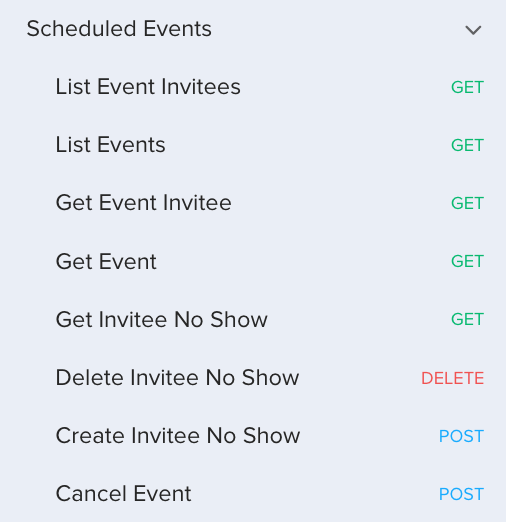
The Calendly API does not allow for events to be scheduled programmatically: https://developer.calendly.com/api-docs/4b402d5ab3edd-calendly-developer


SamB
Community Manager
Forum|alt.badge.img+11
  • Community Manager
  • Jan 15, 2025 2:52 PM UTC

Hey ​@Dmedine! 👋

Troy’s right, it’s not currently possible to create scheduled events in Calendly but we’ve got a feature request open for the ability to create events. Let me know if that’s something you’d be interested and I’ll get your vote added to the feature request.

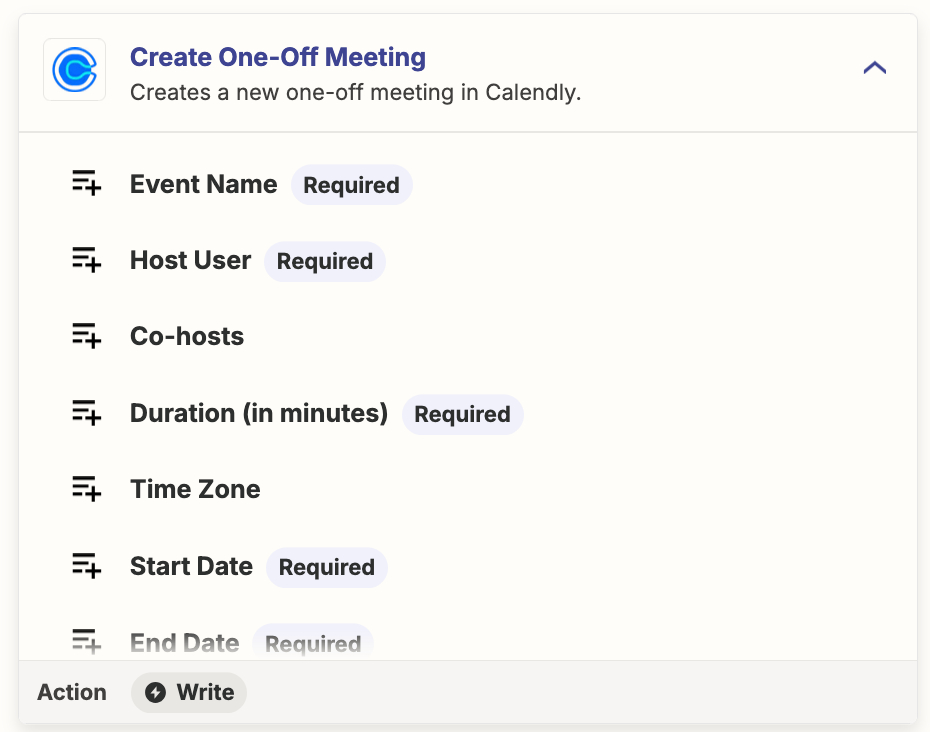
That said, I see that there’s is a Create One-Off Meeting action available for Calendly:

153e6f59a5df6b84e5f64e3333b8974c.png

Would that action work or would it need to be a scheduled event?


  • Author
  • Beginner
  • Jan 16, 2025 2:59 AM UTC

I was trying to use the one off but I’m not very experienced in zapier. However, I was thinking that If someone was booked on a GHL calendar that I could send that info through zapier to calendly and book the one off meeting in calendly. Do you think it’s doable?


  • Author
  • Beginner
  • Jan 16, 2025 3:01 AM UTC


Troy Tessalone
Zapier Orchestrator & Solution Partner
Forum|alt.badge.img+14
  • Zapier Orchestrator & Solution Partner
  • Jan 16, 2025 4:25 AM UTC

​@Dmedine 

Zap action: Calendly - Create One-Off Meeting

This does not allow you to used external invitees info for scheduling.

Calendly help link about One-Off Meetings: https://help.calendly.com/hc/en-us/articles/14074838011543-One-off-meetings#h_01FCRV3FA42STFT8QWN4WFB8J2


  • Author
  • Beginner
  • Jan 19, 2025 1:56 AM UTC

Hey ​@Dmedine! 👋

Troy’s right, it’s not currently possible to create scheduled events in Calendly but we’ve got a feature request open for the ability to create events. Let me know if that’s something you’d be interested and I’ll get your vote added to the feature request.

That said, I see that there’s is a Create One-Off Meeting action available for Calendly:

153e6f59a5df6b84e5f64e3333b8974c.png

Would that action work or would it need to be a scheduled event?

Definitely would this feature!


SamB
Community Manager
Forum|alt.badge.img+11
  • Community Manager
  • Jan 21, 2025 3:05 PM UTC

Thanks for confirming that ​@Dmedine. I’ve added you to the feature request now. 🙂 I can’t guarantee if or when this will be added, but you’ll get an email notification as soon as it becomes available to use!

In the meantime, does your Calendly account connect with one of these calendar apps? 

If so, perhaps you could have a Zap create the event on the calendar and let the native integration between the calendar and Calendly take care of automatically adding it into Calendly. If you use Google Calendar for example it has an action that would allow you to add external attendees to the event:

404316af352b7aa2b81370862dd967f5.png
 

Do you think that approach could work? 


  • Author
  • Beginner
  • Jan 21, 2025 5:08 PM UTC

Thanks ​@SamB. So if the client has Google calendar, the zap can book on there and it will show up in Calendly?


SamB
Community Manager
Forum|alt.badge.img+11
  • Community Manager
  • Jan 22, 2025 3:57 PM UTC

No they wouldn’t book via Google Calendar—sorry for not being clearer on that, ​@Dmedine. I was thinking you’d still book in GoHighLevel (LeadConnector) but get the Zap to add the event into your own Google Calendar, which then would potentially get automatically synced into Calendly. 

That said, looking into the available triggers for LeadConnector there isn’t any trigger that would allow you to run a Zap when a new calendar booking is made so that part of the workflow isn’t possible. I see we’ve got a feature request for that sort of trigger to be added though so I’ll get your vote added it as well. Again, we wouldn’t be able to give any sort of estimate as to when it would be added but we’ll send you an email as soon as it is. 

Sorry to not have a workaround to suggest for that at the minute. If I come across any I’ll be sure to share details of them here!