Question

How to automate the transfer of hospital screening data to Google Forms

  • May 28, 2026
  • 3 replies
  • 11 views

Hello,
Please how do i create an ai automated workflow that takes a hand written spreadsheet of data, 10 columns each of about 200 to 400 pages and make it automatically upload to a google form filling each dictionaries. I am working on a project that deals with thousands of data from an hospital, the data shows screening results of patients to ascertain if they are fit or not for blood donation. The results have been logged into a registry(hand-written) and i am to transfer these details to a google form. I have made some research about using zapier and linking to an OCR, but i am kind of new to this, any help will be appreciated.
Thanks!

3 replies

Forum|alt.badge.img+3
  • Zapier Solution Partner
  • May 28, 2026

Hi ​@Peace Adedayo 

Here's the doc that might help: PDF OCR for Zapier – Convert Scanned PDFs to Text!-->

You can try:

Step 1 – Scan all your handwritten pages and save them as PDFs or images in a dedicated Google Drive folder.

Step 2 – Set up your Zap trigger – Use Google Drive → New File in Folder. Make sure you set "Include file contents?" to "Yes" – this is critical because it passes the actual file to the OCR tool, not just a reference.

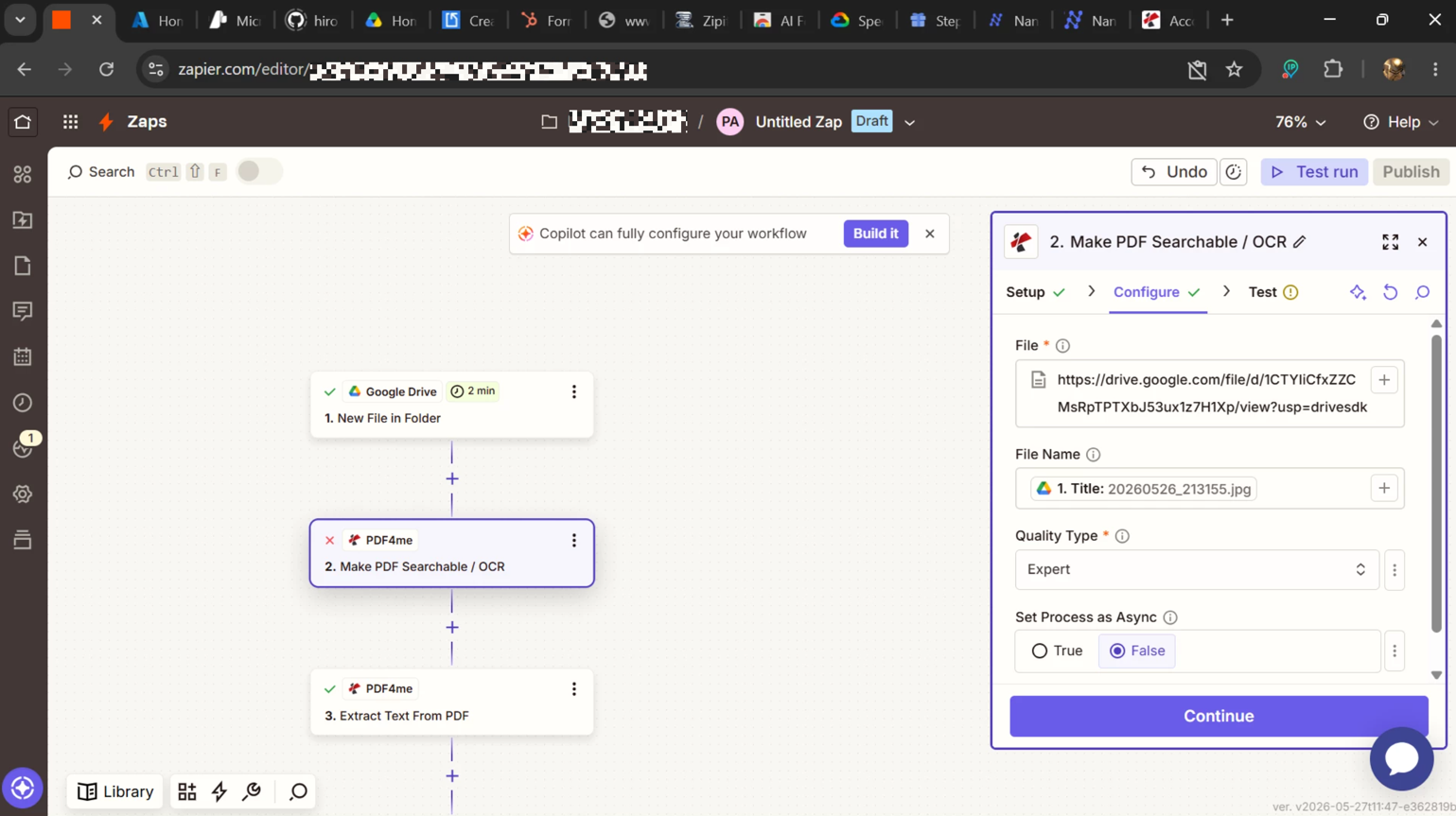
Step 3 – Run OCR – Add PDF4me → Make PDF Searchable / OCR. Set "Set Process as Async" to "False" so Zapier waits for the OCR to finish before moving on.

Step 4 – Extract the text – Add PDF4me → Extract Text From PDF. Choose "Full Document" as your extract mode to grab everything.

Step 5 – Send to Google Sheets – Add Google Sheets → Create Spreadsheet Row. Map the extracted text to your columns. Each scanned page becomes one searchable row. Boom.


You can't auto-fill the form itself, but you CAN auto-fill a Google Sheet. That gives you a searchable database of thousands of patient records – way more useful than a form anyway. Test it with one page first to see if the handwriting OCR works well enough for your needs. Good luck!

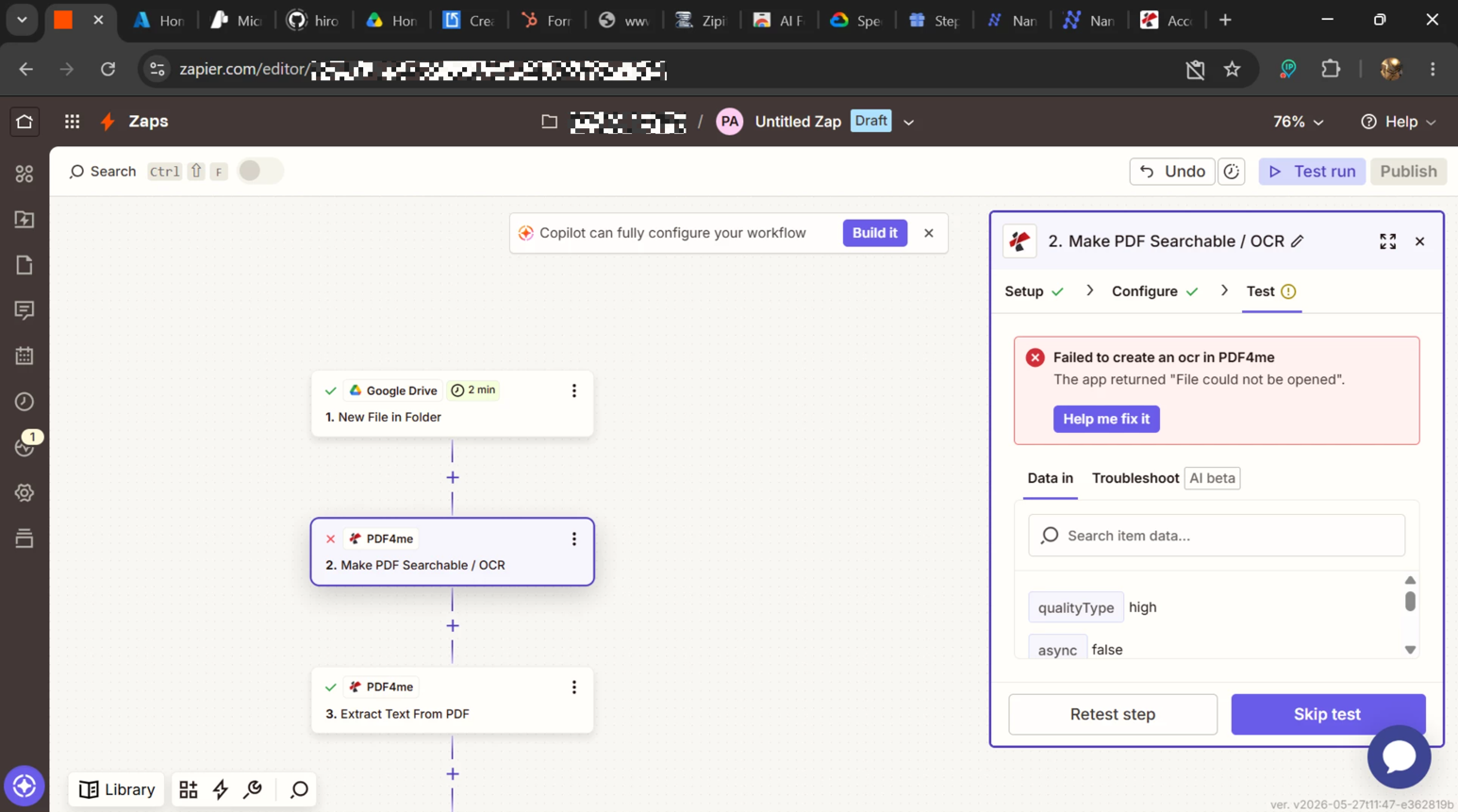
If you're still running into issues after trying these steps, feel free to drop a screenshot of the error and a quick description of what your Zap is doing—happy to take a look and help troubleshoot.


Thank you so much, ​@Fahad S. I am going to be definitely working on it and will feed you back however it goes.


I received an error message at this step.